My Services
Navigate to Me > My Services.
Configuration Options
Depending on how your admin configured the service (Service Override Type), you will see one of the following:
- None — The service uses the global admin configuration. Nothing to configure.
- Allow — You can optionally provide your own configuration, or leave it to use the global default.
- Force — You must provide your own configuration. The service will not work until you do.
Configuring Services
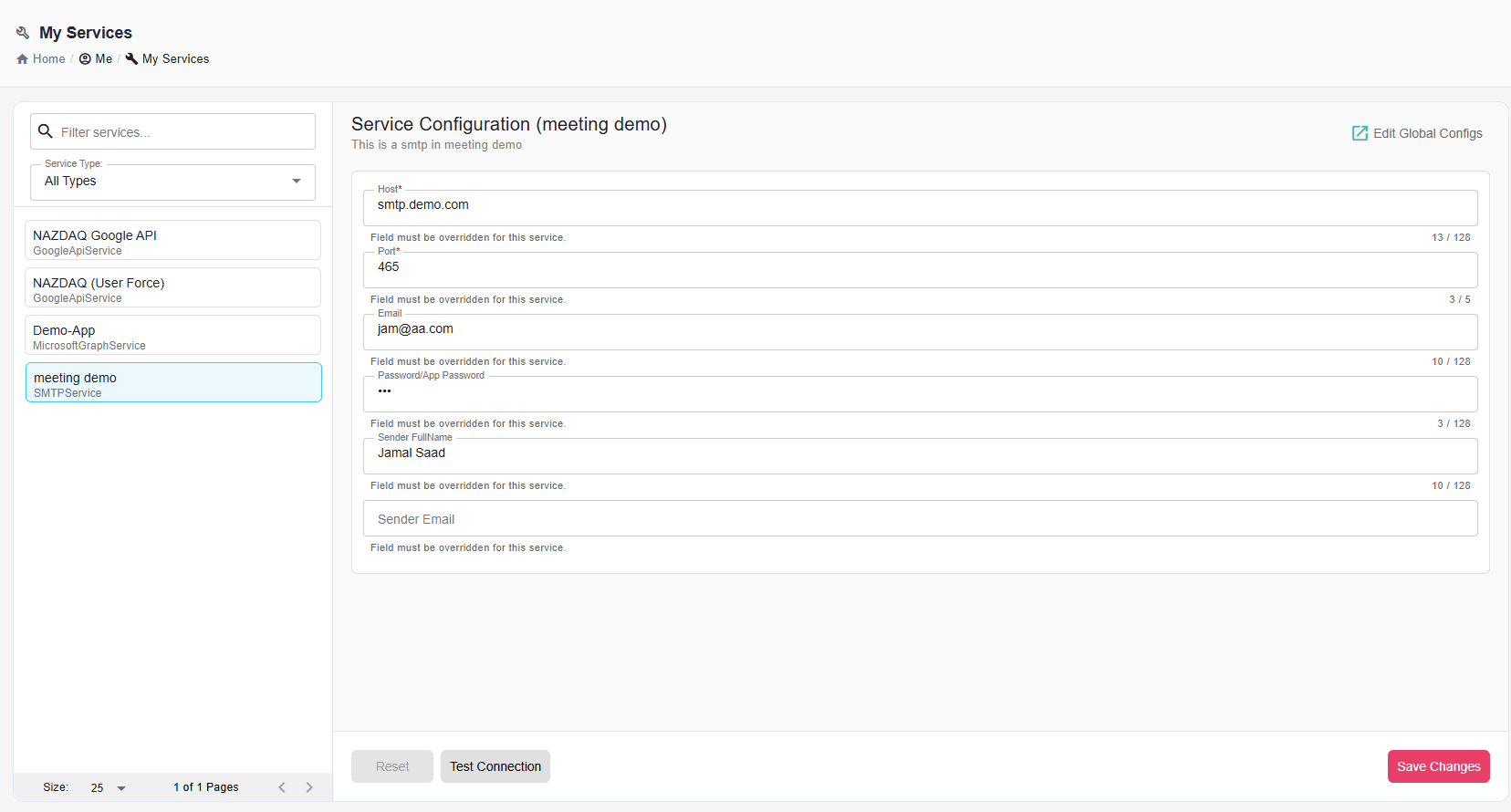
Select a service from the list. Fill in the configuration fields on the right.
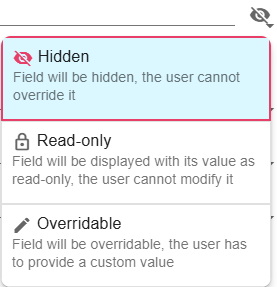
Depending on the Field Permissions your admin has set, some fields may be pre-filled and read-only, some may be hidden, and others you will need to fill in yourself.
If you have admin permissions, click Edit Global Configs to manage field permissions for all users.
Actions
- Test Connection - Verify settings work
- Reset - Undo changes
- Save Changes - Apply configuration