My Services
Navigate to Me > My Services.
Configuration Options
Depending on how your admin configured the service (Service Override Type), you will see one of the following:
- None — The service uses the global admin configuration. Nothing to configure.
- Allow — You can optionally provide your own configuration, or leave it to use the global default.
- Force — You must provide your own configuration. The service will not work until you do.
Configuring Services
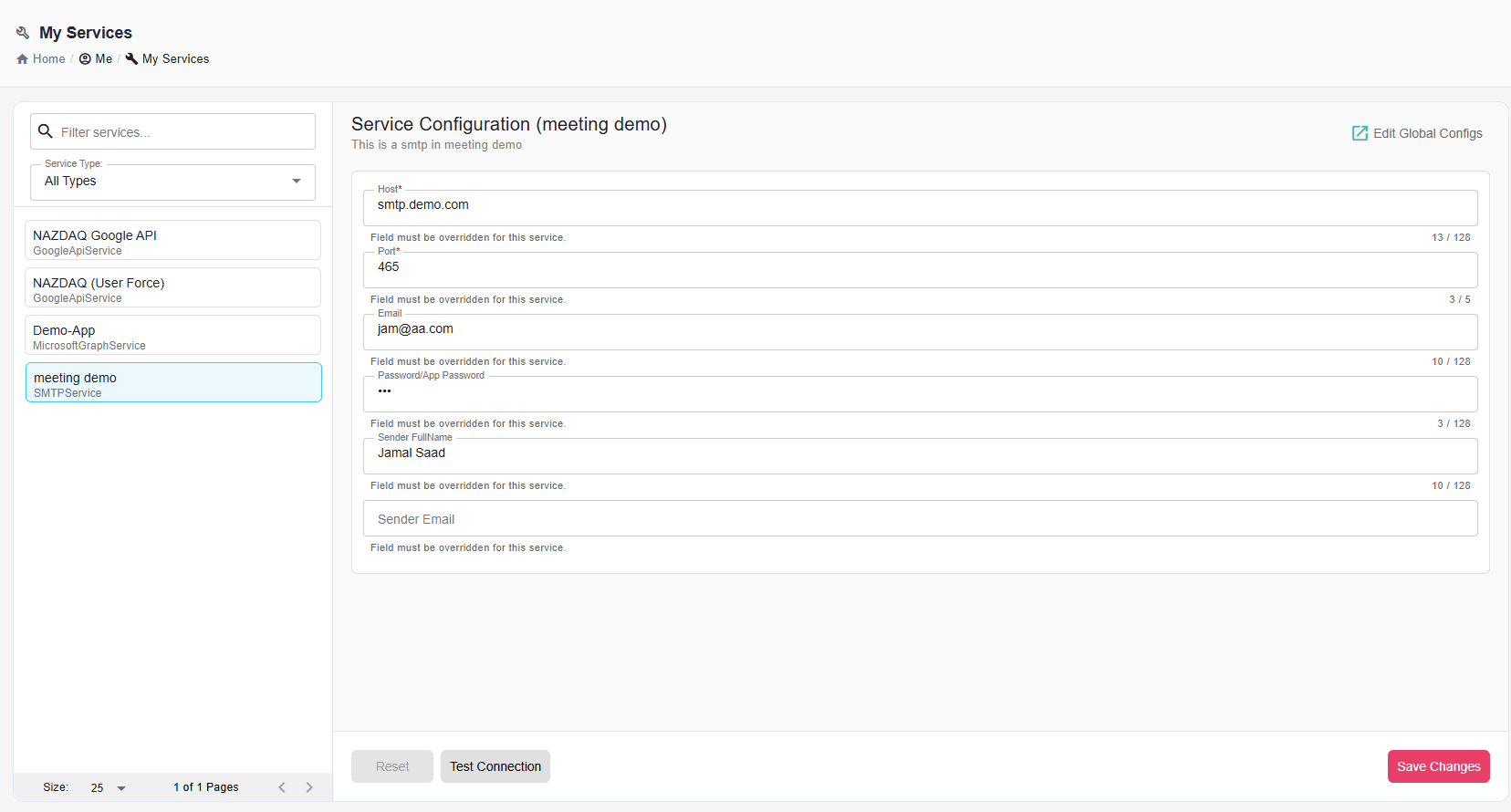
Select a service from the list. Fill in the configuration fields on the right.
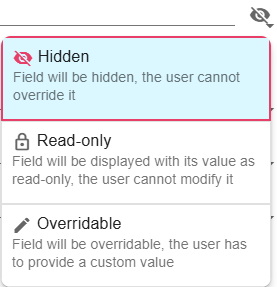
Depending on the Field Permissions your admin has set, some fields may be pre-filled and read-only, some may be hidden, and others you will need to fill in yourself.
If you have admin permissions, click Edit Global Configs to manage field permissions for all users.
Actions
- Authorize - For services that use OAuth (such as Microsoft Graph or Google API), click this button to authenticate with the provider and grant B2Win Suite the required permissions. You will be redirected to the provider's login page and then back to B2Win Suite.
- Test Connection - Verify settings work
- Reset - Undo changes
- Save Changes - Apply configuration