Address Books
Address books define named relationships between business partners and contacts. They answer the question: "For this Business Partner Role (address book), which contact should receive the document?"
For example:
- An "Invoice to" address book maps each customer to the accounting contact who handles invoices.
- A "Ship to" address book maps each customer to the logistics contact who handles deliveries.
- A "Buy from" address book maps each supplier to the procurement contact.
When the B2Win Suite distributes a document, it can look up the business partner in the specified address book and find the linked contact to determine where to send the document.
View Address Books
Go to Contact Management → Address Books to see all address books for the selected company.

The list shows all defined address books.
Add an Address Book
Click + Address Book to open the form.

| Field | Description |
|---|---|
| Name | A descriptive name (for example, "Invoice to" or "Purchase Order"). |
| Description | An optional explanation of what this address book is used for. |
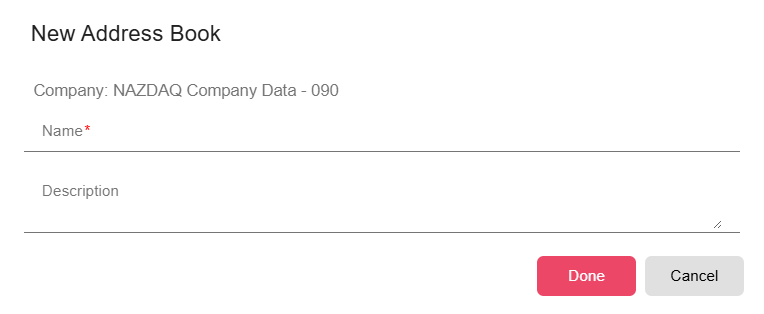
Click Done to create the address book.
Configure Address Book Entries
After creating an address book, add entries to link business partners to their contacts:
Each entry in the address book specifies:
- Business Partner — The business partner code
- Contact — The individual at that BP who should receive documents in this context
Add one entry per business partner. A business partner can appear in multiple address books with different contacts in each.
Edit an Address Book
Click Edit on an address book row to update its name or code.

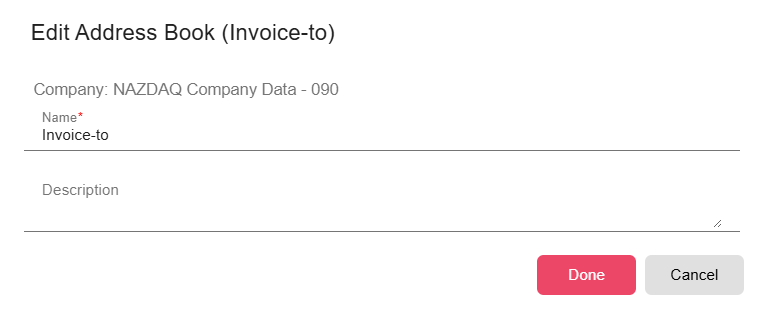
To manage the entries (BP-to-contact mappings) within an address book, open the address book and add, edit, or remove entries.
Usage
Address Books are referenced their names. At distribution time, B2WIn Suite:
- Reads the business partner code from the document data
- Looks up that BP in the specified address book
- Finds the linked contact
- Delivers the document to the linked contact
Keeping address book entries up to date ensures documents always reach the correct recipients as your business relationships change.
Notes
- If a business partner is not in the specified address book, the document cannot be distributed.
- It is common to have a few standard address books (Invoice to, Order to, Ship to) that cover the majority of roles.