Login
B2Win Suite is a web-based application. Access it by opening a browser and navigating to the URL provided by your administrator (for example, https://your-server/).
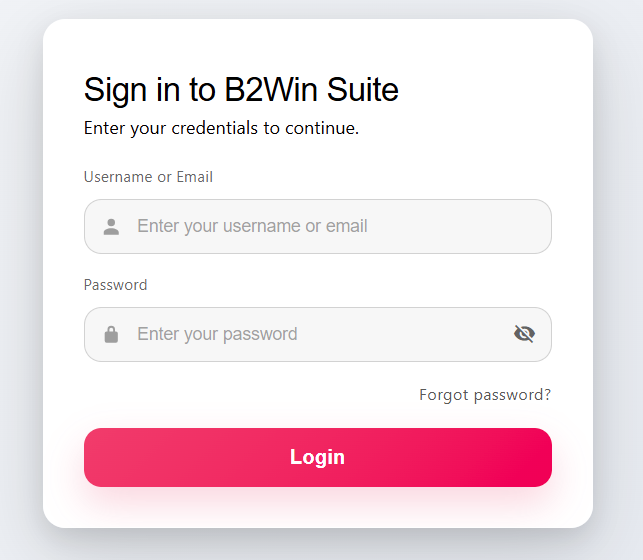
Signing In
On the login screen, enter your Username or Email and Password, then click Login.
- Usernames are case-insensitive.
- The password field shows a warning if Caps Lock is on.
- Use the visibility toggle next to the password field to show or hide the characters.
If your credentials are correct, you are redirected to the Home Dashboard.
Existing Session
B2Win Suite allows one active session per user at a time. If you attempt to log in while a session is already active (for example, from another browser or device), you will see an error message offering a Kill Existing Session button. Clicking it terminates the previous session and logs you in with the new one.
Sessions expire after a period of inactivity. The default idle timeout is configurable by your administrator (typically 3 hours).
Forgot Password
If you have forgotten your password:
- Click Forgot password? on the login screen.
- Enter your Username and click Send Reset Link.
- Check your email inbox for a password reset link.
- Click the link in the email, set a new password, and log in.
The Forgot Password flow is only available for local B2Win Suite accounts.
First-Time Login / Profile Setup
When a new account is created by an administrator (or auto-created from an ERP system), you may receive an email with a link to Complete Your Profile. This link takes you to a one-time profile setup screen where you must provide:
| Field | Required | Notes |
|---|---|---|
| First Name | Yes | Minimum 2 characters |
| Last Name | Yes | Minimum 2 characters |
| Email Address | Yes | Used for notifications and password reset |
| Password | Depends | Only shown when not using AD/LDAP authentication |
| Confirm Password | Depends | Must match the password field |
Password requirements (local accounts only):
- Minimum 8 characters
- Must contain uppercase letters, lowercase letters, and either numbers or special characters
- A strength indicator shows Weak / Medium / Strong as you type
After completing setup, you are redirected to the login screen and can sign in with your credentials.
Troubleshooting
| Problem | What to try |
|---|---|
| "Invalid username or password" | Double-check your username and password. Passwords are case-sensitive. |
| Caps Lock warning appears | Press Caps Lock to turn it off before typing your password. |
| "Kill Existing Session" error | You have an open session elsewhere. Click Kill Existing Session to close it and log in. |
| Reset link not received | Check your spam/junk folder. Ask your administrator to verify the email address on your account. |
| Reset link expired | Links are valid for 3 days. Click Forgot password? again to request a new one. |
| Cannot log in with AD credentials | Confirm that LDAP integration is enabled with your administrator. Ensure you are using your Windows username (not your email) unless your administrator specifies otherwise. |
| Redirected to login after a period of inactivity | Your session expired due to inactivity. Log in again. |
| Page does not load | Check that you are using the correct server URL and that the B2Win Suite server is running. |