Workflow Permissions
Permissions control which users or groups can perform specific actions on a workflow — such as running it, editing it, deploying it, or managing its settings. Permissions can be configured at the workflow level or inherited from the system-wide defaults.
Accessing Permissions
Open the Workflow Manager, right-click a workflow (or use its three-dot menu), and select Permissions.
Inherit vs. Custom Permissions
By default, every workflow inherits the system permission configuration. The inherited settings are shown as read-only.
To override permissions for a specific workflow, uncheck the Inherit checkbox:
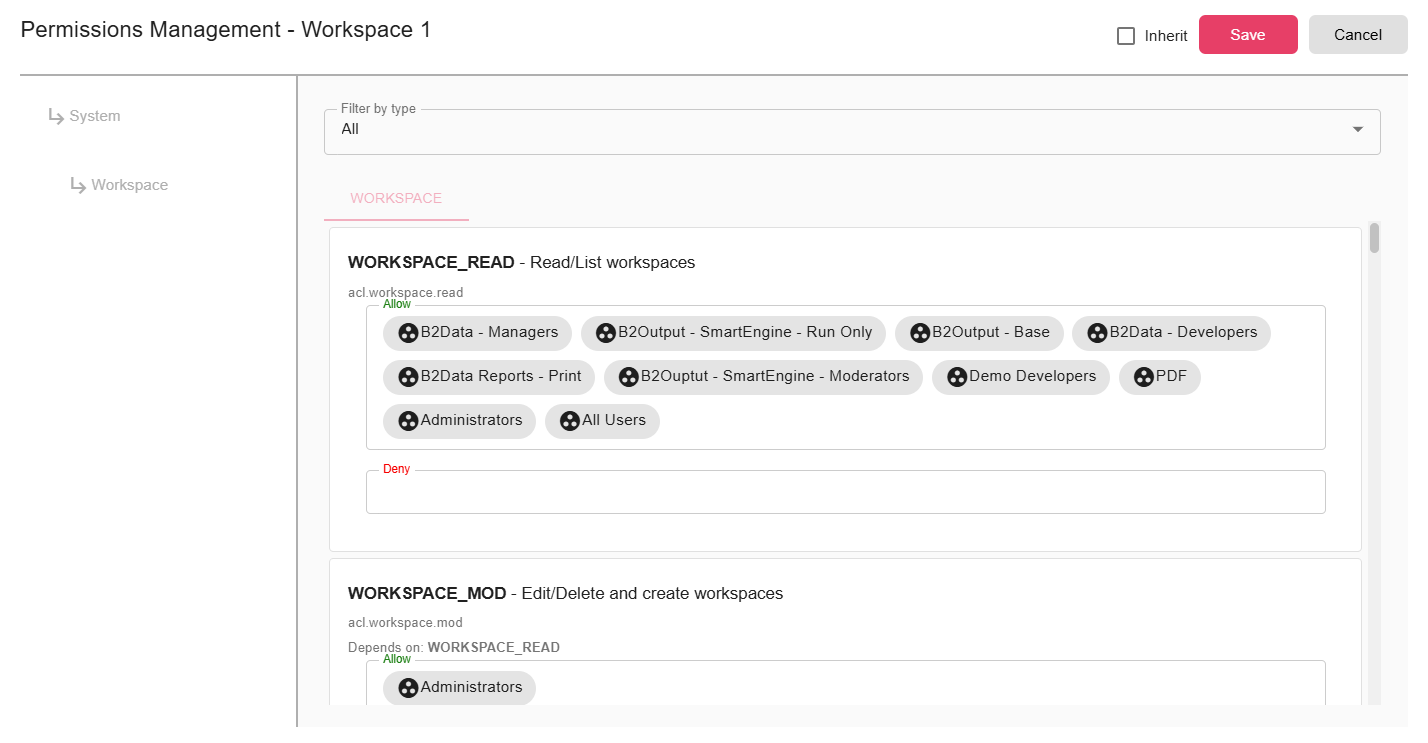
Once inheritance is disabled, you can configure each permission type independently for this workflow.
Permission Types
| Permission | Description |
|---|---|
WORKFLOW_READ | Who can view the workflow and its configuration |
WORKFLOW_MOD | Who can open the builder and modify the workflow |
WORKFLOW_CHGPERM | Who can modify the workflow's permission settings |
WORKFLOW_EXECUTE | Who can execute the workflow manually or trigger it |
WORKFLOW_EXPORT | Who can export the workflow |
WORKFLOW_DEPLOY | Who can deploy or undeploy the workflow to production |
Allow and Deny Rules
For each permission, you can specify both Allow and Deny subjects:
- Allow — Grants the permission to the selected users, groups, or "All Users"
- Deny — Explicitly blocks the permission for the selected users or groups, even if a matching Allow rule exists
Example:
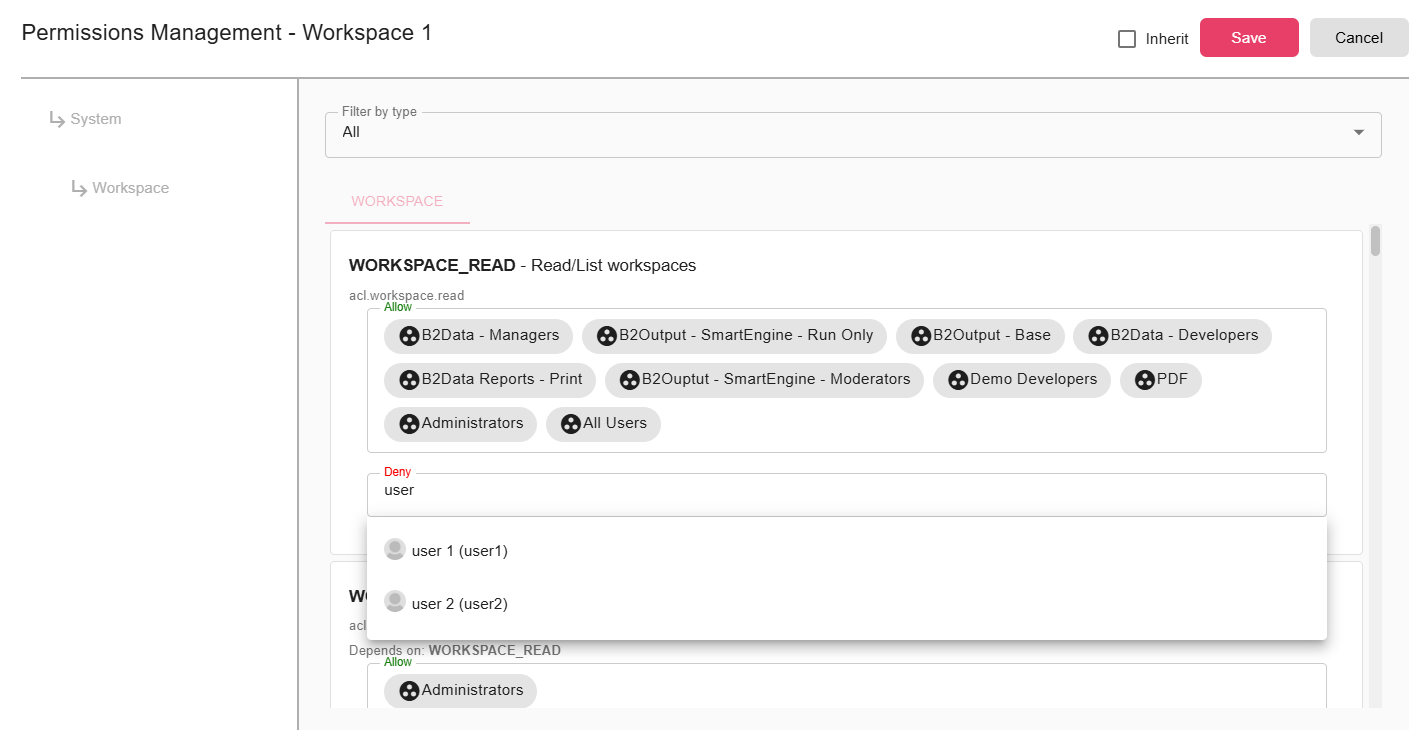
In this example, user user1 is denied the WORKFLOW_CHGPERM permission, meaning they cannot change permissions for this workflow even if they belong to a group that would normally be allowed.
Deny rules always take priority over Allow rules.
System-Level vs. Workflow-Level
Workflow permissions work alongside the system-level Access Control List (ACL). Both must permit an action for it to succeed. Workflow-level permissions provide fine-grained control on top of the global ACL defaults.