DB Table Push
The DB Table Push node writes a DataFrame to a database table using an explicit mapper between source fields and destination table columns. It supports existing-table mapping, new-table definitions, static values, default values, and scripted values.
Overview
Use this node when the source DataFrame does not exactly match the destination table, or when you need control over destination columns, primary keys, data types, defaults, auto-increment fields, or per-column transformations.
Purpose
- Map DataFrame columns to a database table with the visual mapper.
- Create a destination table from a mapped schema when configured in the mapper.
- Insert or update destination rows based on the configured primary key.
- Optionally use a staging table for larger updates.
Configuration
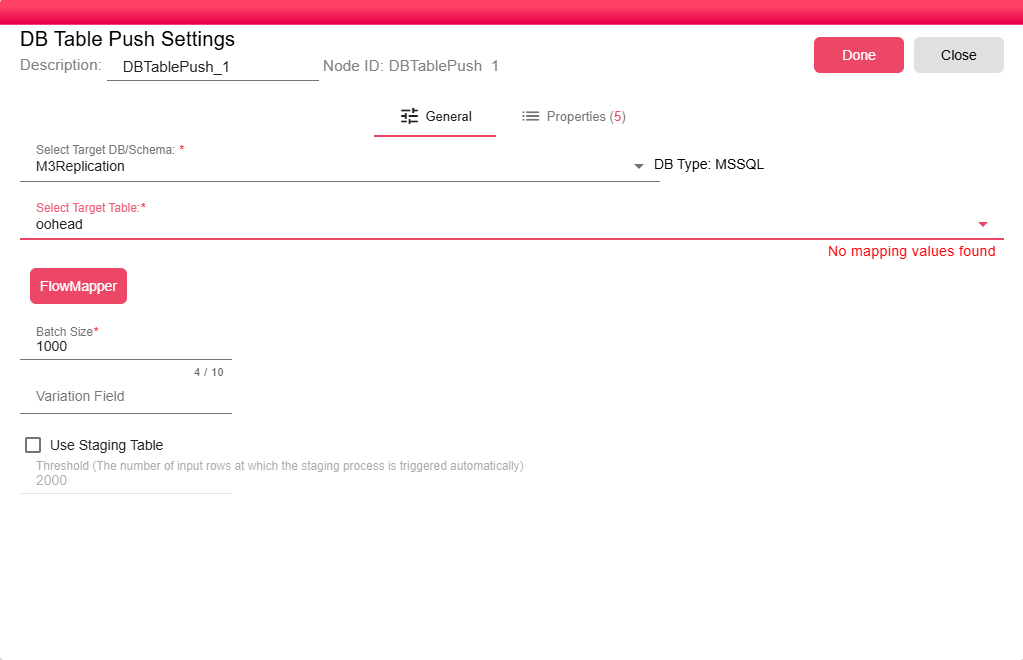
Target Schema
- Select Target DB/Schema (required): The database schema connection used for the write. It can be a synced or unsynced schema.
Mapping
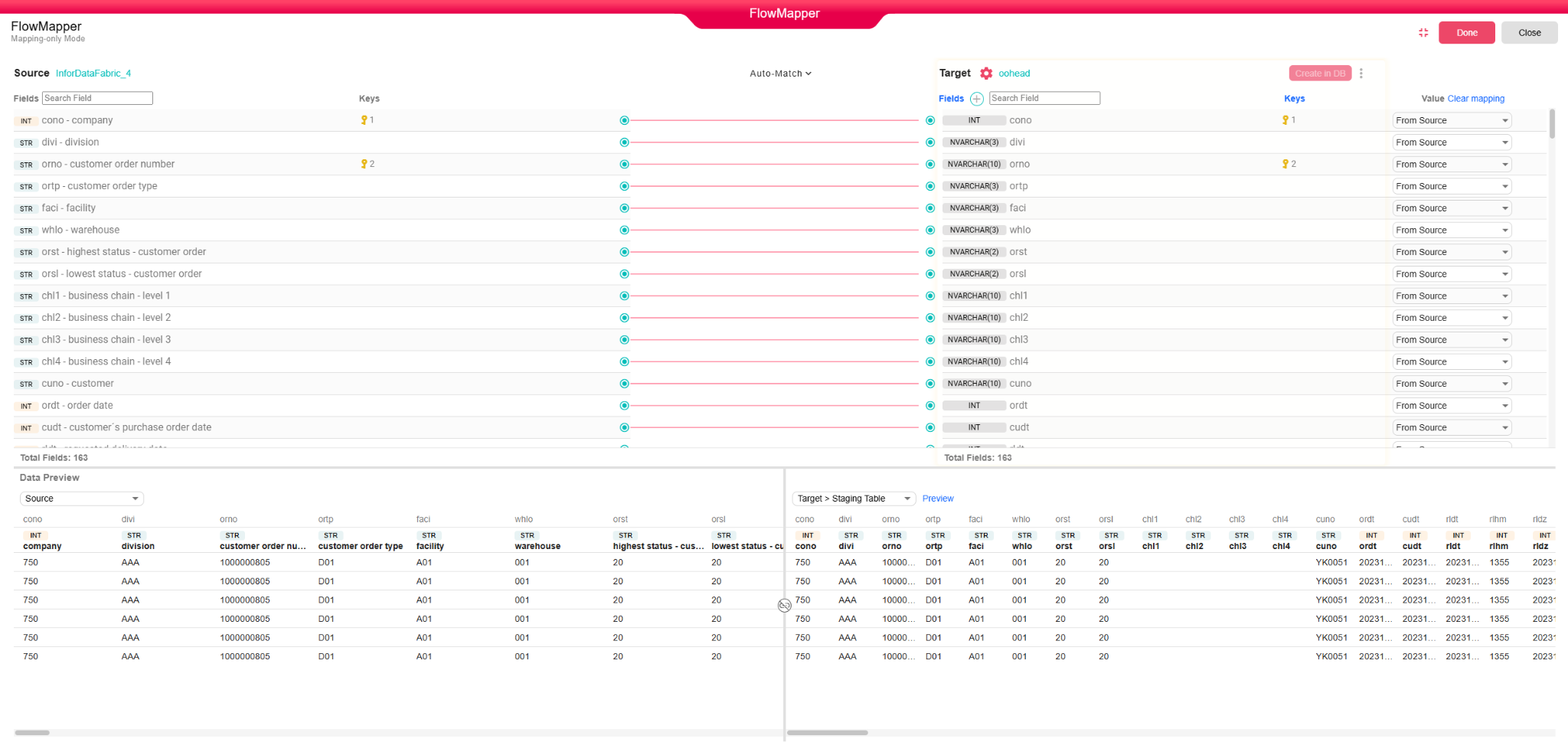
The mapper defines the destination table schema and the value source for each destination field. A destination value can be:
- Source field: Copies a value from a DataFrame column.
- Script: Computes a value using the mapper script editor.
- Static: Uses a literal configured value.
- Default: Uses the database/default value behavior for that field.
- Unmapped: Writes
nullfor that destination field.

Table Definition
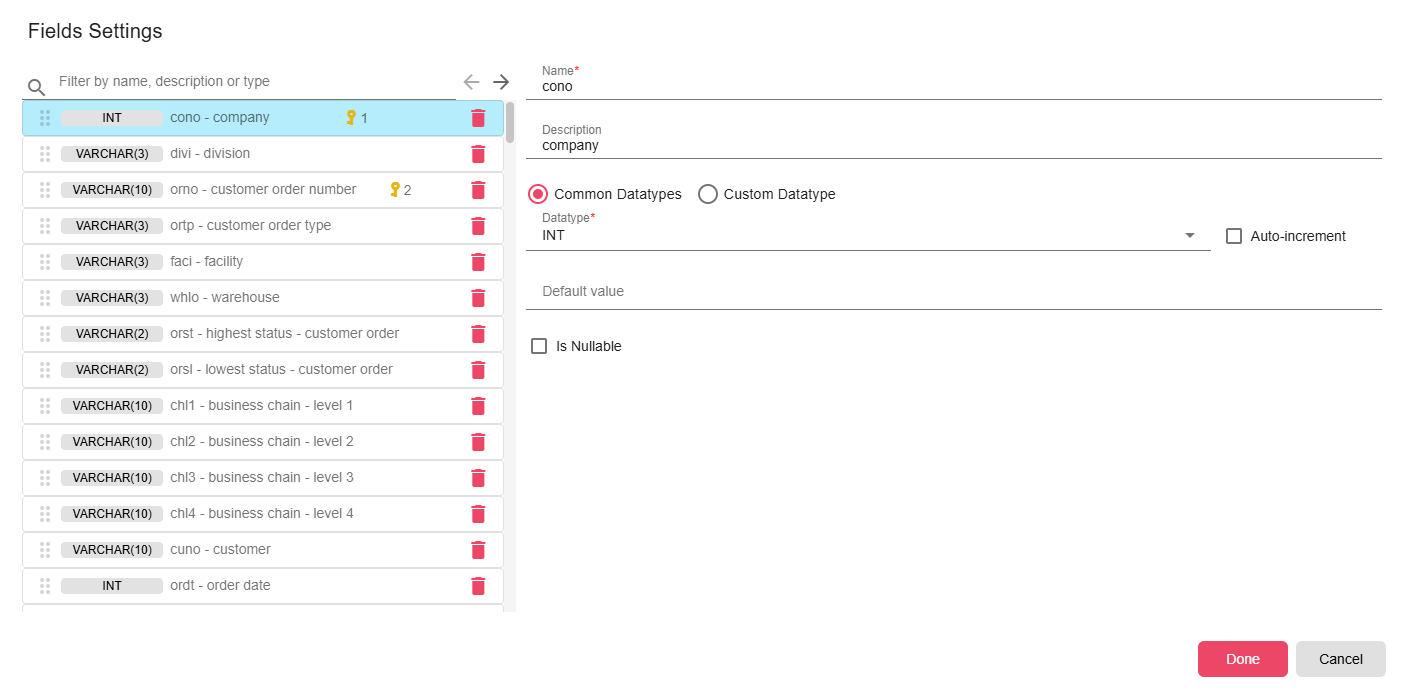
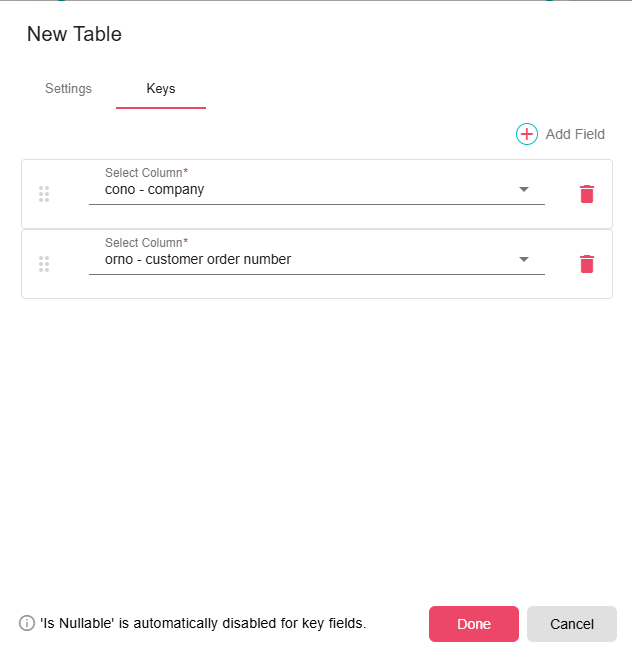
For new-table definitions, configure the table name, description, destination fields, database data types, primary key fields, nullability, defaults, and auto-increment behavior where supported.
- Batch Size (required): Number of rows written in each database batch. Default configuration value is
1000. - Use Staging Table (optional): Writes to a temporary staging table first when the input row count reaches the threshold, then merges into the destination table.
- Threshold (optional): Minimum row count that activates staging mode when Use Staging Table is enabled. Default configuration value is
2000. - Variation Field (required when staging is enabled): A field used by staging merge logic to choose the winning row when duplicate primary keys are present.
Inputs
| Input | Data Type | Input Type | Description |
|---|---|---|---|
| DataFrame | DataFrame | Single | The table data to write. |
Outputs
| Output | Data Type | Collection | Description |
|---|---|---|---|
| Output | DataObject | False | Result JSON containing success, schema name, table name, and affected row count. |
Properties
| Property | FlowDataType | Description |
|---|---|---|
| TARGET_DB_NAME | String | Target database name |
| TARGET_SCHEMA_NAME | String | Target schema name |
| TARGET_TABLE_NAME | String | Target table name |
| DB_TABLE_PRIMARY_KEYS | JsonNode | Primary keys of the target table |
| DB_AFFECTED_ROWS | Integer | Number of affected rows in the target table |
Processing Logic
- Loads the input DataFrame schema and the destination schema from the mapper.
- Validates staging mode by requiring Variation Field when staging is enabled.
- Resolves each destination row from the mapper configuration. Script values run through the workflow compiler with the row's source values available.
- Uses primary keys to prepare insert/update statements. Auto-increment primary keys can be skipped from insert values.
- Writes in batches inside database transactions.
- If staging mode is active and the row count is at or above the threshold, creates a staging table, writes deduplicated data to it, merges into the destination table, and drops the staging table.
- Returns affected row information in the output object and output properties.
Examples
Map a source DataFrame to a customer table:
customer_idfrom source fieldCustomerCodecustomer_namefrom source fieldNameupdated_atfrom a script value such asDateTimeUtil.now()source_systemfrom a static value such asERP
Notes / Limitations
- The destination table and mapping must stay aligned. If the table schema changes, update the mapper before running the workflow.
- New-table creation fails if the table already exists.
- Staging mode creates and drops a table named after the destination table with a
_nazdaq_stagingsuffix (upper-cased for Oracle). - A staging run can overwrite a stale staging table after dropping it, but destination table permissions must allow create, insert, merge/update, and drop operations.
- Compared with DB Push, this node is more flexible but requires explicit mapper configuration.