Send Email (Gmail)
The Send Email (Gmail) node sends an email through the Gmail API using a configured Google API service. It supports dynamic recipients, subject and body expressions, HTML content, priority headers, signatures, and file attachments.
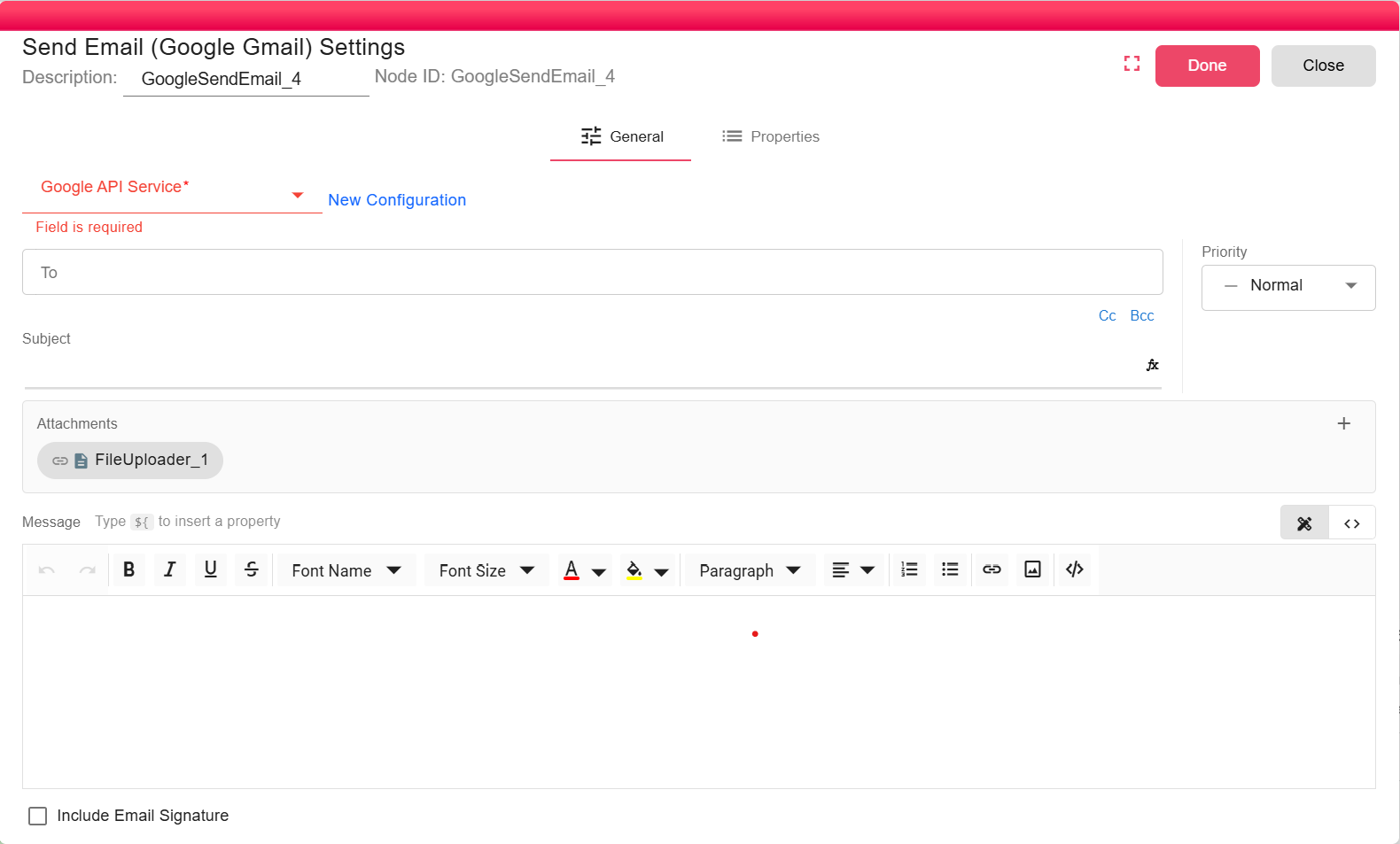
Overview
Use this node when Gmail should be the delivery channel for workflow notifications or generated files. The node sends the message from the Gmail account available to the selected Google API service.
Purpose
- Send workflow emails through Gmail without SMTP server configuration.
- Attach files produced by upstream nodes.
- Use workflow properties in the recipients, subject, and message body.
Configuration
Select an existing Google API Service configuration, or create one from the node dialog.
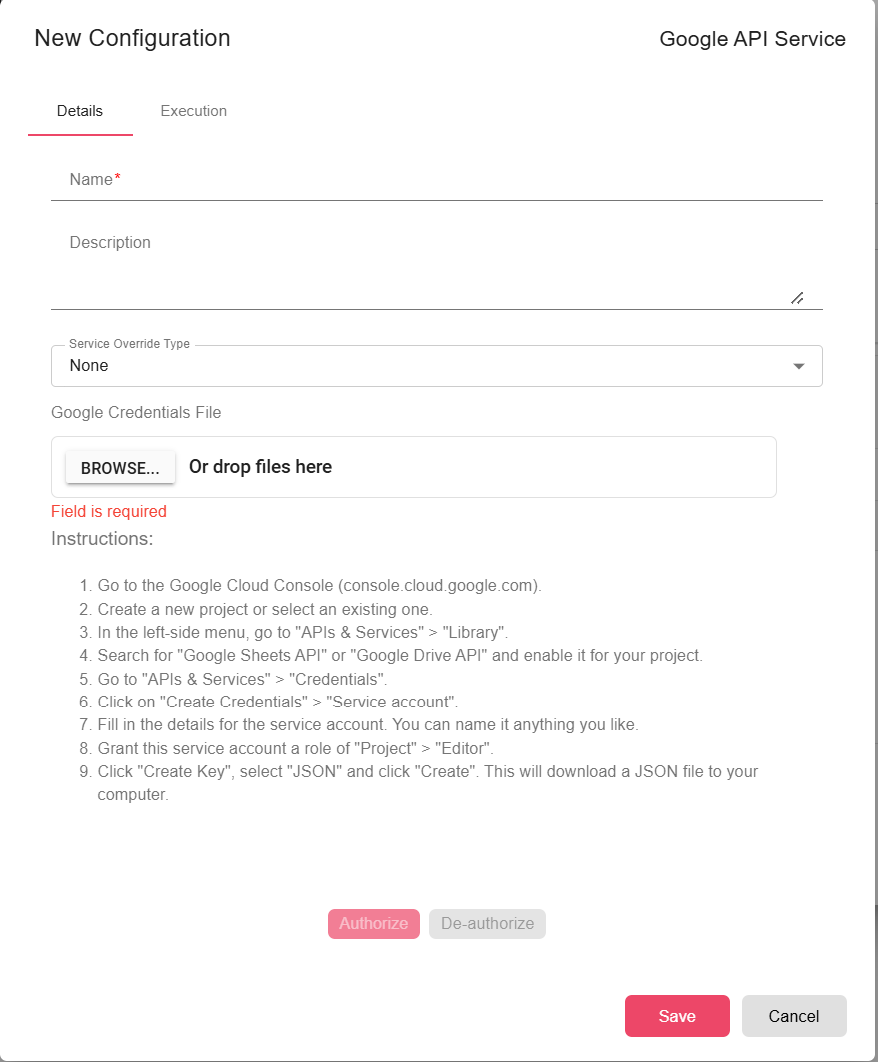
- Google API Service (required): Provides the authenticated Gmail API client. See Google API Service.
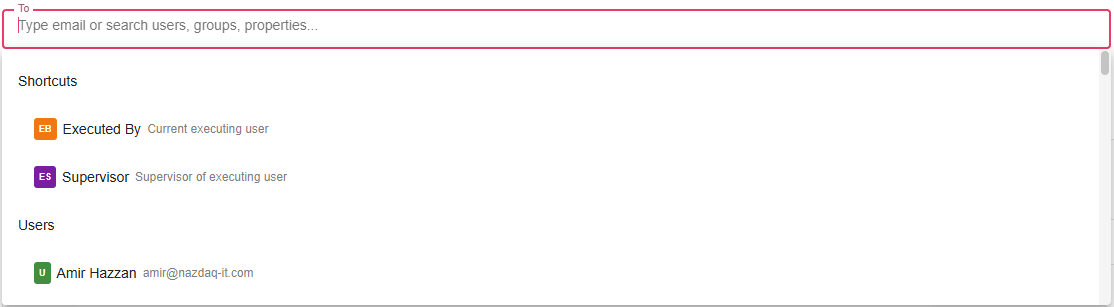
- To (required): One or more recipients. The email composer requires at least one
Torecipient. - Cc / Bcc (optional): Additional visible or hidden recipients.
- Subject (optional): Supports workflow expressions and properties.
- Message (optional): HTML body edited with the rich text editor or source-code editor.

- Priority (optional): Low, normal, or high priority. The node sets Gmail MIME importance headers.
- Include signature (optional): Appends the executing user's configured email footer when available.
- Attachments (optional): Select upstream file outputs to attach. Attachments marked as detached are skipped.
Inputs
| Input | Data Type | Input Type | Description |
|---|---|---|---|
| NodeFile | Any | Multiple | Optional upstream data. File outputs can be included as attachments through the email composer. |
Processing Logic
- Opens the selected Google API service and creates a Gmail client.
- Uses Gmail profile
meas the sender address. - Resolves
To,Cc, andBccentries in the current workflow context. - Evaluates the subject and HTML body.
- Appends the executing user's email footer when Include signature is enabled and a footer exists.
- Adds selected, non-detached attachments using each upstream file's computed name.
- Encodes the MIME message and sends it with
users.messages.send("me", ...).
Examples
Send a Gmail notification with an attached export:
- To:
operations@example.com - Subject:
Export ready: ${EXPORT_NAME} - Message:
The export completed at ${TRIGGER_TIME}. - Attachments: Select the generated export file.
Notes / Limitations
- The form hides the read-receipt option for Gmail, even though the backend has generic email-object support.
- Message content is sent as HTML.
- The sender is determined by the Gmail account available through the Google API service.
- If Gmail rejects the message or an attachment cannot be read, the node fails.