Send Email (Outlook)
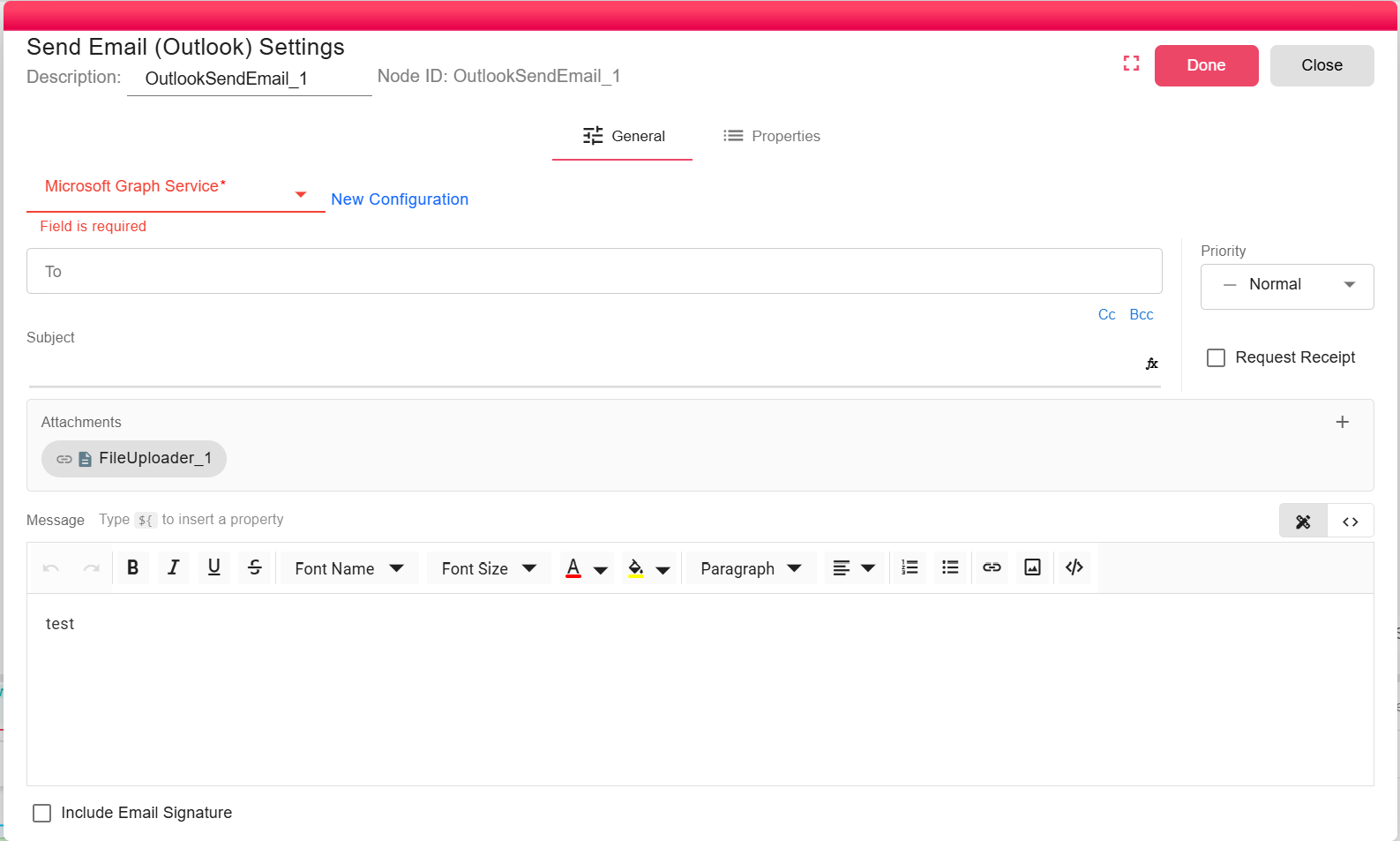
The Send Email (Outlook) node sends an email through Microsoft Graph using a configured Microsoft Graph service. It supports dynamic recipients, HTML messages, priority, read receipts, user signatures, and file attachments.
Overview
Use this node when workflow email should be delivered from an Outlook or Microsoft 365 mailbox. The selected Microsoft Graph service controls the tenant, user, and permissions used to send the message.
Purpose
- Send notifications and generated documents through Outlook.
- Attach files from upstream workflow nodes.
- Use workflow properties in recipients, subject, and message content.
Configuration
Select an existing Microsoft Graph Service configuration, or create one from the node dialog. For setup details, see Microsoft Graph Service.
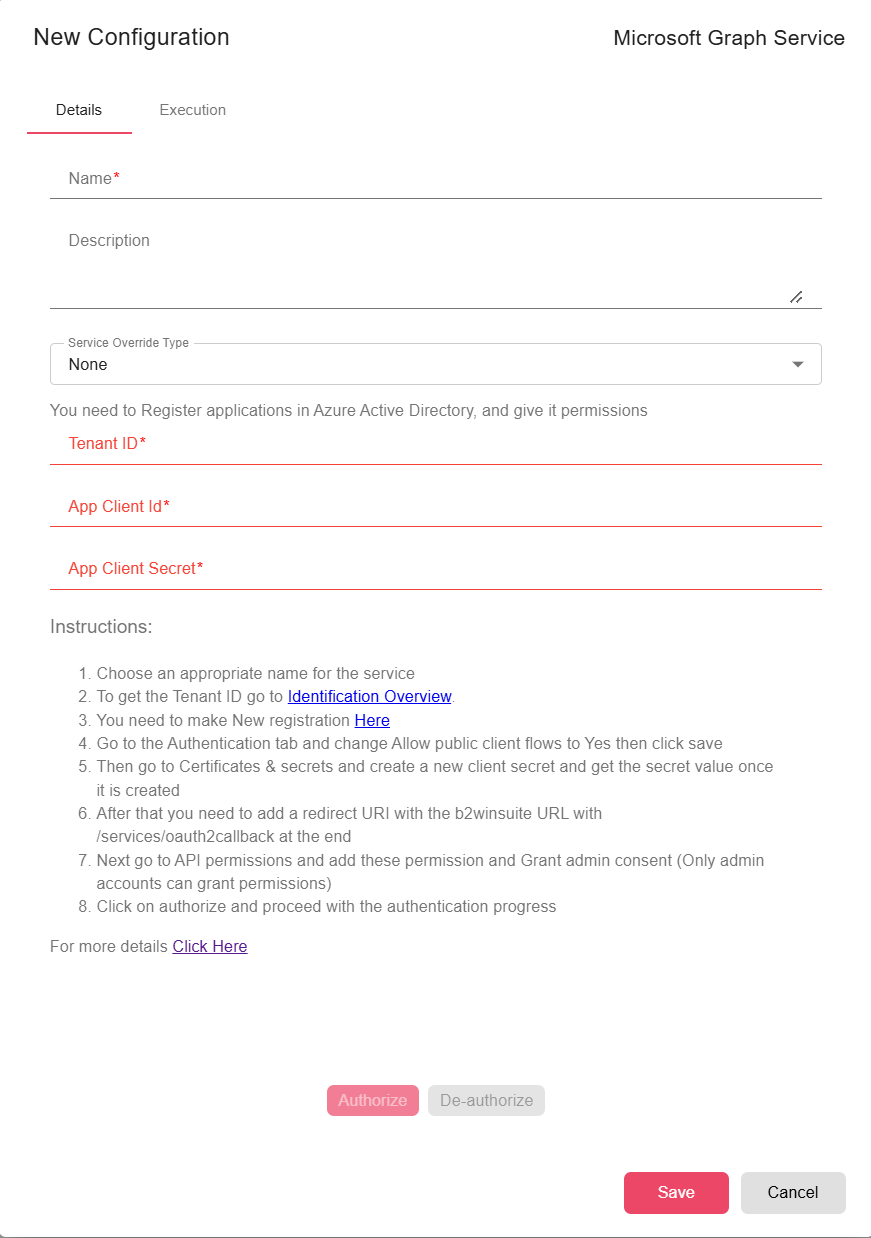
- Microsoft Graph Service (required): Provides the authenticated Graph client. See Microsoft Graph Service.
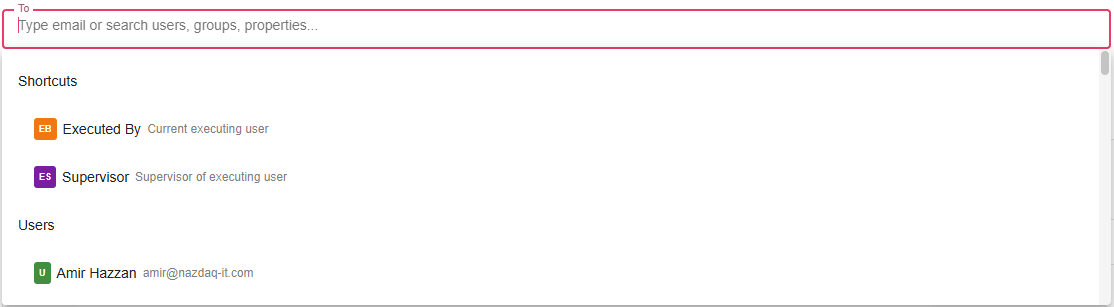
- To (required): One or more recipients. The email composer requires at least one
Torecipient. - Cc / Bcc (optional): Additional visible or hidden recipients.
- Subject (optional): Supports workflow expressions and properties.
- Message (optional): HTML body edited with the rich text editor or source-code editor.

- Priority (optional): Low, normal, or high priority, mapped to Microsoft Graph message importance.
- Request read receipt (optional): Sets the Graph read-receipt flag.
- Include signature (optional): Appends the executing user's configured email footer when available.
- Attachments (optional): Select upstream file outputs to attach. Attachments marked as detached are skipped.
Inputs
| Input | Data Type | Input Type | Description |
|---|---|---|---|
| NodeFile | Any | Multiple | Optional upstream data. File outputs can be included as attachments through the email composer. |
Processing Logic
- Opens the selected Microsoft Graph service.
- Resolves
To,Cc, andBcccontacts in the current workflow context. - Evaluates the subject and HTML message body.
- Appends the executing user's email footer when Include signature is enabled and a footer exists.
- Reads selected non-detached attachment files from workflow storage and sends them as Graph file attachments.
- Sets message importance and read-receipt options, then calls the Graph send-mail endpoint.
Examples
Send an Outlook approval notification:
- To:
manager@example.com - Subject:
Approval required for ${REQUEST_ID} - Message:
Please review request ${REQUEST_ID}. - Priority: High
Notes / Limitations
- The Microsoft Graph service must have permission to send mail for the configured user.
- Message content is sent as HTML.
- Attachment content is loaded into memory before sending.
- If an attachment cannot be read, the node logs the attachment-read error and continues with an empty byte array for that attachment.
- If Graph rejects the send request, the node fails.