Copy File (B2WS Server)
The Copy File (B2WS Server) node copies one or more incoming files to a folder on the B2Win Suite server file system.
Overview
Use this node to archive files on the application server, write generated files to a server-side handoff folder, or prepare files for another process running on the same server.
Purpose
- Copy upstream
NodeFileoutputs to a server directory. - Build the destination folder dynamically from workflow properties.
- Return copied-file metadata for later workflow steps.
Configuration
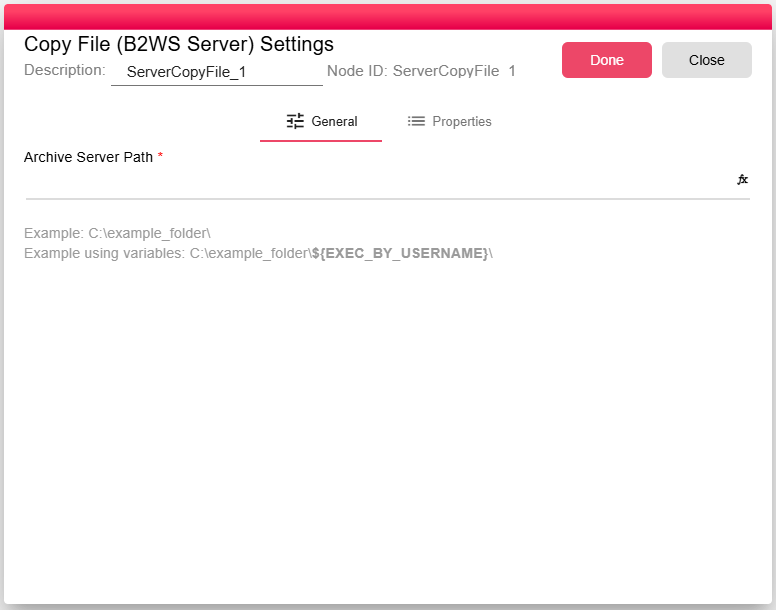
| Field | Description |
|---|---|
| Archive Server Path | Destination folder on the B2Win Suite server. Supports expressions such as ${EXEC_BY_USERNAME}. |
The configured value is evaluated at runtime. The node uses each input file's computed name as the copied filename.
Inputs
| Input | Data Type | Input Type | Description |
|---|---|---|---|
| InputFile | NodeFile | Multiple | One or more files to copy. |
Outputs
| Output | Data Type | Collection | Description |
|---|---|---|---|
| Output | DataObject | False | JSON metadata describing the copy operation. |
Properties
| Property | FlowDataType | Description |
|---|---|---|
| SERVER_COPY_FILE_COPIED_FILES_INFO | JsonNode | The Copied files info |
Processing Logic
- Evaluates the configured server folder in the current workflow context.
- Fails if the evaluated folder is empty.
- Creates the destination directory if it does not already exist.
- Copies each input file to
destination folder + computed file name. - Emits a metadata object after all files are copied.
Examples
Archive reports by executing user:
/data/archive/${EXEC_BY_USERNAME}/${REPORT_DATE}/report.pdf
For this node, configure the folder path rather than a full filename. If the input file is named report.pdf, use:
/data/archive/${EXEC_BY_USERNAME}/${REPORT_DATE}/
The copied file will be written as /data/archive/<user>/<date>/report.pdf.
Notes / Limitations
- The node creates the destination directory when needed.
- Existing files with the same computed name are overwritten by the underlying server-side copy operation.
- The B2Win Suite server process must have write permissions for the destination path.
- Server path access may be restricted by system settings and operating-system permissions.
- For copying files to network locations, use Copy File (Win Share), Copy File (FTP), or Copy File (SFTP) instead.