Send Email (SMTP)
The Send Email (SMTP) node sends an email through a configured SMTP service. It can include values from workflow properties in the subject, body, and recipients, and it can attach files produced by upstream nodes.
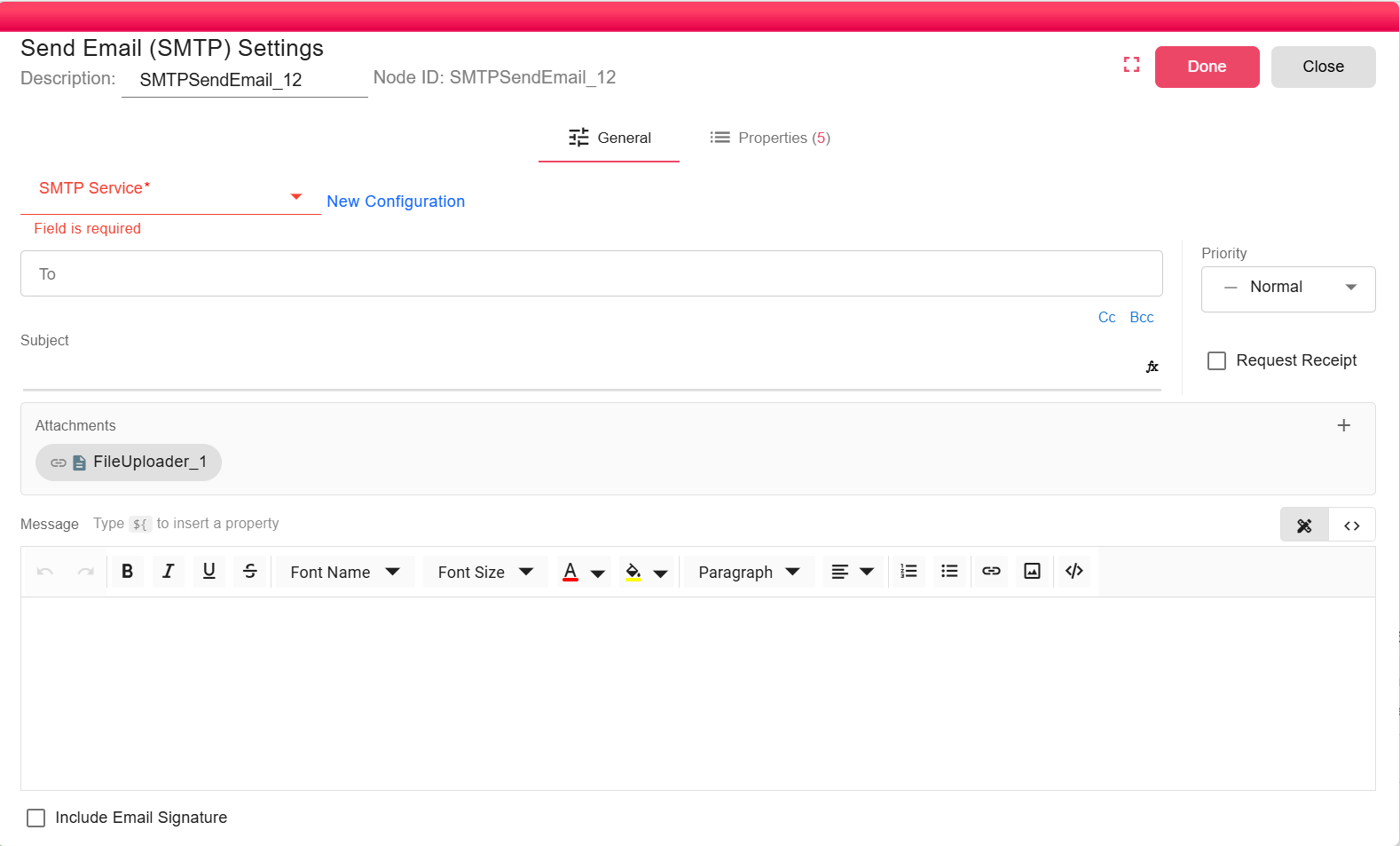
Overview
Use this node when mail must be delivered through a standard SMTP server rather than a cloud API. The node accepts one or more upstream inputs, sends the email, and emits a status object when delivery succeeds.
Purpose
- Send notifications or reports through an SMTP server.
- Attach incoming files or selected upstream file outputs.
- Expose email metadata such as subject and recipients as node properties for later workflow steps.
Configuration
Select an existing SMTP Service configuration, or create one from the node dialog. The service contains the host, port, authentication credentials, sender name, and sender email used by the SMTP connection.
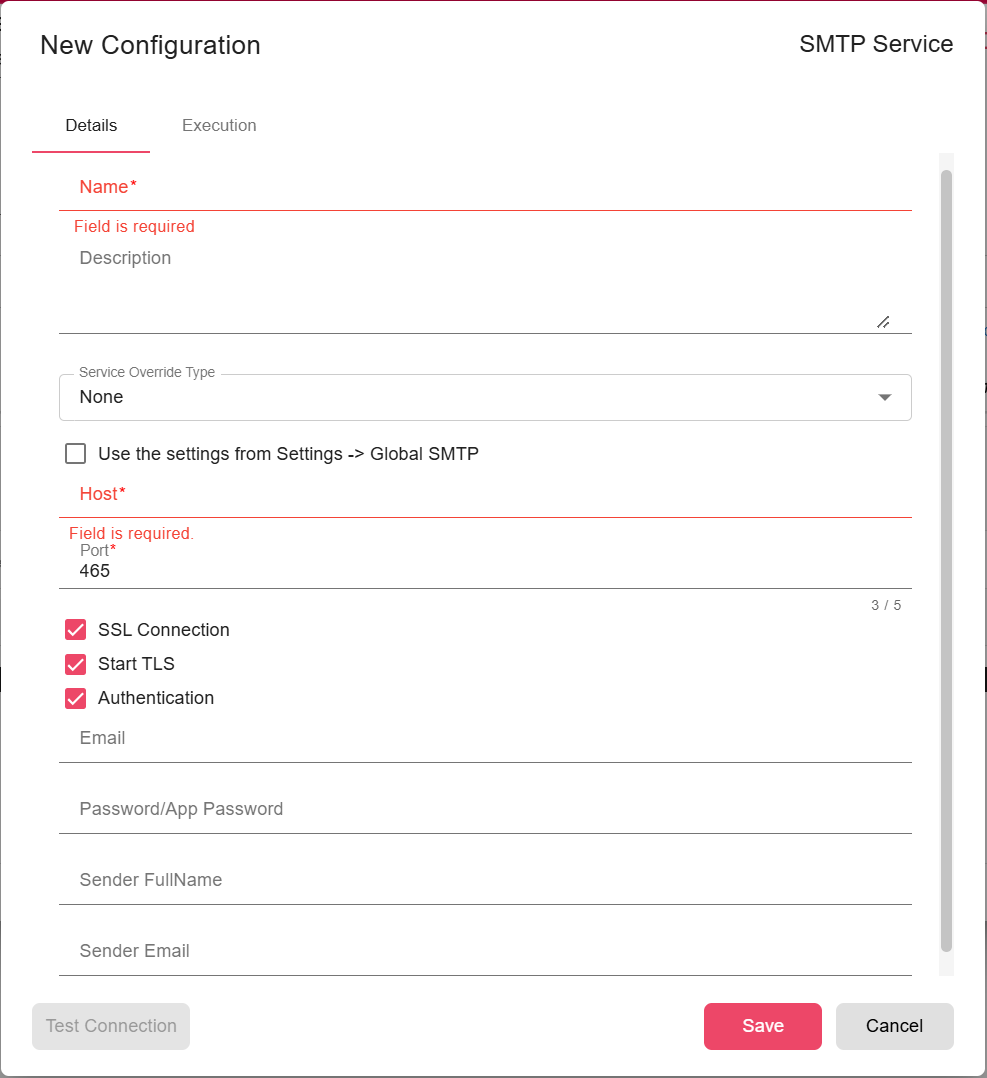
- SMTP Service (required): The SMTP connection used to send the message. See SMTP Service.
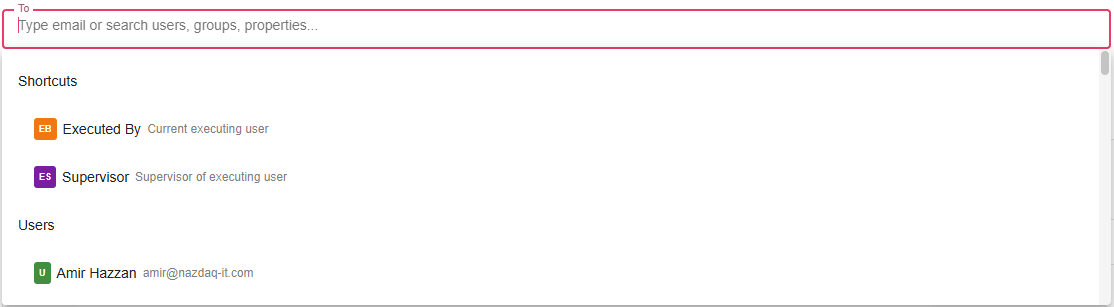
- To (required): One or more recipients. The email composer validates that at least one
Torecipient is configured. - Cc / Bcc (optional): Additional visible or hidden recipients.
- Subject (optional): Supports workflow expressions and properties.
- Message (optional): HTML email body. The rich text editor also supports source-code editing.

- Priority (optional): Low, normal, or high priority. SMTP priority headers are applied when supported.
- Request read receipt (optional): Adds receipt headers to the outgoing message.
- Include signature (optional): Appends the executing user's configured email footer when available.
- Attachments (optional): Select file outputs to attach. Attachments marked as detached are skipped.
Type ${...} in expression-capable fields to reference workflow or node properties.
Inputs
| Input | Data Type | Input Type | Description |
|---|---|---|---|
| InputFile | Any | Multiple | Optional upstream data. File outputs can be used as attachments through the email composer. |
Outputs
| Output | Data Type | Collection | Description |
|---|---|---|---|
| EmailStatus | DataObject | False | A status object similar to {"status":"completed","message":"Email was sent"} when delivery succeeds. |
Properties
| Property | FlowDataType | Description |
|---|---|---|
| EMAIL_SUBJECT | String | Email Subject |
| EMAIL_BODY | String | Email Body |
| EMAIL_TO | String | Email To |
| EMAIL_CC | String | Email CC |
| EMAIL_BCC | String | Email BCC |
Processing Logic
- Resolves
To,Cc, andBccentries into email addresses, including supported shortcuts such as the executing user or supervisor. - Evaluates the subject and message body in the current workflow context.
- Appends the executing user's email footer when Include signature is enabled and a footer exists.
- Sends the message through the selected SMTP service with configured attachments and priority.
- Fails the node if SMTP delivery throws an error.
Examples
Send a workflow report to the current executor:
- To: Executed By
- Subject:
Daily report - ${REPORT_DATE} - Message:
The report for ${REPORT_DATE} has completed. - Attachments: Select the generated report file from the upstream node.
Notes / Limitations
- The SMTP server, credentials, TLS/SSL settings, and sender identity are managed by the SMTP service configuration.
- Message content is sent as HTML.
- Attachments use the upstream file's computed name.
- If a selected attachment is missing or the SMTP service rejects the message, the node fails instead of producing an error status output.