Copy File (Win Share)
The Copy File (Win Share) node copies one or more incoming files to a Windows SMB network share through a configured Windows Share service.
Overview
Use this node to deliver generated files to a shared drive or UNC-backed network location that is accessible from the B2Win Suite server.
Purpose
- Copy
NodeFileoutputs to an SMB share. - Build the destination folder from workflow properties.
- Optionally create the destination folder.
- Optionally prevent overwriting existing files.
Configuration
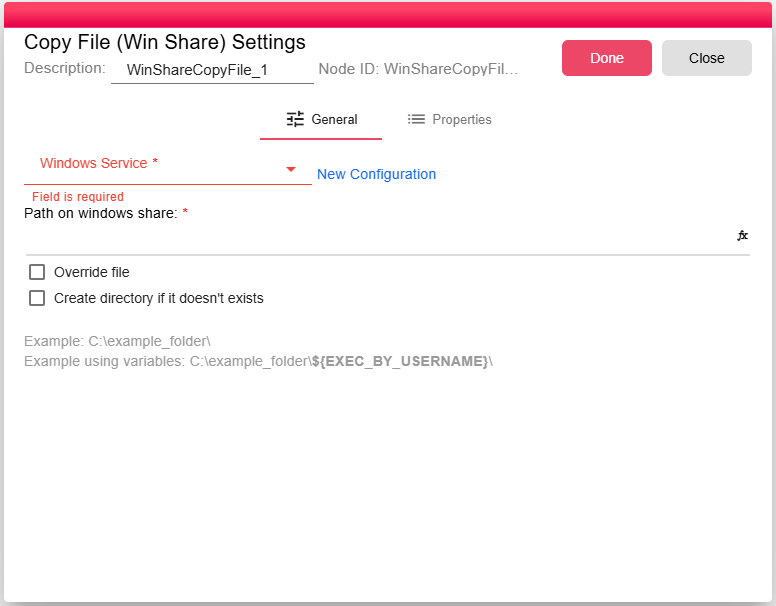
| Field | Description |
|---|---|
| Windows Service | Select an existing Windows Share service configuration. The service stores the share location, domain, username, and password. See Windows Share Service. |
| Path on windows share | Destination folder inside the share. Supports workflow expressions because it uses the code editor control. |
| Override file | When enabled, an existing file with the same computed name is replaced. When disabled, the node fails if the file already exists. |
| Create directory if it doesn't exists | When enabled, the node creates the destination SMB directory if it does not exist. |
Inputs
| Input | Data Type | Input Type | Description |
|---|---|---|---|
| InputFile | NodeFile | Multiple | One or more files to copy. |
Outputs
| Output | Data Type | Collection | Description |
|---|---|---|---|
| Output | DataObject | False | JSON metadata describing the copy operation. |
Properties
| Property | FlowDataType | Description |
|---|---|---|
| SERVER_COPY_FILE_COPIED_FILES_INFO | JsonNode | The Copied files info |
Processing Logic
- Evaluates the configured folder path in the current workflow context.
- Opens the configured Windows Share service.
- Creates the destination folder only when Create directory if it doesn't exists is enabled.
- For each input file, builds the SMB destination from the folder and the file's computed name.
- If the target file exists and Override file is disabled, fails the node.
- Streams the file to the SMB destination and stops if the node is aborted.
- Emits copied-file metadata after all files are copied.
Examples
Copy invoices into customer/date folders:
invoices\${CUSTOMER_CODE}\${INVOICE_DATE}\invoice_${INVOICE_ID}.pdf
For this node, configure the folder path rather than a full filename when you want to preserve the input file's computed name:
invoices\${CUSTOMER_CODE}\${INVOICE_DATE}\
Notes / Limitations
- The destination folder is created only when Create directory if it doesn't exists is checked.
- The service account configured in the Windows Share Service must have write permissions on the target path.
- SMB connections are made from the B2Win Suite server. Ensure your network allows outbound SMB (port 445) traffic from the server to the share.
- If the configured path includes a filename-like segment, the node still appends the input file's computed name after that path.