Delay
Overview
The Delay node introduces a time-based pause in the workflow. It receives an input, holds it for the configured duration, and then passes it to the output port. Execution of the current iteration is suspended during the delay.
Purpose
Use this node when a workflow needs to wait between steps, such as throttling external requests, adding a short retry interval, or giving an external system time to finish work before the next node runs.
The node does not change the input payload. It only changes when the payload continues.
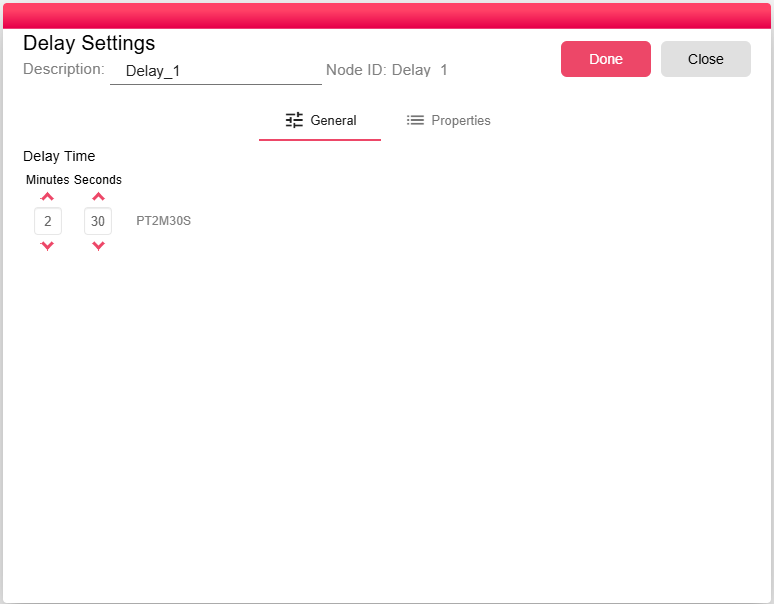
Configuration
| Field | Description |
|---|---|
| Delay Time | Required duration to wait before passing the input forward. The UI supports minutes and seconds. |
The default delay is 1 second.
Inputs
| Input | Data Type | Input Type | Description |
|---|---|---|---|
| Input | Any | Single | Any Input |
Outputs
| Output | Data Type | Collection | Description |
|---|---|---|---|
| Output | Any | False | Output after a delay of time |
Processing Logic
- The node receives an input on the
Inputport. - If the run is not a preview, the node waits until the configured duration has elapsed.
- After the wait finishes, the node sends the same input to the
Outputport. - If the workflow is force-stopped during the delay, the wait ends and the processor aborts.
Preview runs do not wait; the input is sent immediately.
Examples
- Rate limiting - Add a few seconds between API calls to reduce the chance of hitting external service limits.
- Coordinating downstream steps - Wait for an external system to process a file or event before the next node runs.
Notes / Limitations
- The delay is applied per iteration. If multiple iterations run concurrently, each iteration waits independently.
- The workflow execution remains active during the delay.