Overview
Nodes are the building blocks of a workflow. Each node performs a single action, and nodes are connected together to form the workflow's execution path.
Each node has its own configuration and type. When a node runs, it does so under a specific iteration ID - this is referred to as a Node Execution. A node can have one or more input ports and one or more output ports.
Actions
Each node provides a set of actions accessible from the three-dot menu in the top-right corner of the node:
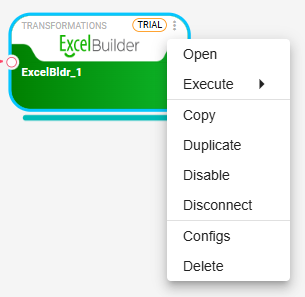
Settings
Each node has its own settings that define what it does. For example, a file reader node's settings include the file path.
To open a node's settings dialog, double-click the node or select Settings from the actions menu.
Properties
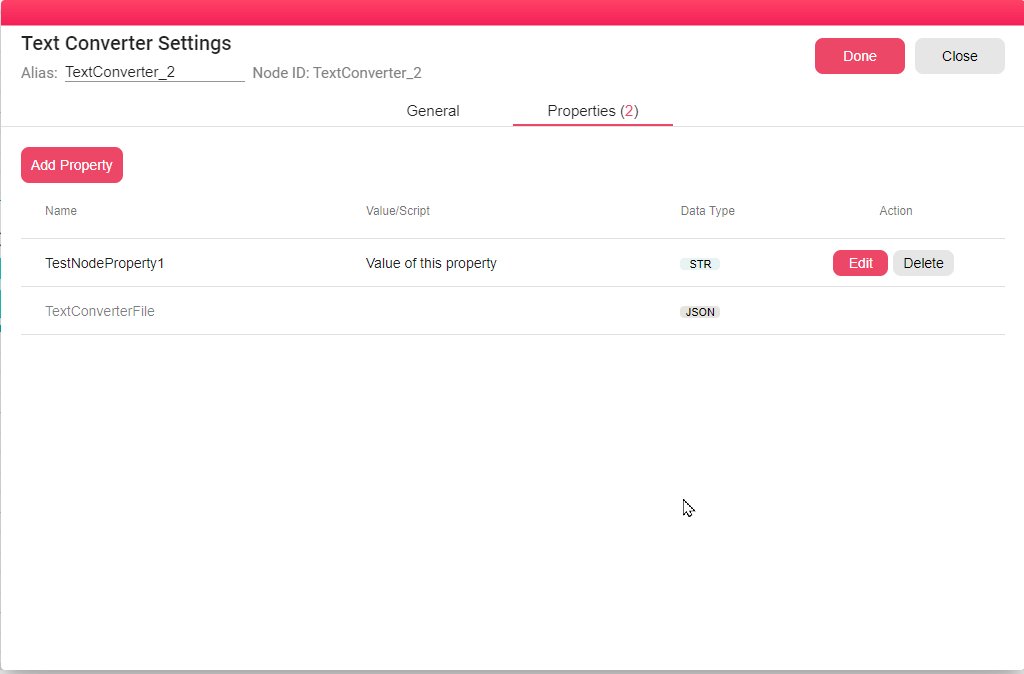
Each node can define its own properties - either static values or scripts that evaluate each time the node executes.
To access node properties, double-click the node and navigate to the Properties tab:
Enable/Disable
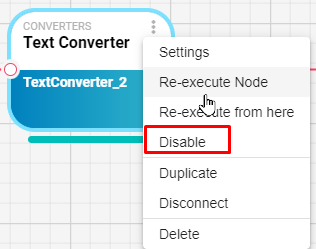
You can disable a node to exclude it from execution - useful when testing. Disabling a node also disables all downstream nodes that depend on it. Re-enabling the node automatically re-enables those downstream nodes.
To toggle a node, use the Enable/Disable option in the actions menu.
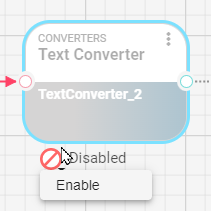
A disabled node appears in gray and can be re-enabled using the icon at the bottom:
Duplicate
Creates a copy of the node with the same settings but a new unique ID.
Disconnect
Removes all incoming and outgoing connections from the node, effectively isolating it from execution.
Delete
Removes the node from the workflow. This action can be undone.
Execution
Covered in the Workflow Execution section.
Node Input
Each node can have one or more input ports. Source nodes (such as Visual Query) do not require inputs - they fetch data directly from external systems. For other nodes, inputs are received through connections from upstream nodes.

This node has one input port. When connected, an arrow points toward the node.
Input types vary by node. For example, an Excel reader expects a file as input and produces a tabular output (DataFrame).
For more on viewing input and output data during execution, see Workflow Execution.
Node Output
Most nodes have an output port. The output can be connected to one or more downstream nodes.
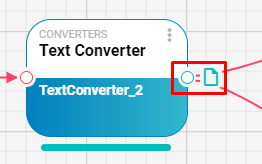
In this example, the output is a file.
Data Types
B2Win Suite uses four basic data types for node inputs and outputs. To see the data type of a port, hover over it - a tooltip displays the type:
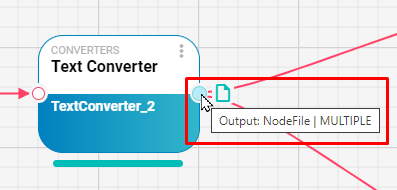
In this case, the output type is NodeFile, and it is connected to two downstream nodes.
NodeFile
A file object. Each execution stores the file in a temporary folder for the iteration. Files can be previewed and downloaded from the iteration details.

DataFrame
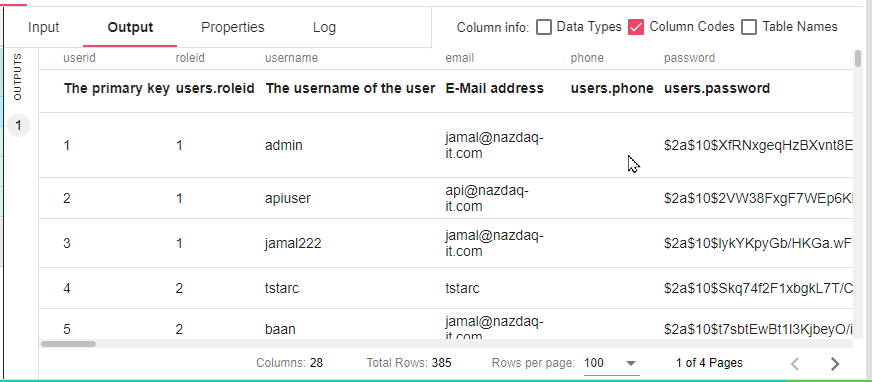
A tabular data structure with rows and columns. Produced by nodes that read from databases, CSV files, Excel files, or other structured sources.
WebUrl
A URL object. For example, the B2Output node outputs a web URL to open the B2Output application. Other nodes may output links to external dashboards or systems.

Object
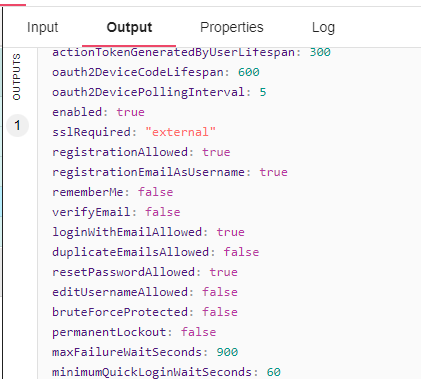
A structured representation of an object, similar to JSON. For example, a node that reads a REST endpoint returning JSON converts the response into an Object for use by downstream nodes:
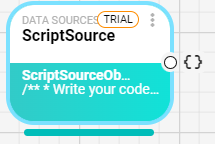
And when viewing the output data as an Object:
FlowDataTypes
| FlowDataType | Description |
|---|---|
| String | Text values. |
| Short | Short integer numeric values. |
| Integer | Integer numeric values. |
| Long | Long integer numeric values. |
| Double | Double-precision decimal numeric values. |
| Float | Floating-point decimal numeric values. |
| Instant | A timestamp instant. |
| LocalDateTime | A date and time without a time zone. |
| ZonedDateTime | A date and time with a time zone. |
| LocalDate | A date without a time component. |
| LocalTime | A time without a date component. |
| Boolean | True or false values. |
| JsonNode | JSON object, array, or scalar values. |
| Map | Key-value map values. |
| Duration | A time-based amount of time. |
| Period | A date-based amount of time. |
| Binary | Binary byte values. |
| Table | Suite table values. |
| File | File values. |
| UserInputValue | Values submitted through user input controls. |
| Array | Array or list values. |