Import Table (CSV)
Overview
The Import Table (CSV) node reads a CSV file from an upstream file node and converts it into a DataFrame.
Purpose
Use this node whenever a workflow needs to process tabular data stored in a comma-separated or custom-delimited text file. It lets you preview the file, select columns, adjust data types, and control CSV parsing options before downstream transformations run.
Configuration
When you drag the node onto the canvas, add a file-producing input source first:
- Click the + icon on the node to add an input source.
- Select a source node from the list (for example, a Read File or File Listener node).
- Configure the source node to point to the CSV file.
- Then open the CSV node settings to complete the configuration.
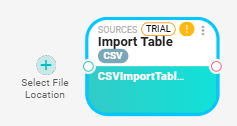
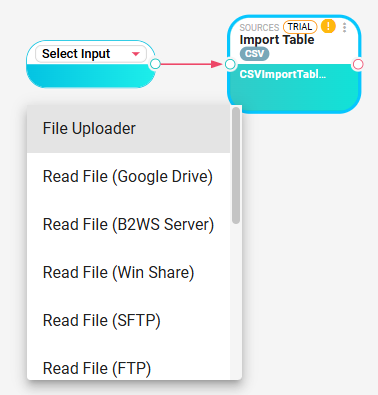
After connecting an input source, open the CSV node to configure it:
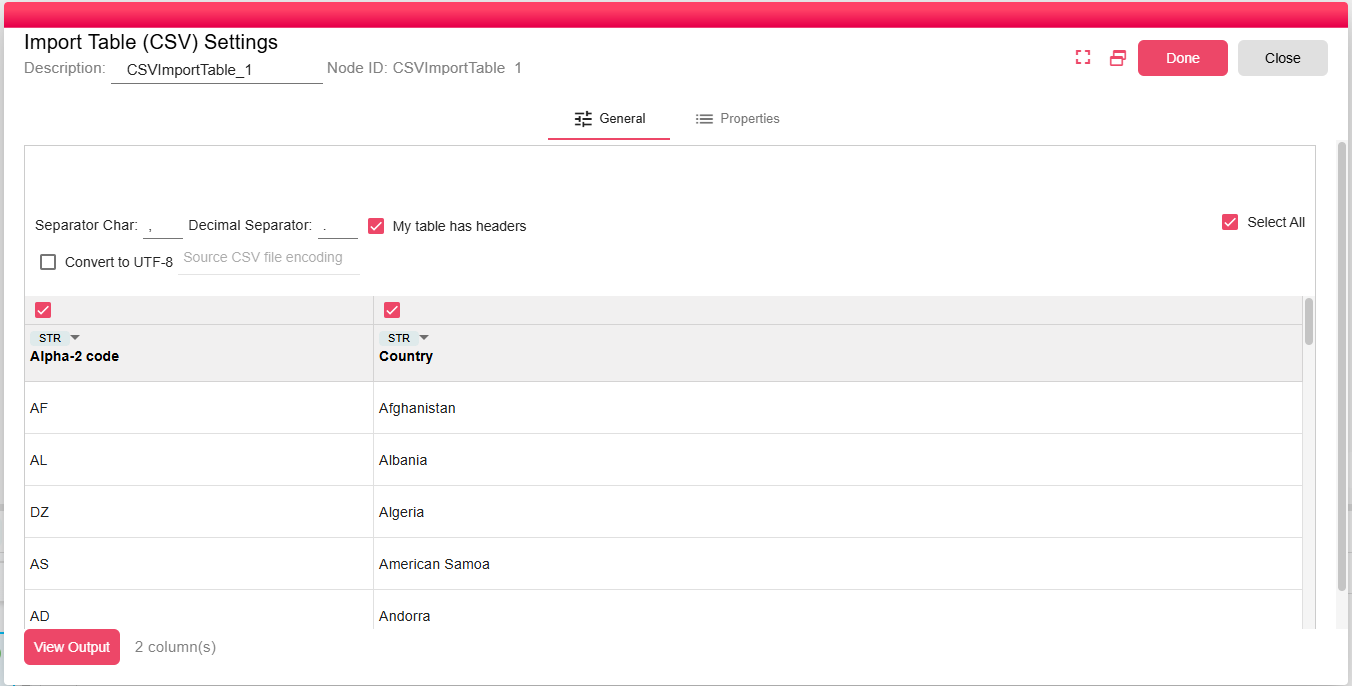
| Setting | Description |
|---|---|
| Separator Character | Character used to split fields. The default is ,. Use \t for tab-delimited files. Only a single separator character is accepted. |
| With headers | Treats the first row as column headers when enabled. |
| Decimal Separator | Decimal separator used when detecting numeric values. The default is .. |
| Encoding | Source encoding used when Convert to UTF-8 is enabled. |
| Convert to UTF-8 | Converts the input file from the configured source encoding before reading it. |
| Column Selection | Select which columns to include in the output DataFrame. At least one column must be selected. |
| Column Data Types | Data types are detected from the preview. You can override a selected column's type. |
| View Output | Click to preview the resulting DataFrame using the currently configured options. |
Inputs
| Input | Data Type | Input Type | Description |
|---|---|---|---|
| InputFile | NodeFile | Single | Input file that been read |
Outputs
| Output | Data Type | Collection | Description |
|---|---|---|---|
| CSVDataSource | DataFrame | False | DataFrame containing the selected CSV columns and all rows read from the file. |
Processing Logic
The node validates that the input file has a .csv extension and that at least one column is selected. If UTF-8 conversion is enabled, it converts the file before reading it. It then builds a DuckDB query for the CSV file, creates the output schema from a sample result set, and writes the full result into the output DataFrame. If no data is found, the node adds a warning.
Examples
- Use
,for standard CSV files. - Use
;for semicolon-delimited exports. - Use
\tfor tab-delimited text files.
Notes / Limitations
- At least one column must be selected before the node can run.
- The separator must be one character, except for supported escaped values such as
\t. - If Convert to UTF-8 is enabled, the source encoding must be supplied.
- For large CSV files, use Query In-Memory downstream to filter or aggregate the data.