Read File (FTP)
Overview
The Read File (FTP) node downloads one or more files from a remote FTP server and outputs them as NodeFile values.
Purpose
Use this node when a workflow needs files from a remote server that is available through FTP.
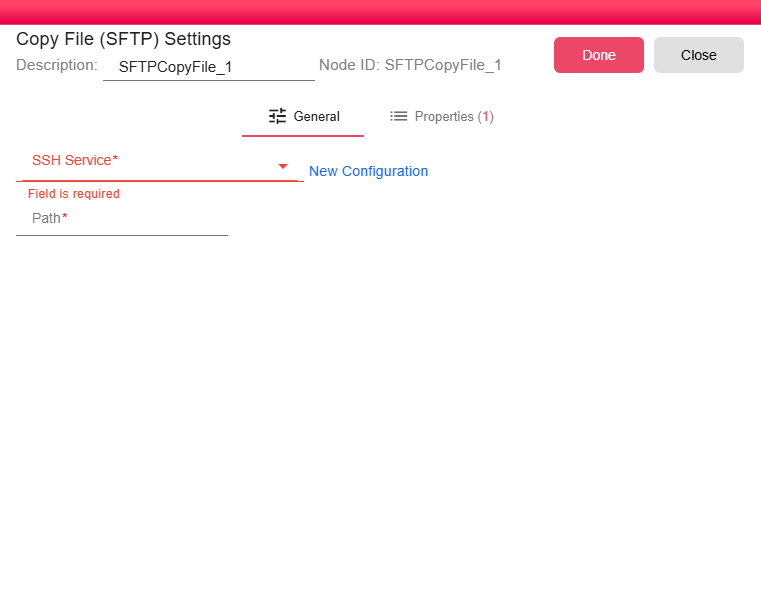
Configuration
| Field | Description |
|---|---|
| FTP Service | FTP service configuration that holds the host, port, credentials, and transfer settings for the target server. For more, see FTP Service. |
| Remote file path | Exact remote path or wildcard pattern, including the file name or pattern. Workflow properties can be used in the path. |
Outputs
| Output | Data Type | Collection | Description |
|---|---|---|---|
| NodeFile | NodeFile | True | One output item for each matching remote file. |
Processing Logic
At runtime, the node evaluates expressions in the configured remote path, asks the FTP service to resolve exact or wildcard file matches, sorts the matched paths, downloads each file into the workflow working directory, attaches file metadata, and emits each file as a NodeFile. If the path is blank or no matching files are found, the node emits an empty output.
Examples
/outbox/reports/invoice.pdf
/inbound/invoice_*.csv
Notes / Limitations
- For secure file transfers, prefer the Read File (SFTP) node which uses an encrypted SSH channel instead of plain FTP.
- The remote path must include a file name or wildcard pattern.
- If no files match, the node returns an empty output rather than failing.
- Use workflow properties in the path to dynamically resolve the file location at runtime.