Import Table (JSON)
Overview
The Import Table (JSON) node reads JSON data from an upstream file or data object and converts it into a DataFrame.
Purpose
Use this node when a workflow needs to turn JSON records into tabular data for downstream DataFrame transformations, filtering, exports, or reports.
Configuration
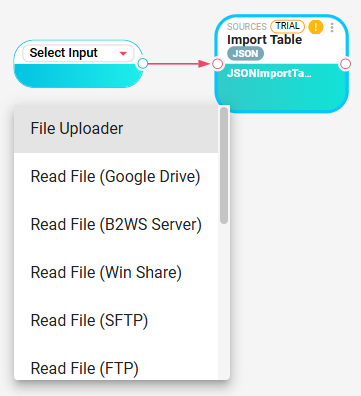
Connect an input node first, then configure:
| Setting | Description |
|---|---|
| JSON Path | Optional path used to extract part of a DataObject input before reading it. This setting is not supported when the input is a NodeFile. |
| JSON Format | DuckDB JSON reader format. Options are AUTO, UNSTRUCTURED, New Line JSON Objects, and ARRAY. |
| View Output | Preview the DataFrame produced by the configured JSON reader settings. |
Inputs
| Input | Data Type | Input Type | Description |
|---|---|---|---|
| InputFile | Any | Single | Input file that been read |
Outputs
| Output | Data Type | Collection | Description |
|---|---|---|---|
| JsonDataSource | DataFrame | False | DataFrame created from the JSON data returned by DuckDB's read_json function. |
Processing Logic
For NodeFile input, the node reads the file directly. For DataObject input, it writes the selected JSON content to a temporary file, using JSON Path when provided. It then runs DuckDB read_json with the selected JSON format, creates the DataFrame schema from a sample result set, and writes the full query result into the output DataFrame. If no rows are found, the node adds a warning.
Examples
Given this input JSON file:
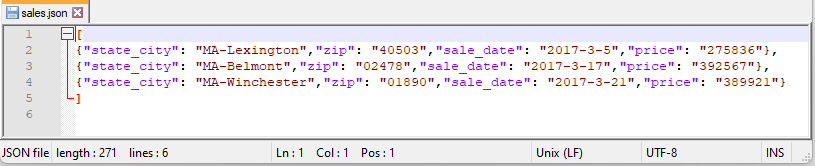
[
  { "id": 1, "name": "Alice", "amount": 100.50 },
  { "id": 2, "name": "Bob",   "amount": 200.00 }
]
The output DataFrame would be:
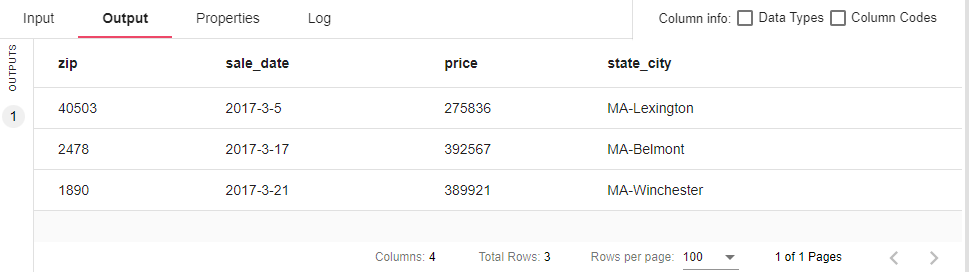
| id | name | amount |
|---|---|---|
| 1 | Alice | 100.50 |
| 2 | Bob | 200.00 |
For line-delimited JSON, choose New Line JSON Objects as the JSON format.
Notes / Limitations
- JSON Path is only supported for DataObject input. If it is set while the input is a NodeFile, the node fails.
- The selected JSON format is passed to DuckDB's JSON reader, so supported structures follow DuckDB JSON format behavior.
- For very large JSON files, performance may vary. Consider pre-filtering the data at the source if possible.