Export Table (CSV)
Overview
The Export Table (CSV) node converts a DataFrame into a CSV file. Use it to serialize tabular data into a text file for archiving, sending by email, uploading to a server, or any downstream operation that requires a file rather than a DataFrame.
Purpose
Use this node when a downstream system expects comma-separated or delimiter-separated text rather than a workflow DataFrame.
Configuration
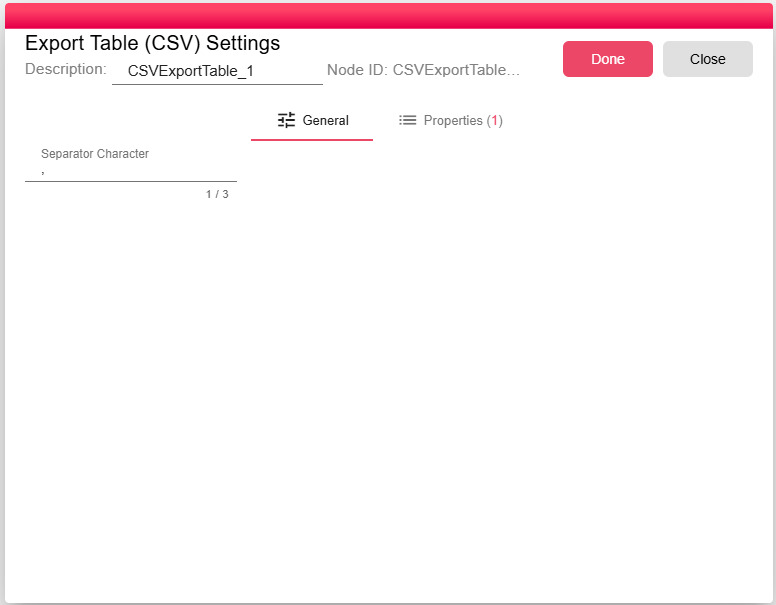
| Setting | Description |
|---|---|
| Separator | The delimiter character used between fields. Default is , (comma). Change to ;, \t, or any other character if required by the consuming system. |
Inputs
| Input | Data Type | Input Type | Description |
|---|---|---|---|
| Input | DataFrame | Single | A DataFrame connected to the Input port. |
Outputs
| Output | Data Type | Collection | Description |
|---|---|---|---|
| Output | NodeFile | False | A NodeFile containing the generated .csv file. |
Properties
| Property | FlowDataType | Description |
|---|---|---|
| CSV_CONVERTER_FILE | JsonNode | The processor defines the CSV_CONVERTER_FILE runtime property for the generated file metadata. |
Processing Logic
The node reads the input DataFrame and its schema, writes the rows to a .csv file in the iteration working directory, then emits the file as a NodeFile output.
Examples
Set Separator to ; when exporting for systems or spreadsheet locales that expect semicolon-delimited CSV files.
Notes / Limitations
- The CSV file is created in the iteration's temporary storage and is accessible for the lifetime of the iteration.
- For fixed-width or pipe-delimited text output, use the Export Table (Text) node instead.
- To write the CSV directly to a database table, use DB Table Push on the upstream DataFrame rather than going through CSV.