Fill Properties (Excel)
Overview
The Fill Properties (Excel) node replaces placeholder tokens embedded in an Excel (.xlsx) workbook with values from the current iteration's workflow properties. The file's formatting, formulas, and structure are preserved; only the placeholder text is replaced.
Purpose
Use this node to generate personalized or data-driven Excel files from a template without using the full Excel Builder/Designer.
Configuration
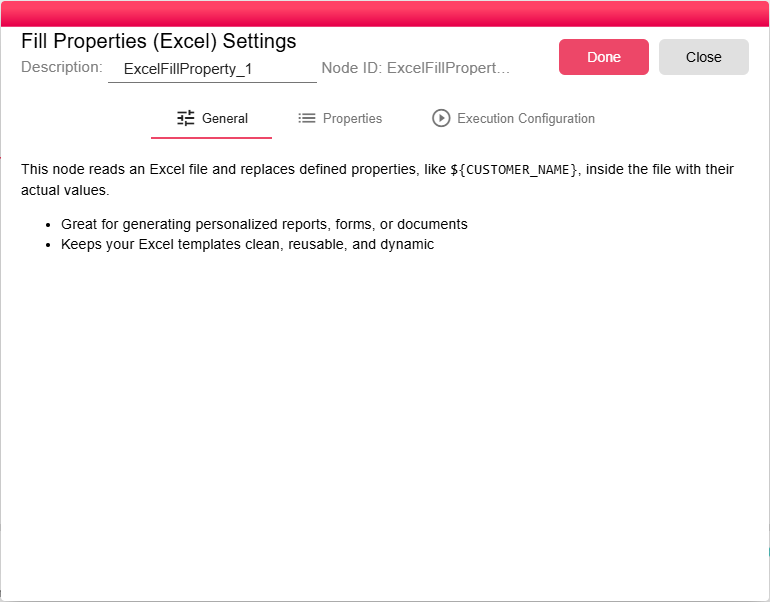
This node has no configuration fields. Simply connect an Excel file as input. At runtime, the node:
- Opens the incoming
.xlsxfile. - Scans all cells across all sheets for placeholder tokens in the format
${propertyName}. - Replaces each token with the current value of the corresponding workflow property.
- Emits the updated Excel file as output.
Inputs
| Input | Data Type | Input Type | Description |
|---|---|---|---|
| inputNodeFile | NodeFile | Single | A NodeFile containing a .xlsx workbook. |
Outputs
| Output | Data Type | Collection | Description |
|---|---|---|---|
| outputNodeFile | NodeFile | False | A NodeFile containing the updated .xlsx workbook with placeholders replaced. |
Processing Logic
The node loads the Excel workbook, builds a variable map from the current iteration and node properties, replaces matching placeholders in the workbook parts, and saves the updated file with the original computed filename.
Placeholder Format
Placeholders in the Excel template follow the same syntax as workflow property expressions:
${PROPERTY_NAME}
For example, a cell containing Dear ${CUSTOMER_NAME}, would become Dear John Doe, at runtime if CUSTOMER_NAME = "John Doe".
Examples
- Insert report header information such as date, user, or period into an Excel template.
- Create personalized Excel documents for each iteration, for example one workbook per customer.
- Fill summary fields in a pre-designed Excel report.
Notes / Limitations
- The input file must be an
.xlsxworkbook. - Only placeholders that match available workflow properties are replaced.
- The node does not provide configuration fields beyond the template file input.
Related Nodes
| Node | Use When |
|---|---|
| Fill Properties (Word) | Template is a .docx Word document |
| Fill Properties (PowerPoint) | Template is a .pptx presentation |
| Excel Builder | You need to build a full Excel report from a DataFrame with formatting |