Order By
Overview
The Order By node sorts a DataFrame by one or more columns. Use it to control the row order of your data before it is exported, used in a report, or passed to a destination node.
Purpose
Use Order By when downstream nodes need records in a predictable sequence, such as newest invoices first, customers sorted by name, or report rows grouped by status and date.
Configuration
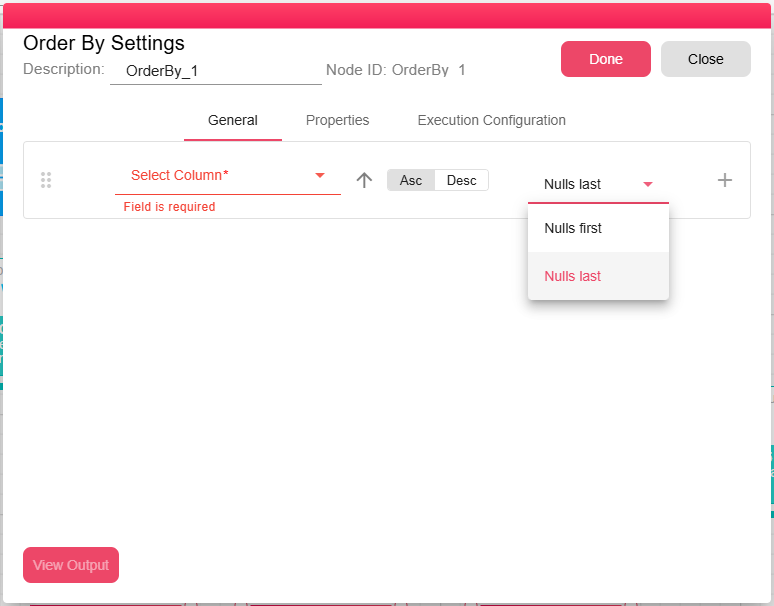
Add one or more sort columns by clicking Add Field. For each field, configure:
| Setting | Description |
|---|---|
| Field | The column from the input DataFrame to sort by |
| Order | ASC (ascending, A to Z, 1 to 9) or DESC (descending, Z to A, 9 to 1) |
| Nulls | Where to place rows where this column's value is null: FIRST (nulls appear before all other values) or LAST (nulls appear after all other values) |
When multiple fields are added, sorting is applied in the order they are listed: the first field is the primary sort key, the second is the tie-breaker, and so on.
Inputs
| Input | Data Type | Input Type | Description |
|---|---|---|---|
| OrderByInputData | DataFrame | Single | A DataFrame connected to the OrderByInputData port. |
Outputs
| Output | Data Type | Collection | Description |
|---|---|---|---|
| OrderByOutputData | DataFrame | False | The same DataFrame schema with ordering rules attached. |
Processing Logic
The node copies the input DataFrame metadata and adds one order rule for each configured sort field. Each rule stores the selected column, direction, and null placement. The actual rows and columns are not changed by the configuration itself.
If no sort fields are configured, the node emits a warning.
Examples
Sort open orders by newest date, then highest amount:
| Field | Order | Nulls |
|---|---|---|
order_date | DESC | LAST |
amount | DESC | LAST |
Notes / Limitations
- The Order By node does not change the data, only the row sequence.
- If you need to sort and then limit the number of rows, combine Order By with a Query In-Memory node using a
LIMITclause.