Export Table (Text)
Overview
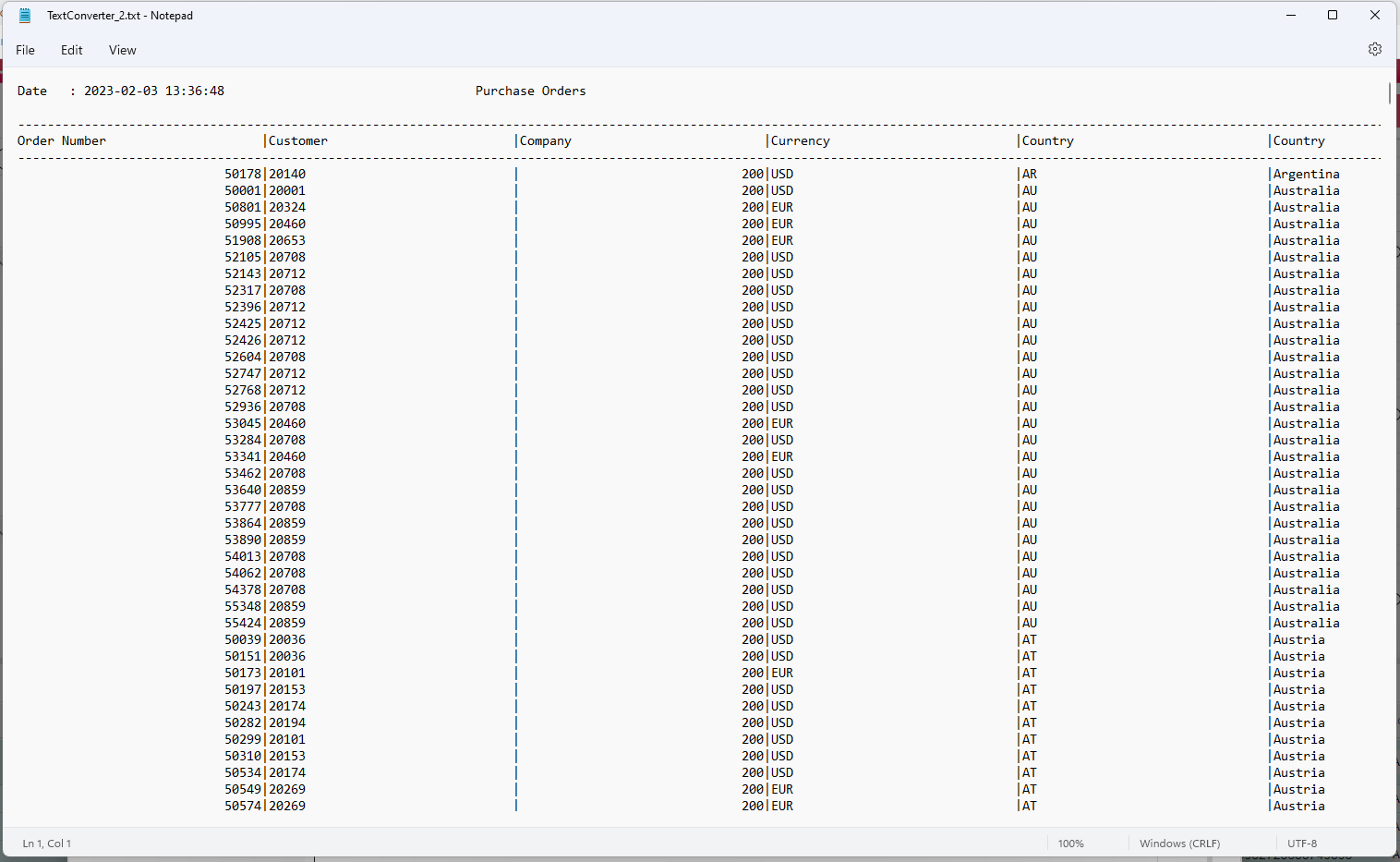
The Export Table (Text) node converts a DataFrame into a fixed-format text file where columns are separated by the | pipe character. Column headers are included and repeat at the top of each page when a page length is configured.
Purpose
Use this node when a legacy integration, print process, or file transfer expects a pipe-delimited text file instead of a CSV or DataFrame.
Configuration
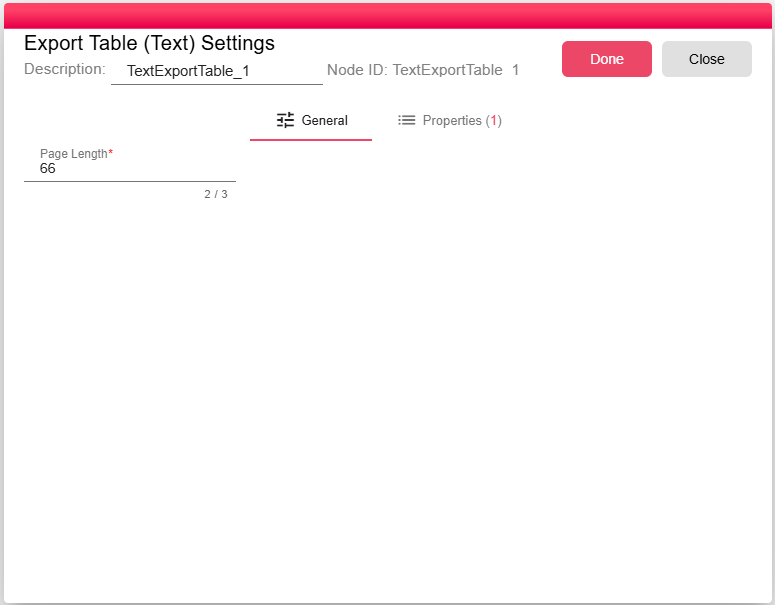
| Setting | Description |
|---|---|
| Page Length | The number of lines per page. When set, column headers are repeated at the beginning of each page. Set to 0 to produce a single continuous file without page breaks. |
Inputs
| Input | Data Type | Input Type | Description |
|---|---|---|---|
| Input | DataFrame | Single | A DataFrame connected to the Input port. |
Outputs
| Output | Data Type | Collection | Description |
|---|---|---|---|
| Output | NodeFile | False | A NodeFile containing the generated .txt file. |
Properties
| Property | FlowDataType | Description |
|---|---|---|
| TEXT_CONVERTER_FILE | JsonNode | The processor defines the TEXT_CONVERTER_FILE runtime property for the generated file metadata. |
Processing Logic
The node reads the input DataFrame and schema, writes rows to a text file using | as the separator, applies the configured page length, then emits the generated file as a NodeFile output.
Examples
The output file uses | as the column separator between all fields. The structure is:
COLUMN1     | COLUMN2     | COLUMN3
------------|-------------|----------
value1      | value2      | value3
value4      | value5      | value6
If a page length is configured, the headers repeat every N lines.
Notes / Limitations
- Use this node when the consuming system expects a specific fixed-column text format (for example, legacy mainframe integrations or print-ready reports).
- For comma- or semicolon-delimited output compatible with Excel and most modern tools, use Export Table (CSV) instead.