Infor LN Split Document Trigger
Overview
The Infor LN Split Document Trigger receives an Infor LN report print request through the B2Win Suite device, splits the incoming report, and emits generated PDF files for the split output.
Purpose
Use this trigger for mass-output workflows where one Infor LN report must be split into separate PDF documents, often by business partner or recipient.
Configuration
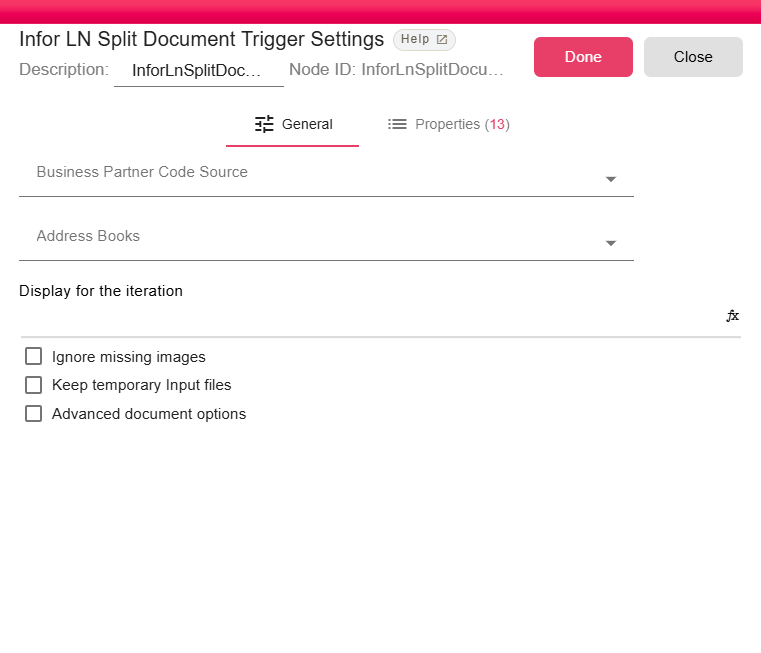
| Field | Description |
|---|---|
| Business Partner Code Source | Optional current-node property that contains the business partner code used for contact lookup. |
| Address Books | Optional address books used to resolve related business partner contacts. |
| Display for the iteration | Optional expression used as the iteration display label. |
| Ignore missing images | Continues rendering when referenced images are missing. |
| Keep temporary Input files | Keeps temporary XML input files after processing for troubleshooting. |
| Advanced document options | Shows advanced PDF rendering options. |
| Render XML colors in the output document | Renders color information from the XML input. Enabled by default. |
Outputs
| Output | Data Type | Collection | Description |
|---|---|---|---|
| XMLFile | NodeFile | False | The trigger outputs a NodeFile for each generated split PDF document. |
Properties
| Property | FlowDataType | Description |
|---|---|---|
| X-API-KEY | String | API Key |
| X-SIGN-DATE | String | Sign Date |
| REPORT_ID | String | Report Code |
| REPORT_DESCRIPTION | String | Report Description |
| CRONJOB | Boolean | From cronjob? |
| LANG_ID | String | Language ID |
| COMPANY | String | Company |
| LOGIN_USERNAME | String | Logged in user |
| REMOTE_SYSTEM | String | Remote System |
| REMOTE_CMD | String | Remote Command |
| REMOTE_ACTION | String | Remote Action |
| REMOTE_MODE | String | Remote Mode |
| XML_FILE_NAME | String | XML File Name |
Processing Logic
The trigger parses the incoming Infor LN request payload, validates the API signature in production, processes the XML report with splitting enabled, and emits a PDF file per split. When a business partner source and address books are configured, it looks up contacts and adds business partner/contact properties to the emitted iteration.
Examples
Use this trigger to split a statement or invoice batch into recipient-specific PDFs, then send each output to an email or document management destination.
Notes / Limitations
- If the business partner code source is blank or the business partner is not found, the contact lookup is skipped.
- Address-book property names are generated from the address book name by removing non-letter characters and uppercasing the result.
- The report must be reprinted for configuration changes to affect new output.