Triggers
Triggers start workflow iterations without receiving input from another node. A trigger can run on a schedule, listen for an HTTP request, poll an external system, or watch a file location.
Some triggers output data to the first downstream node, such as a NodeFile from a file listener or a DataFrame from a query trigger. Triggers can also add runtime properties that downstream nodes can read during the iteration.
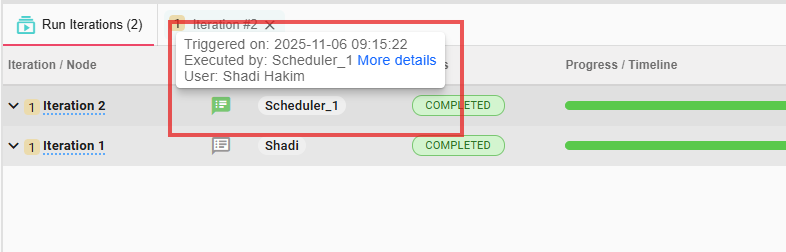
The bottom bar shows which iterations were created by a trigger using a badge next to the iteration:
On / Off Actions
Triggers run under the workflow execution, not inside a single iteration. Use the trigger state controls to turn a running trigger on or off without changing the workflow design.
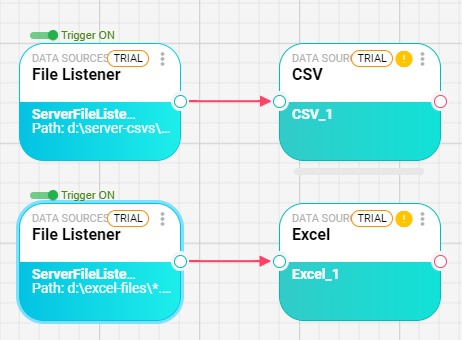
You can define multiple triggers in the same workflow when their paths are separate. In this example, each trigger starts its own path:
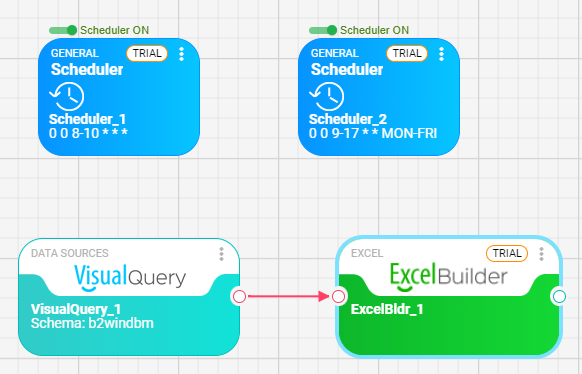
You can also add triggers that are not connected to a specific path, such as scheduler triggers:
Viewing Triggers
Open the Triggers tab in the bottom bar to view active triggers, turn them on or off, and read runtime messages generated while they execute.
