Run a Workflow
To Execute/Run a workflow, choose an existing workflow from the list inside All or Favorites. You can run it by either double-clicking the workflow or by selecting Run from the right-click/three dots menu.
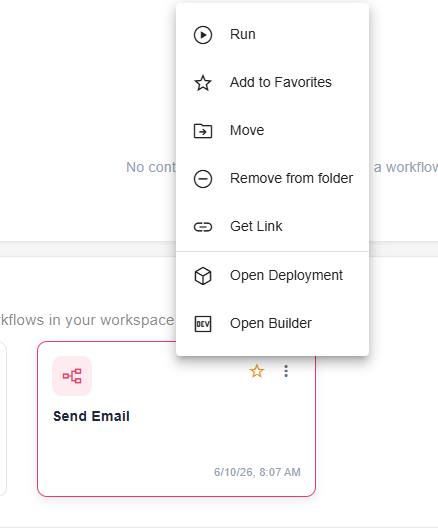
Context Menu Options
When you right-click a workflow or click the three vertical dots on its card, a context menu appears offering several actions:
- Run: Execute the workflow immediately.
- Add to Favorites: Add the workflow to your personal Favorites section for quick access.
- Move: Move the workflow to a different folder within the Library (requires appropriate permissions).
- Remove from folder: Remove the workflow from its current folder (requires appropriate permissions).
- Get Link: Generate a direct link to run the workflow from a browser or another application.
- Open Deployment: Open workflow inside Production tab in Manager.
- Open Builder: Open the workflow in the Builder to view or edit its design.