UI Node Viewer
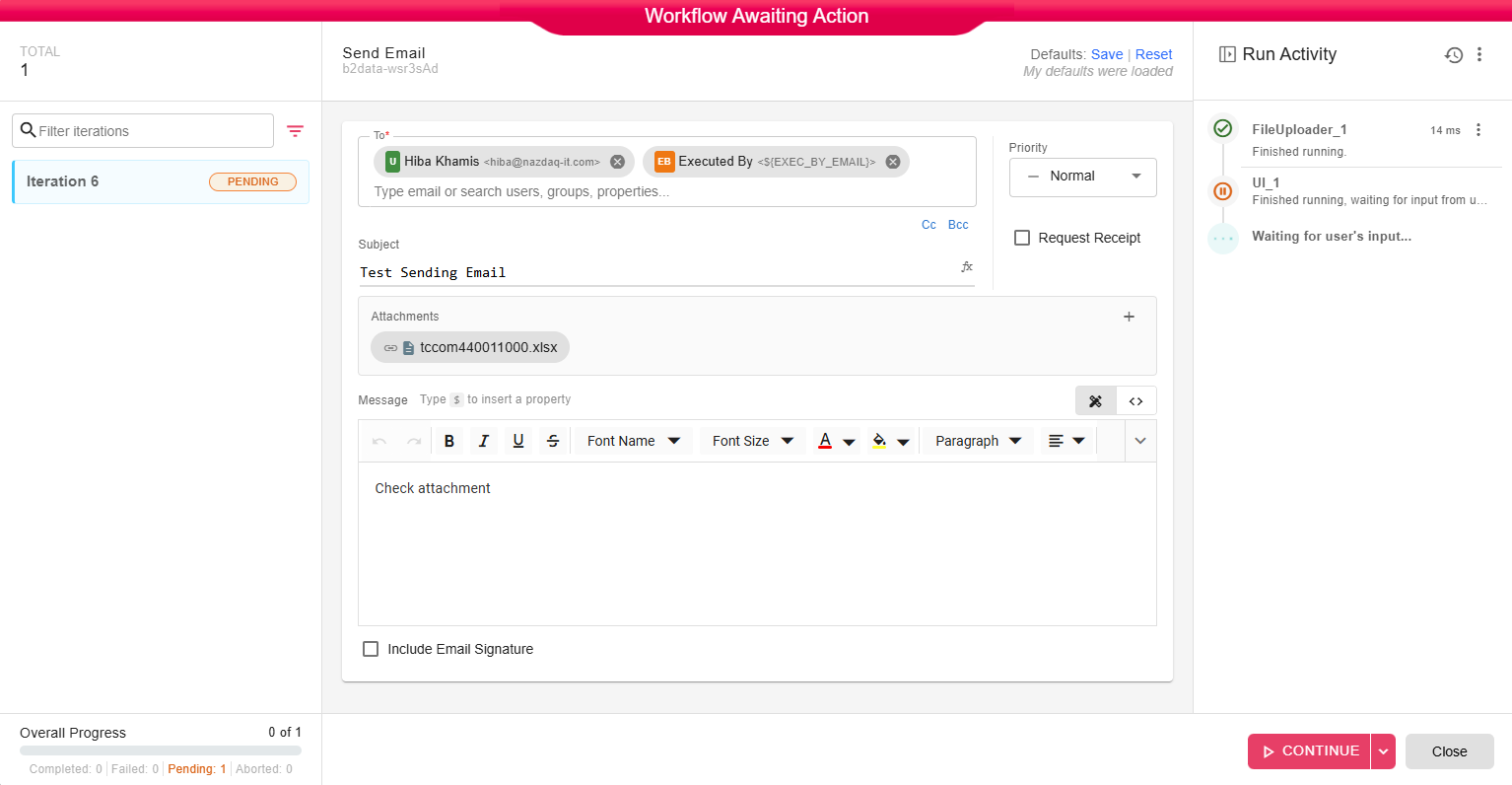
The UI Node Viewer is where the workflow pauses and waits for user input when it reaches a UI node.
When It's Used
If your workflow includes a UI node, it will stop at that point and open this viewer. The workflow continues after you submit the form. Meaning, if the End-user runs the workflow directly from the Library, it will open the UI Node Viewer for the first UI node, and after the user fills in the form and clicks on Continue, it will resume the workflow.
Layout
Left Panel - Shows the current iteration status (Pending while waiting for input)
Center Panel - Shows the form fields defined in the UI node. Fill in the required information.
Right Panel - Run Activity - Shows which nodes have completed and which are waiting.
Bottom - Overall progress and the RUN button to continue after filling the form.
How to Use
- A workflow reaches a UI node and pauses
- The UI Viewer opens automatically
- Fill in the form fields as was defined in the UI node
- Click Continue to continue the workflow
The workflow resumes from where it paused and completes the remaining nodes.