My Services
Overview
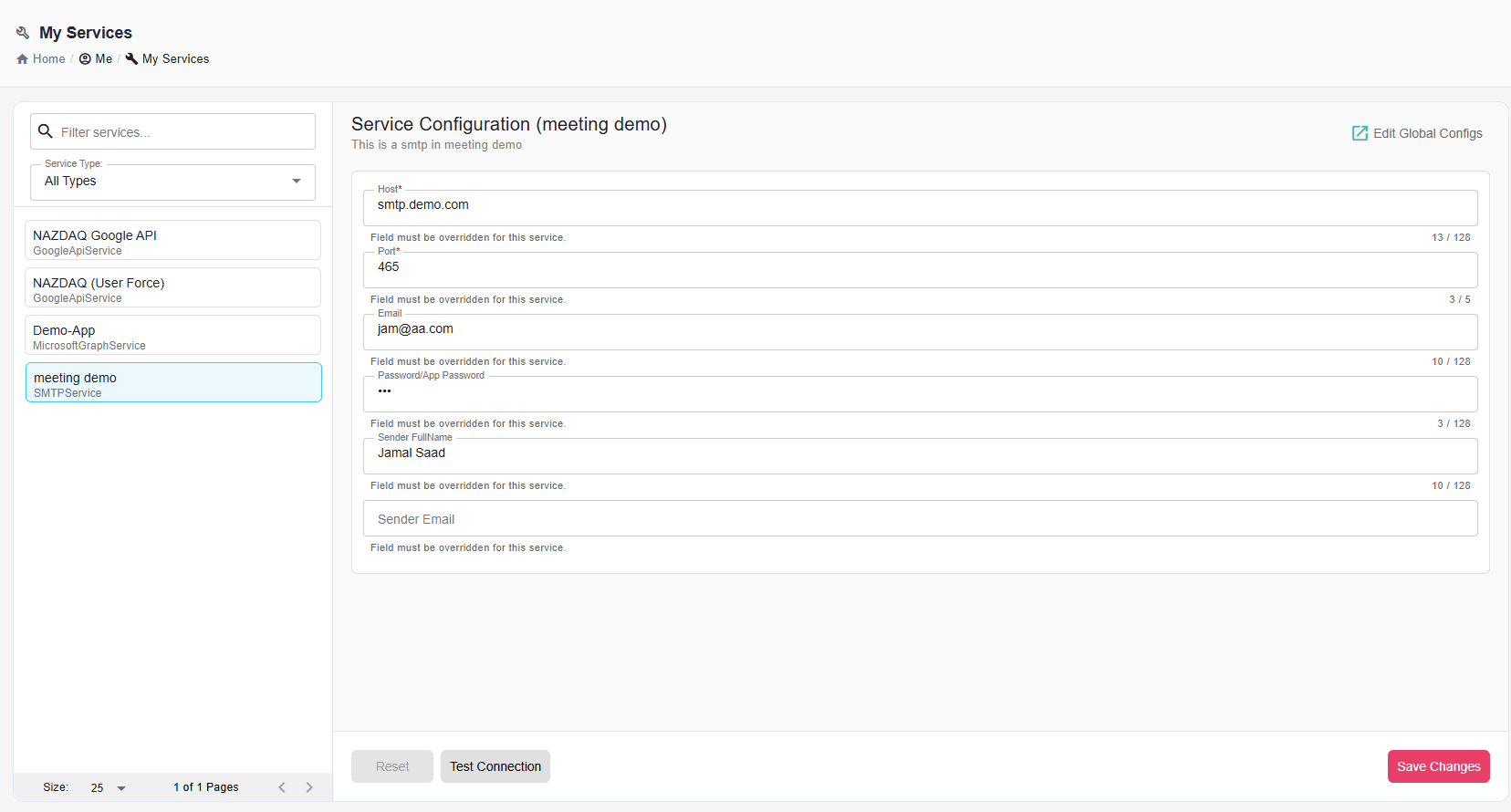
My Services is the user-facing area for personal service settings. It shows only the services and fields that the administrator allows or requires users to configure.
Open it from Me > My Services.
Purpose
Use My Services when a workflow should run with your own credentials or personal connection details instead of only the administrator's global configuration.
This is common for OAuth services, personal mail accounts, and services where each user needs a separate username, password, folder, or authorization state.
Service Override Behavior
The administrator controls what you can configure with Service Override Type.
| Type | What You See |
|---|---|
| None | The service uses the global administrator configuration. There is nothing for you to configure. |
| Allow | You can optionally provide personal values. If you leave them empty, B2Win Suite uses the global configuration. |
| Force | You must provide personal values before the service can be used for your workflows. |
Configuring Services
Select a service from the list and fill in the fields shown on the right side of the page.
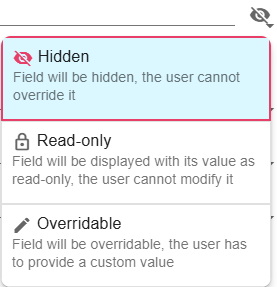
Field behavior depends on administrator-defined Field Permissions:
| Permission | What It Means |
|---|---|
| Hidden | The field is not shown. |
| Read-only | The field is shown but cannot be changed. |
| Overridable | You can enter your own value. |
If you have administrator permissions, Edit Global Configs opens the global configuration area for managing shared values and field permissions.
OAuth Services
Some services, such as Microsoft Graph and Google API, support OAuth authorization. When the service exposes Authorize, use it to sign in with the external provider and grant B2Win Suite the required permissions.
OAuth state is stored with the service configuration. If authorization expires or is revoked by the provider, authorize the service again.
Actions
| Action | Description |
|---|---|
| Authorize | Starts OAuth authentication for services that support it. |
| Test Connection | Verifies the current values when the service supports test connection. |
| Reset | Reverts unsaved changes. |
| Save Changes | Stores your personal service values. |
Notes / Limitations
- You may not see every field from the global configuration. Hidden and read-only fields are controlled by the administrator.
- Forced services must be configured before nodes that depend on them can run for your user.
- Service-specific setup instructions are listed under Service Integrations.