Infor ION Service Setup
Overview
Complete these Infor OS setup steps before configuring the Infor ION Service in B2Win Suite.
Setup Steps
1. Log in to Infor OS Portal
Go to Infor OS Portal.
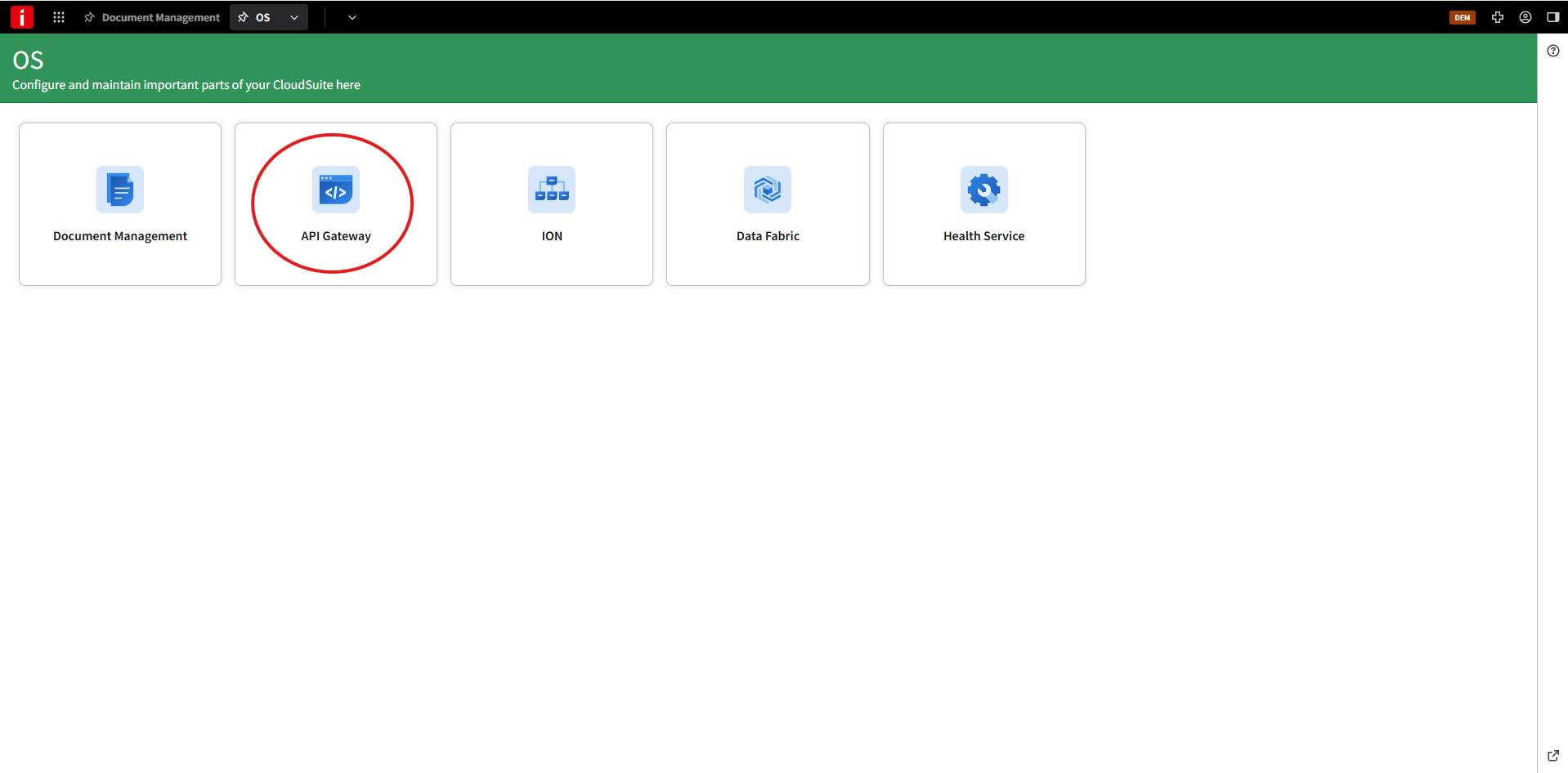
2. Open API Gateway
Open OS > API Gateway.
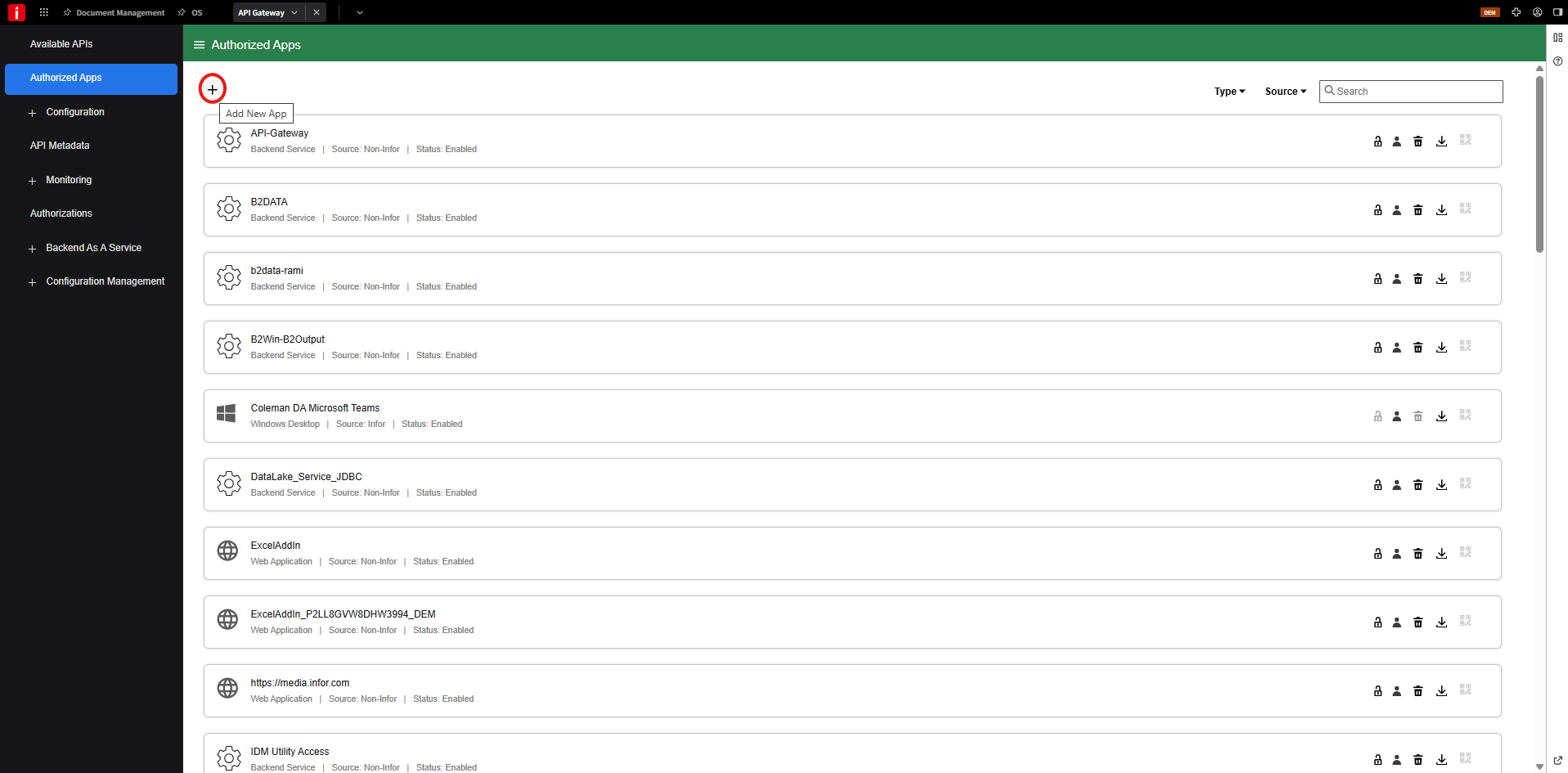
3. Create an Authorized App
Open Authorized Apps and click Add New App.
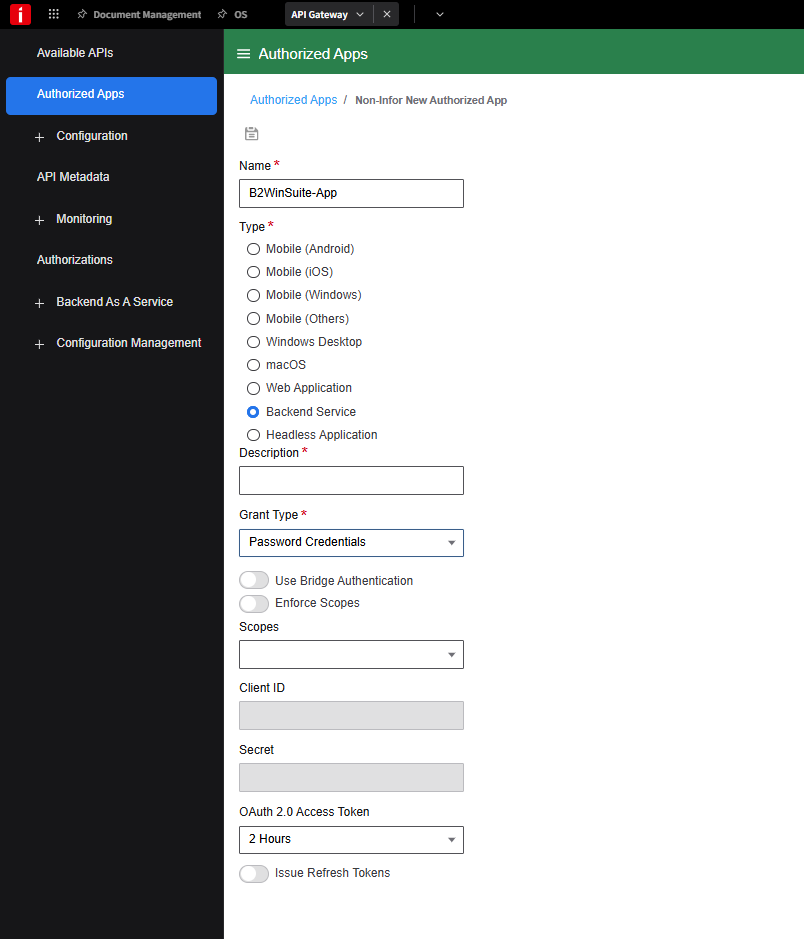
4. Enter the App Details
Use the following values:
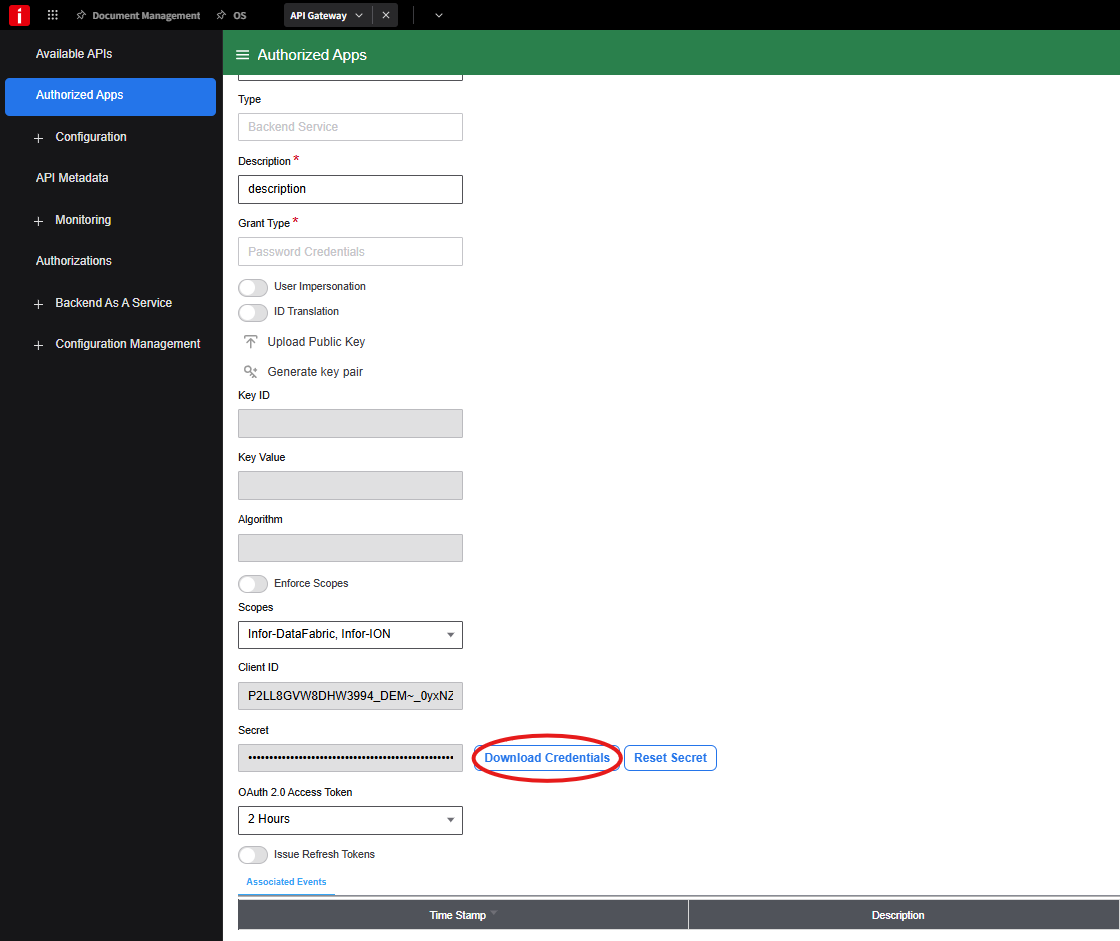
- Name -
B2WinSuite-Appor any unique name that identifies this service configuration. - Type - Backend service.
- Description - Optional description.
- Grant Type - Password Credentials.
- Scopes - Select Infor-DataFabric and Infor-ION.

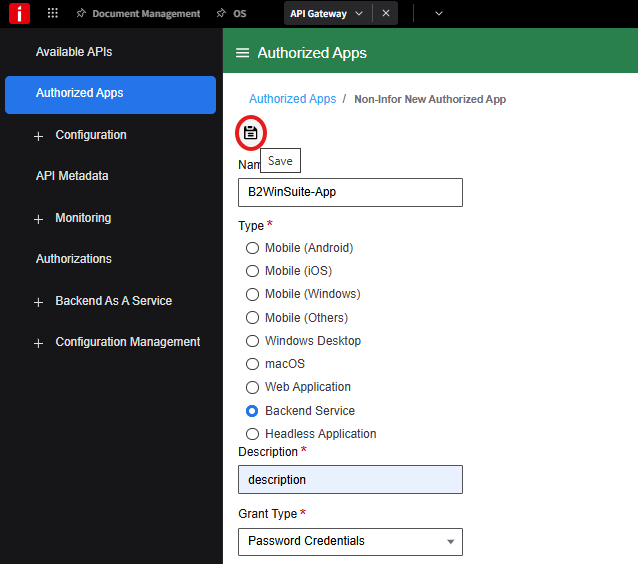
5. Save the App
Click Save.
6. Download Credentials
Open the app and click Download Credentials.
7. Create the Service Account and Download the File
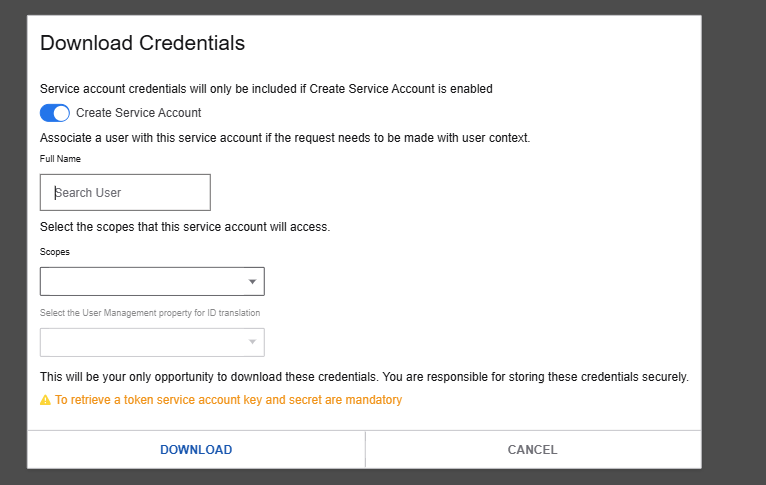
Enable Create Service Account, enter the username, then click Download to save the .ionapi file.
Next Step
After downloading the .ionapi file, return to Infor ION Service and upload it in B2Win Suite.