Microsoft Graph Service Setup
Overview
Complete these Microsoft Entra setup steps before configuring the Microsoft Graph Service in B2Win Suite.
Setup Steps
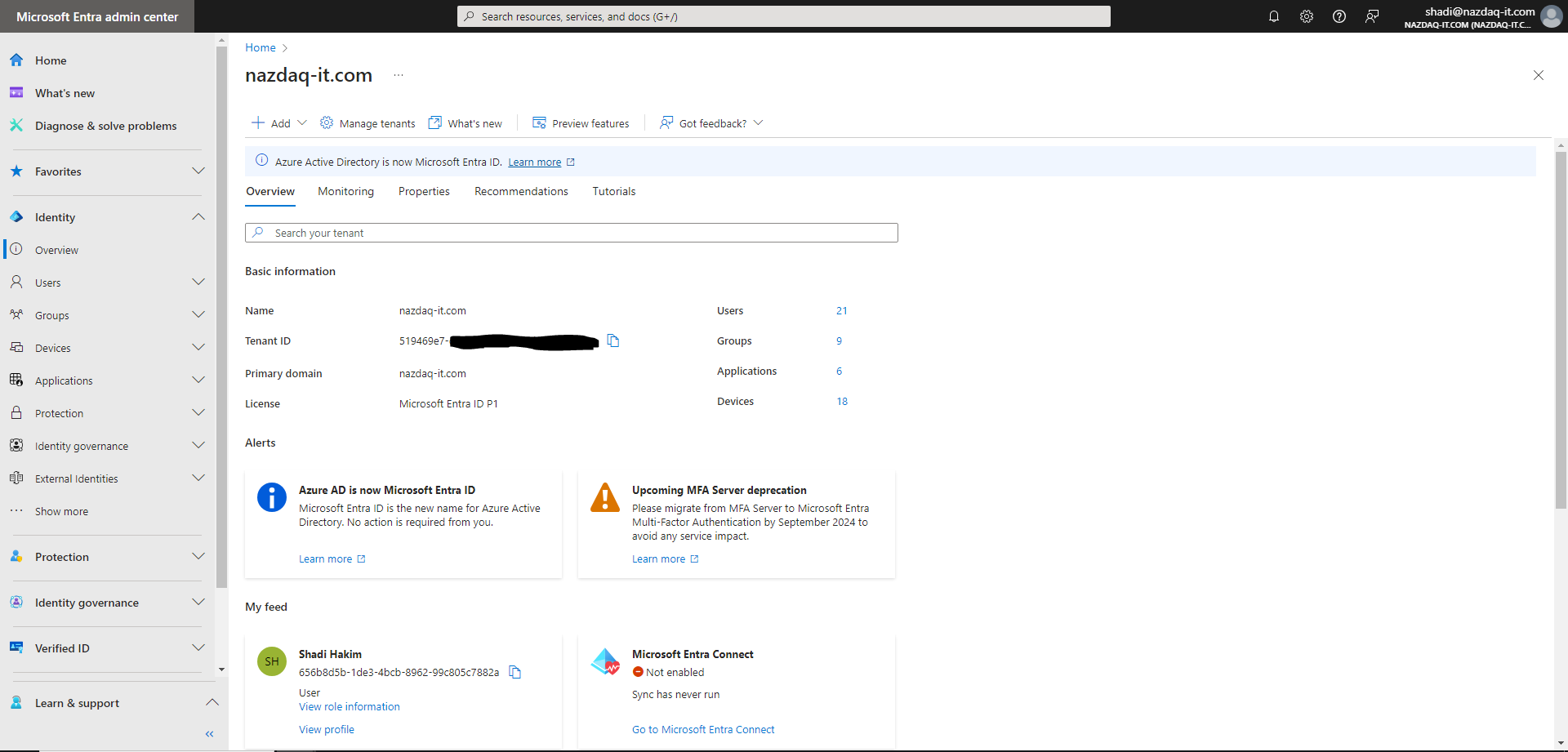
1. Get the Tenant ID
Open Microsoft Entra Tenant Overview and copy the Tenant ID.
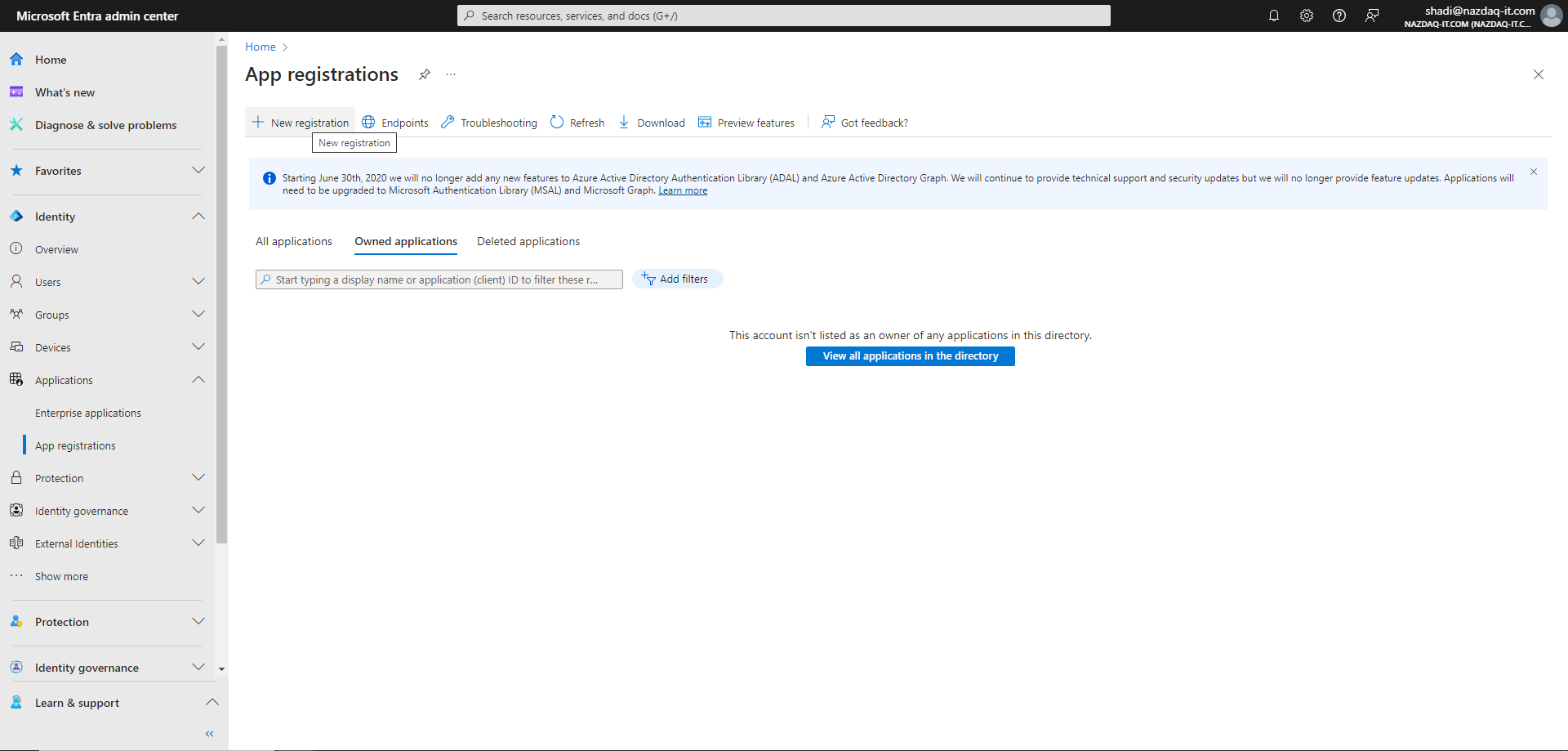
2. Register an Application
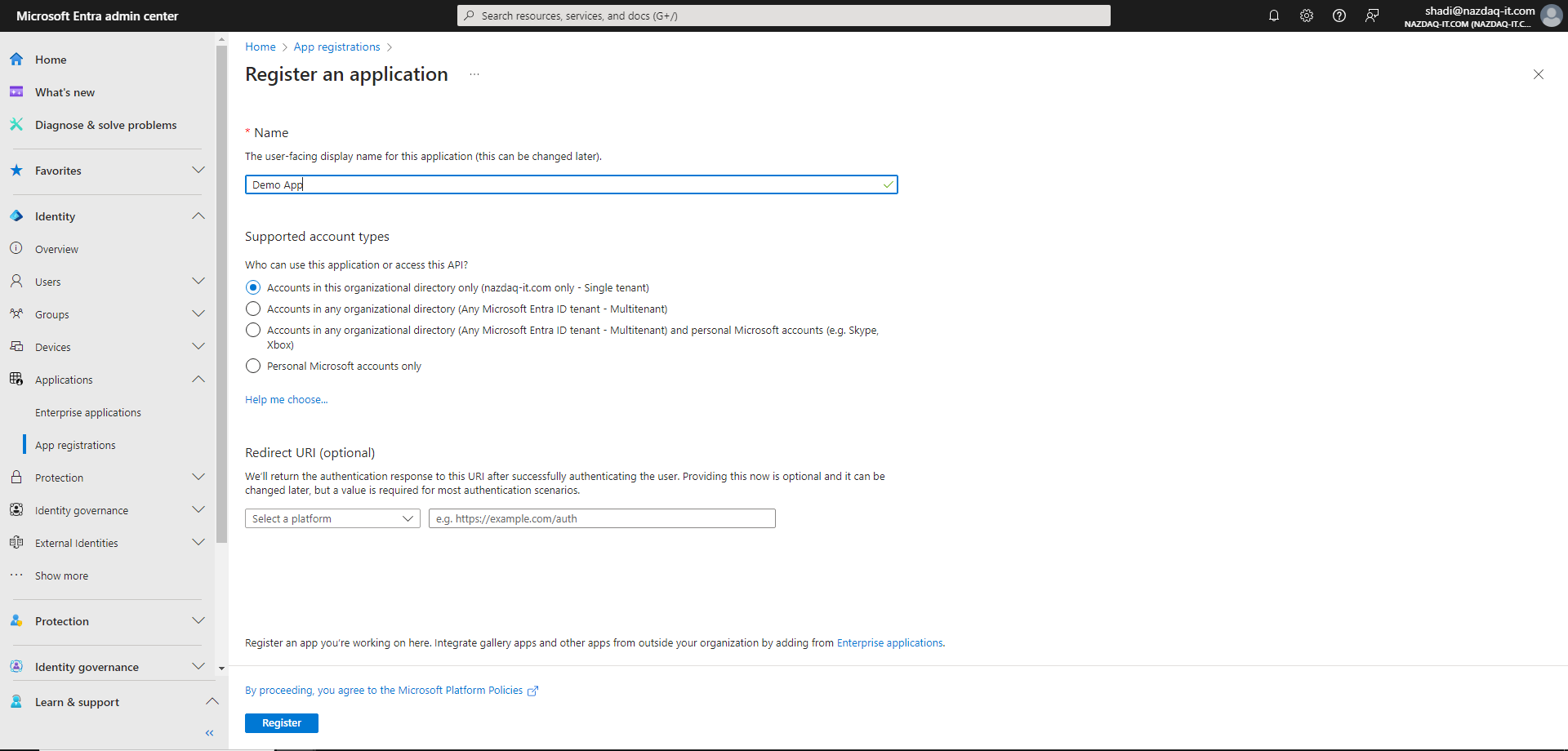
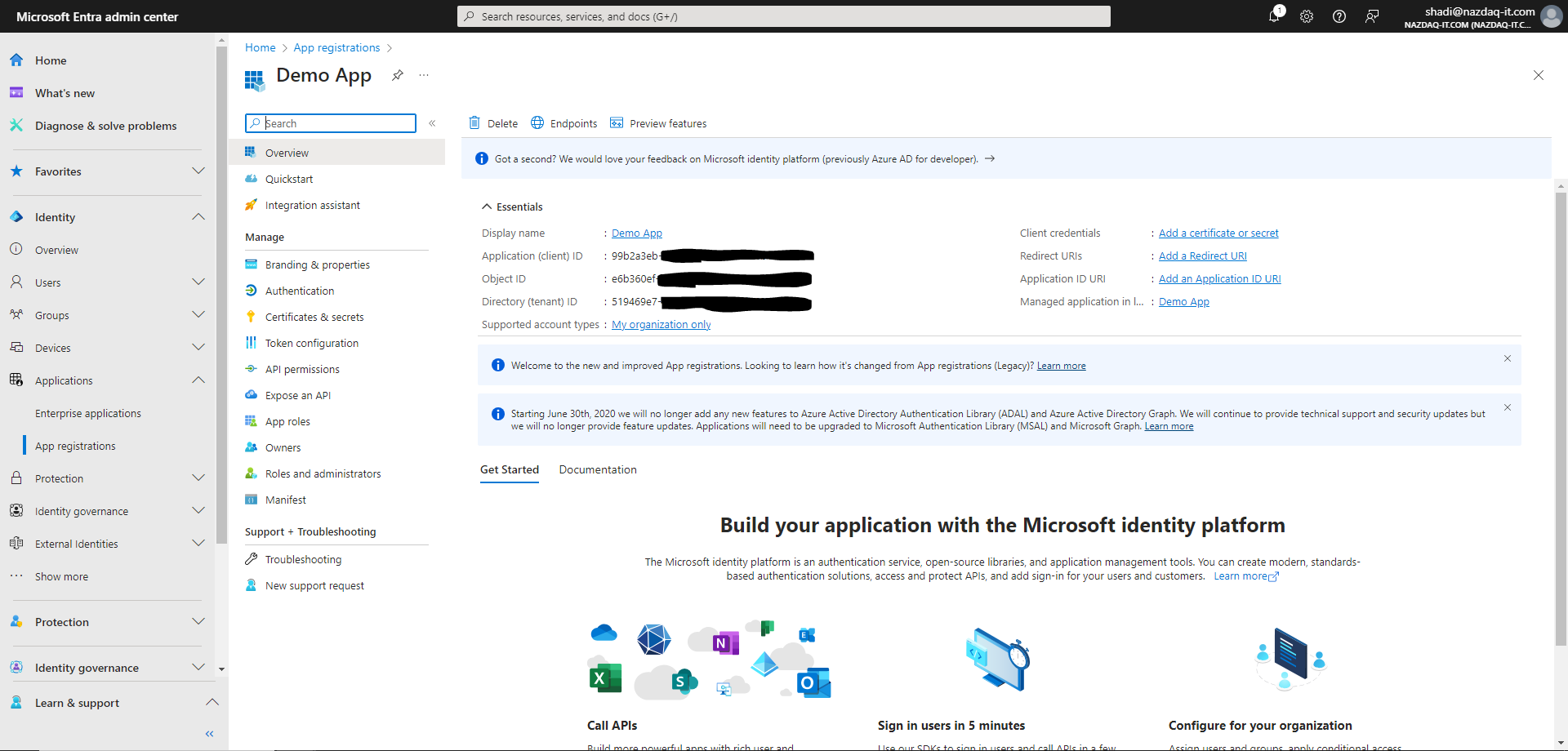
Open App registrations, create a new registration, and copy the Application (client) ID.
The app details page shows the Application (client) ID.
3. Configure Authentication
In the app registration:
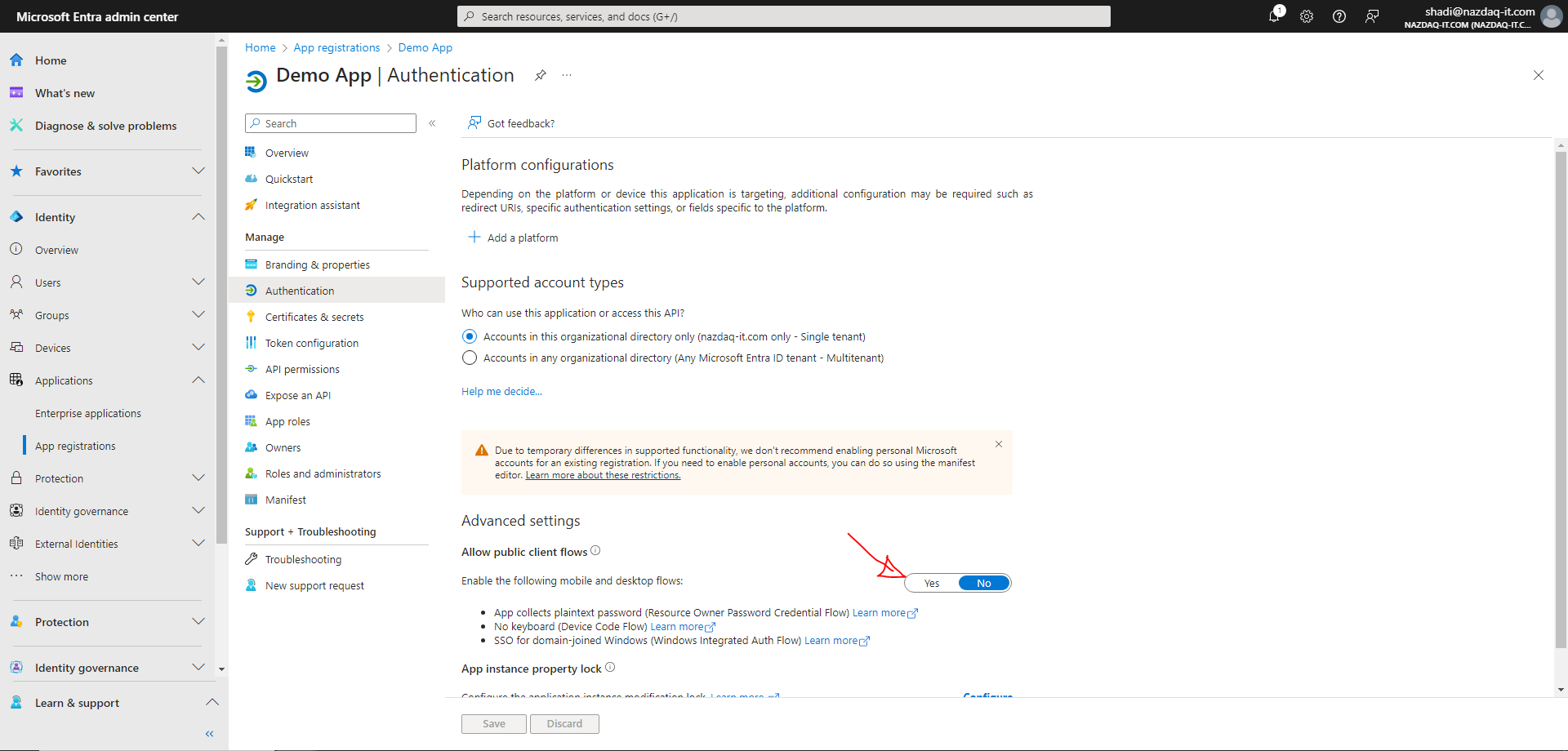
- On Authentication, enable Allow public client flows.
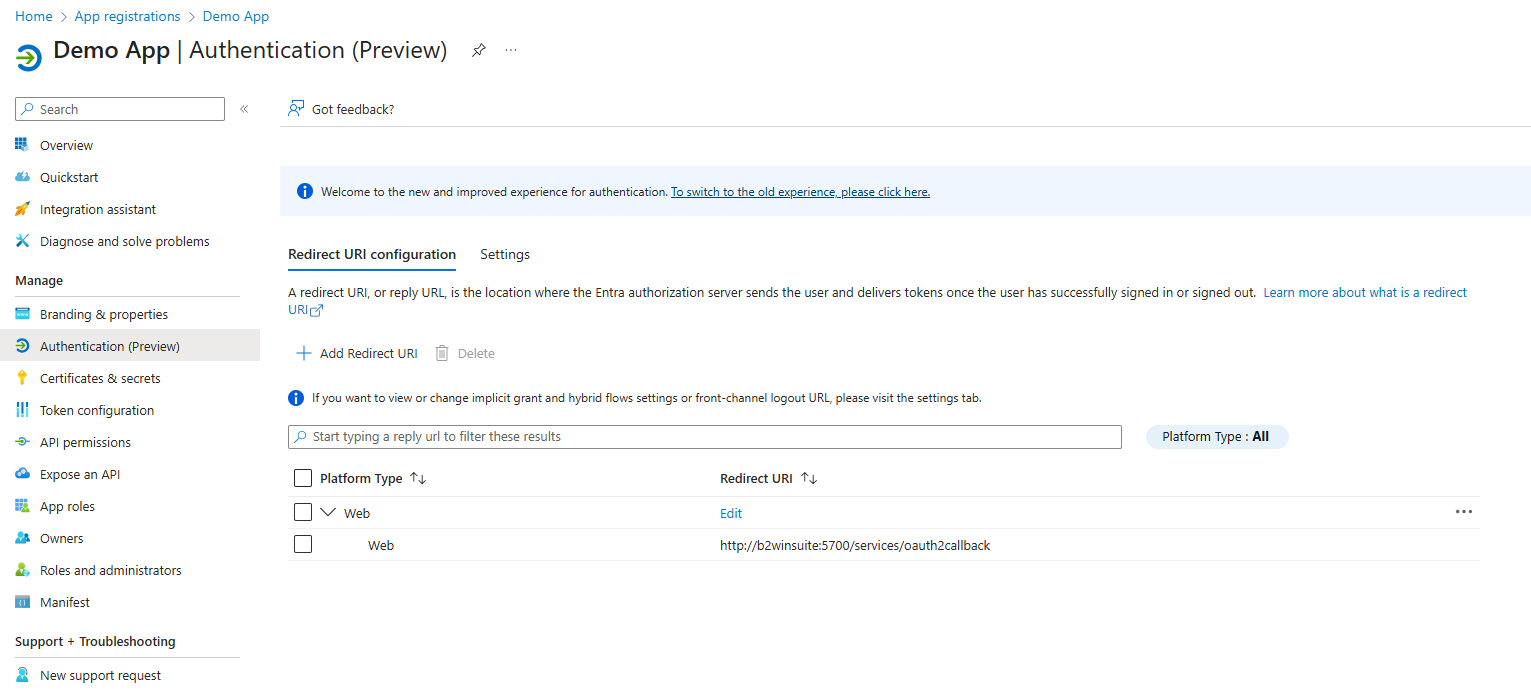
- Add a redirect URI that points to your B2Win Suite base URL plus
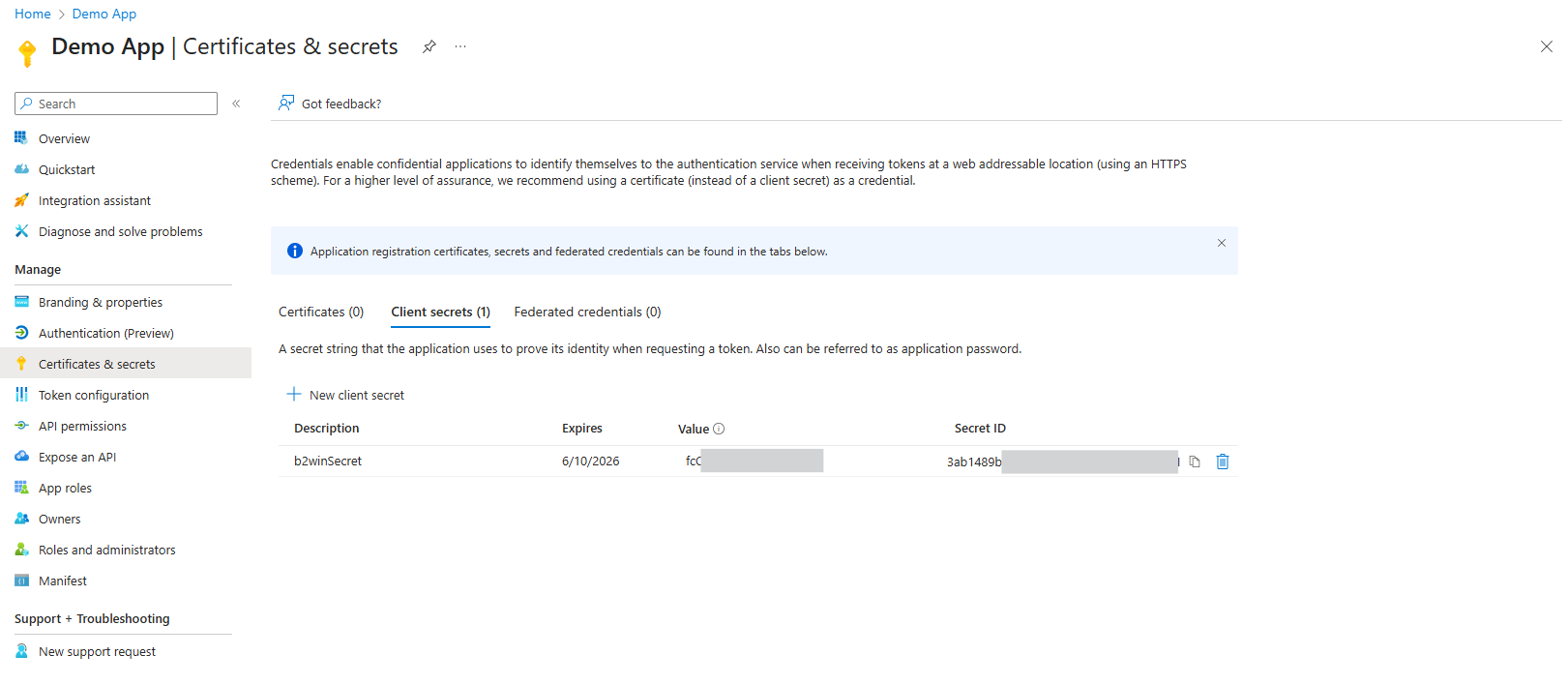
/services/oauth2callback. - On Certificates & secrets, create a client secret and copy the value immediately.
4. Grant API Permissions
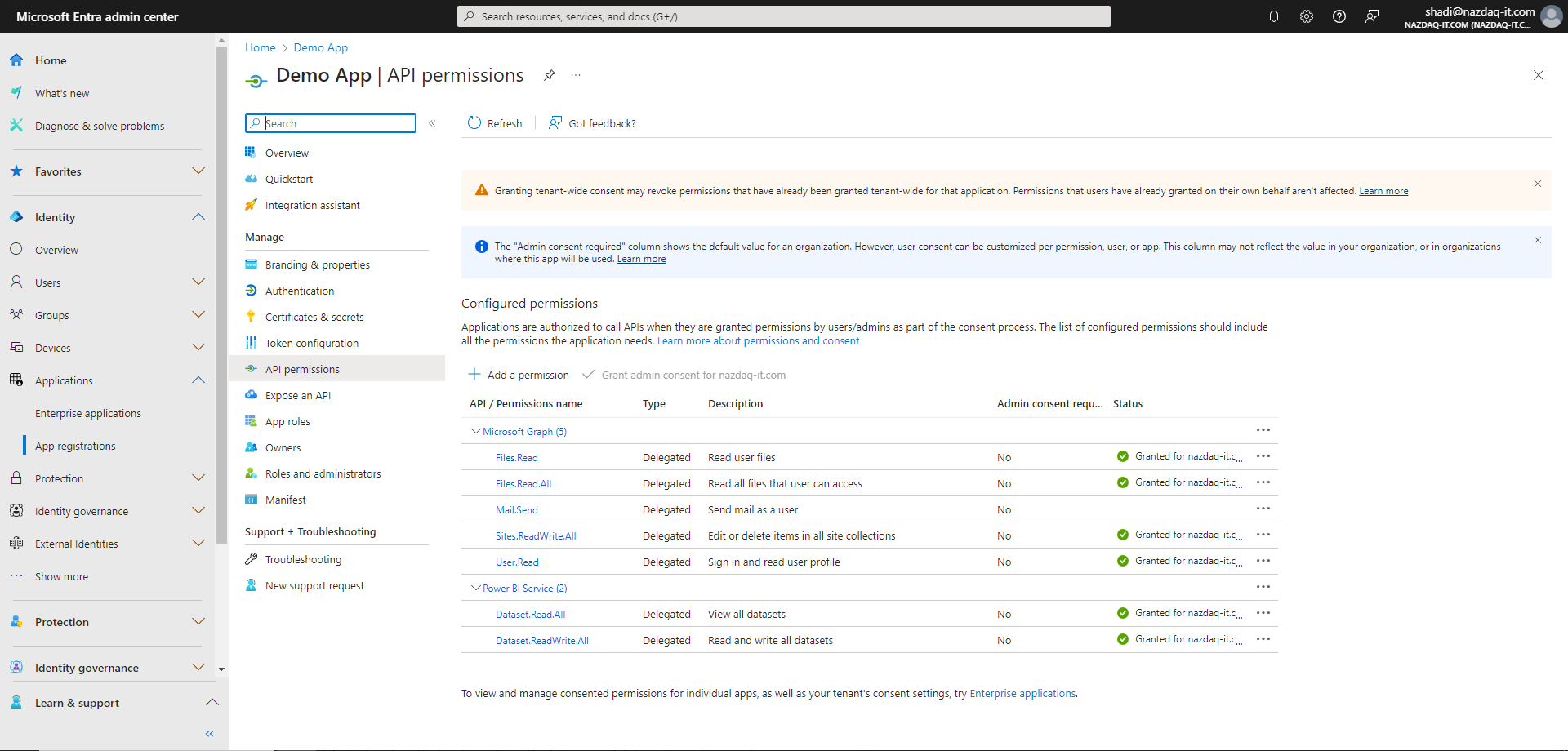
Add the Microsoft Graph permissions required by your nodes and grant administrator consent. The service requests scopes for user profile access, SharePoint and file operations, mail send/read, and chat access.
Next Step
After the Microsoft Entra setup is complete, return to Microsoft Graph Service and configure the service in B2Win Suite.