Create a New Workflow
Workflows are created from the Workflow Manager. You must have the Developer permission to create workflows.
Steps
-
Open the Workflow Manager from the top navigation bar.
-
Click the Create Workflow button in the toolbar.

-
In the dialog that appears, fill in the workflow details:
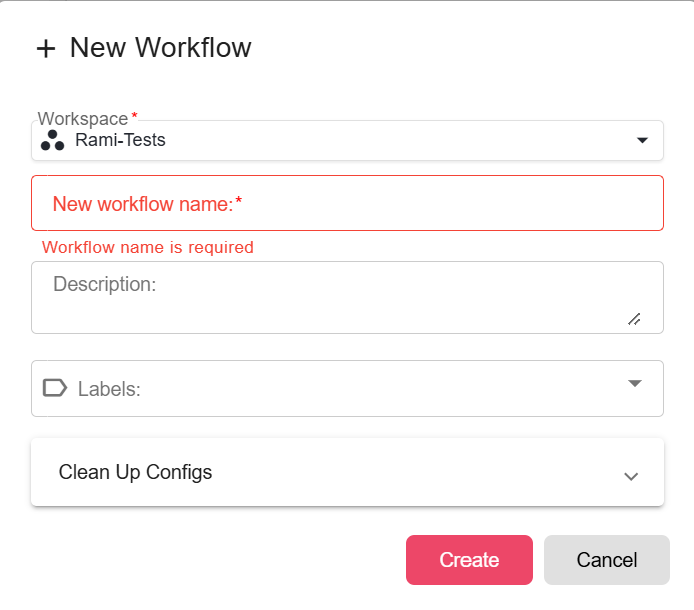
Field Required Description Workflow Name Yes A meaningful name that will be visible to managers and end users. Choose a name that describes the business process. Workspace Yes The workspace this workflow will belong to. Workflows can only be moved between workspaces via export/import. Description No A short description of what the workflow does. Visible in the Manager and in workflow settings. -
Click Create. The Workflow Builder opens with a blank canvas ready for you to add nodes.
What Happens After Creation
- The workflow is created in development mode and is not visible to end users until it is deployed and published.
- A new execution is started automatically in the background so the workflow is ready to run immediately.
- The workflow appears in the Development tab of the Workflow Manager under the workspace you selected.