Properties & States
Properties
In addition to data passed between nodes through connections, workflows often need additional values — calculated from a previous node, defined in the current node, or received from an external trigger. These values are called properties.
B2Win Suite supports three types of properties:
- Global Property
- Node Property
- Input Property
The following sections explain each type, including static values and scripting values (dynamically computed).
Global Properties
Sometimes you want to define a property with a value and reference it throughout the workflow. To do this, use Global Properties. To access them, open the workflow settings dialog and navigate to the Properties tab:
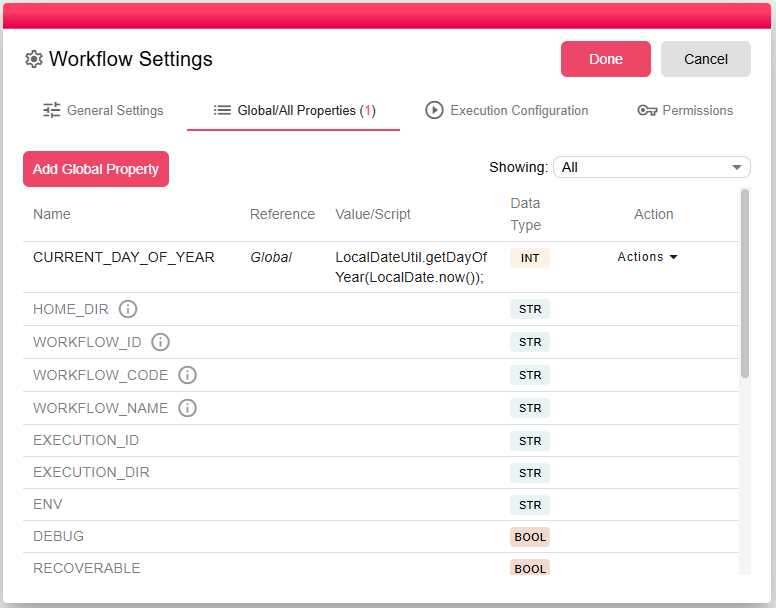
There are two types of properties displayed here:
- User-defined properties (shown in black) — these can be edited or deleted.
- System-defined properties (shown in gray) — these are read-only and their values are set automatically when the iteration is executed.
Global Properties are evaluated when the iteration is created. They are resolved first, making them available to any node in the workflow.
For example, if a property's value is defined by a script:
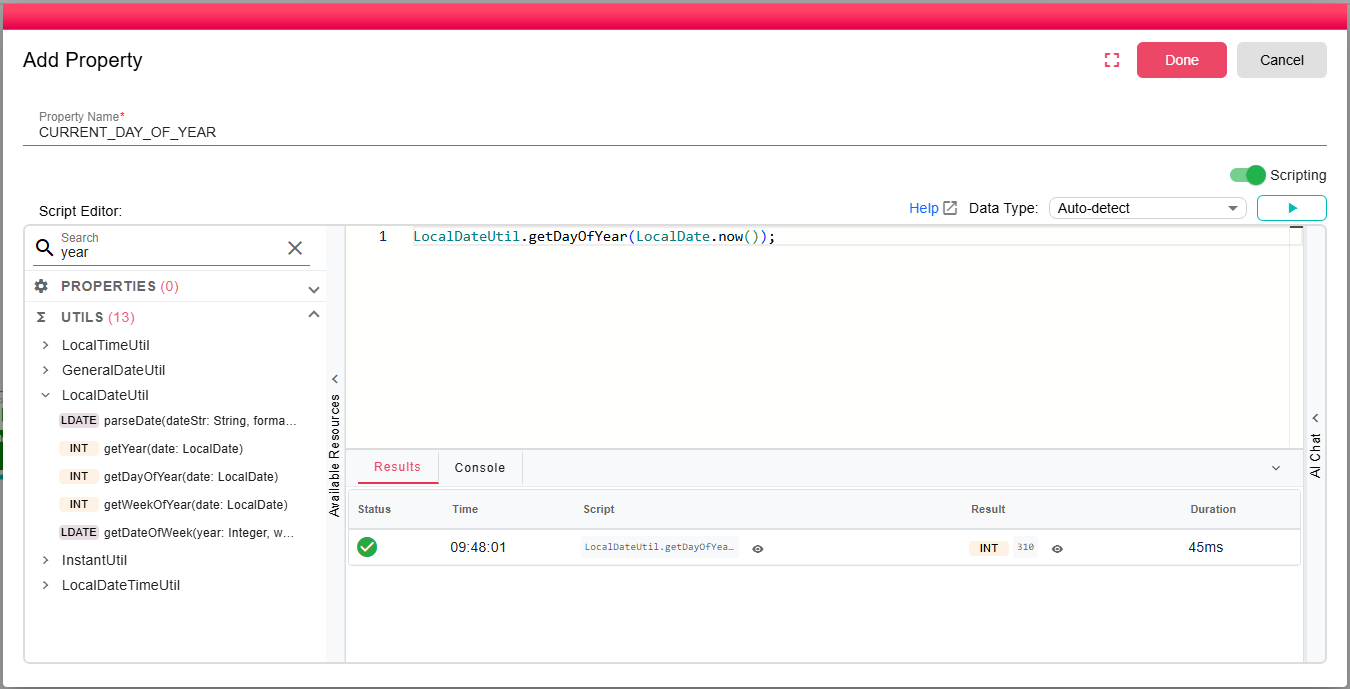
The computed value (310 in this example) is recalculated each time a new iteration is created. For more on using scripting within properties, see the Scripting documentation. The key point is that Global Properties are evaluated per iteration and may produce different values each time.
Static value properties
Static properties are the default type when creating a new property. To create a property (either globally or per node), click the Add Property button:
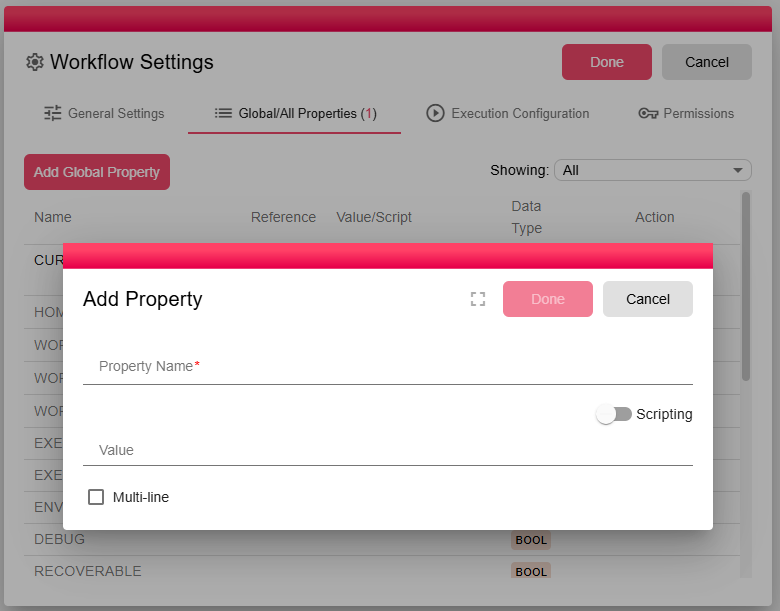
Specify a Property Name (only English letters, numbers, and underscores are allowed), then enter the property value.
States
In B2Win Suite, States allow workflows to maintain and share data across iterations during their execution. States are particularly useful for nodes that need to "remember" information between iterations, such as tracking the last run time or a value retrieved during execution.
State Scope
- Execution-Level State: States exist at the level of a workflow execution. They persist across all iterations within the current execution.
- Resetting State: When a workflow execution is restarted, all states are cleared unless explicitly configured to be preserved.
Node-Specific States
Nodes can maintain their own state. Examples include:
- Scheduler Node: Remembers the last time it triggered an iteration. This ensures the scheduler doesn't repeat executions unnecessarily.
- Query Trigger Node: Tracks the last value read from the database, ensuring that subsequent executions continue from where the last query ended.
- Custom States: Developers can define custom states in nodes to store specific information that needs to be reused across iterations.
State Persistence
To ensure proper management of workflow states:
- Default Behavior: By default, states are cleared when the workflow execution is restarted.
- Preserve State: If a workflow requires states to persist beyond a reset, you can explicitly configure the workflow or node to preserve the state.
For example:
- A scheduler node preserving its last run timestamp ensures it resumes operation seamlessly after a workflow restart.
- A database query trigger maintaining the last retrieved value prevents duplicate processing of previously fetched data.
Practical Use Cases
- Tracking Last Execution: Schedule-based workflows can avoid re-executing on past triggers.
- Incremental Data Processing: Query nodes can process only new records by remembering the last retrieved ID or timestamp.
- Custom State Management: Developers can define properties to maintain counters, flags, or any stateful data across multiple iterations.
Resetting the State
When restarting a workflow:
- Default Reset: All node states are cleared, and the workflow starts fresh.
- Preserve State Option: Allows states to persist across restarts, ensuring seamless continuation of workflow execution.
By leveraging States, B2Win Suite workflows become highly adaptable, enabling advanced functionality like incremental processing, intelligent scheduling, and dynamic state sharing between nodes.