Global Properties
Global Properties are key-value pairs that belong to the workflow and are accessible to every node during execution. They allow you to define values once and reuse them across the entire workflow without hardcoding them into individual node settings.
What Are Global Properties Used For?
- Shared configuration values — for example, a file output folder path that multiple nodes need.
- Cross-node communication — a node can write a property value, and a downstream node can read it.
- Script expressions — any property can be referenced in JEXL expressions using
${propertyName}syntax.
The Global Properties View
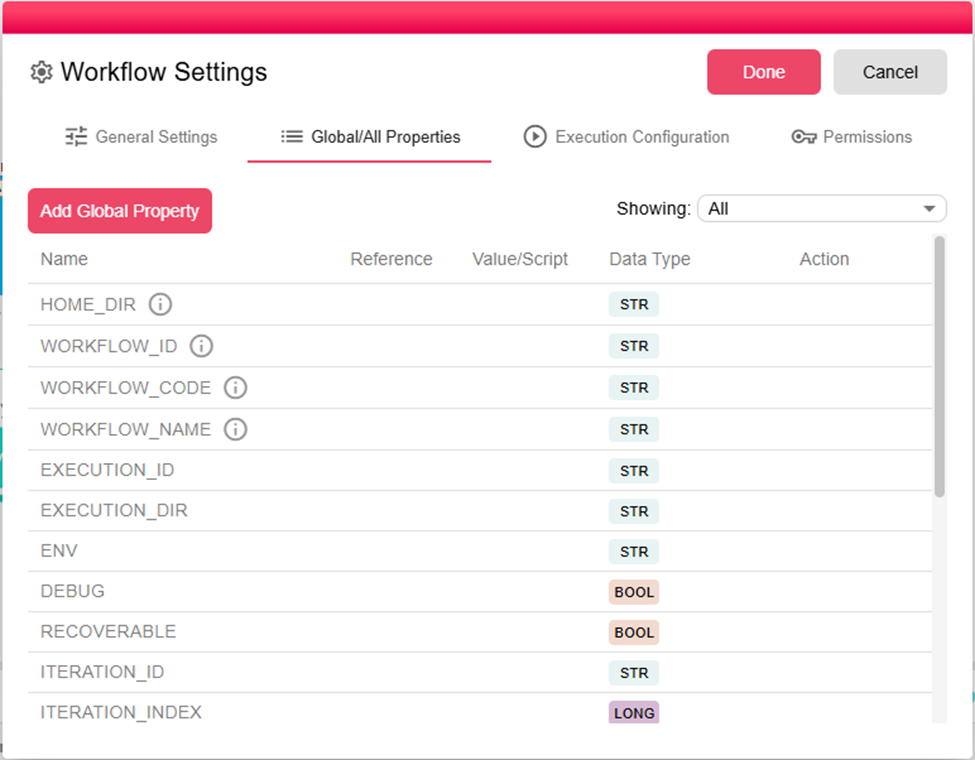
In this view:
- System properties (gray, read-only) — These are built-in properties added automatically by the engine for each execution. Their values are populated at runtime. You cannot edit them here.
- Add Property — Click to define a new property. See Properties & States for full documentation on creating properties.
System-Provided Properties
The following properties are available in every workflow execution:
| Property | Type | Description |
|---|---|---|
EXEC_BY_USERNAME | String | Username of the user who started the execution |
EXEC_BY_FULLNAME | String | Full name of the user who started the execution |
EXEC_BY_EMAIL | String | Email of the user who started the execution |
WORKFLOW_ID | String | Unique identifier of the workflow definition |
WORKFLOW_NAME | String | Name of the workflow |
EXECUTION_ID | String | Unique identifier of the current execution |
ITERATION_ID | String | Unique identifier of the current iteration |
WORKSPACE_ID | String | ID of the workspace the workflow belongs to |
Example: Using a Property Across Nodes
Define a property called OUTPUT_FOLDER with value /data/reports/. In the Rename File node's target path field, reference it as:
${OUTPUT_FOLDER}monthly_report_${EXEC_BY_USERNAME}.xlsx
This evaluates to /data/reports/monthly_report/john.doe.xlsx at runtime. If you ever need to change the output location, update the property once in Global Properties rather than editing every node individually.
For more details on property types, scripting, and runtime behavior, see Properties & States.