What's New in 6.0
New Capabilities to Support Infor CloudSuite Hybrid Environments and More
Infor CloudSuite Data Sync
A complete and efficient way to ingest and replicate Infor CloudSuite data into any cloud or on-premises relational database. Whether fully managed in Azure/AWS or self-managed, gain near real-time, structured access for reporting and analytics beyond the limits of the Data Lake.
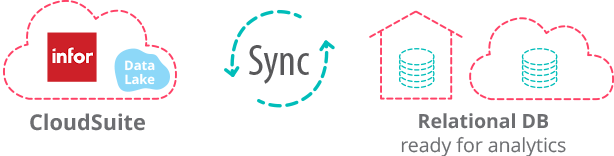
With full support for MySQL and Microsoft SQL Server, enhanced performance for millions of records, and deep integration with the workflow platform, you can shape data, automate Excel reports, and publish to the Reports Gallery. Enrich your replicated database with additional sources.
All built on years of enterprise-grade data integration expertise.
Key Benefits

High Performance
Optimized for the highest read speed possible from the Data Lake

Traceable
Clearly follow and debug every step of transformation and data movement

Data Availability
Access to reliable data whenever and wherever needed

Secure
Your data is secured with a multi-level ACL permissions system
Advanced Data & Table Structure Mapping
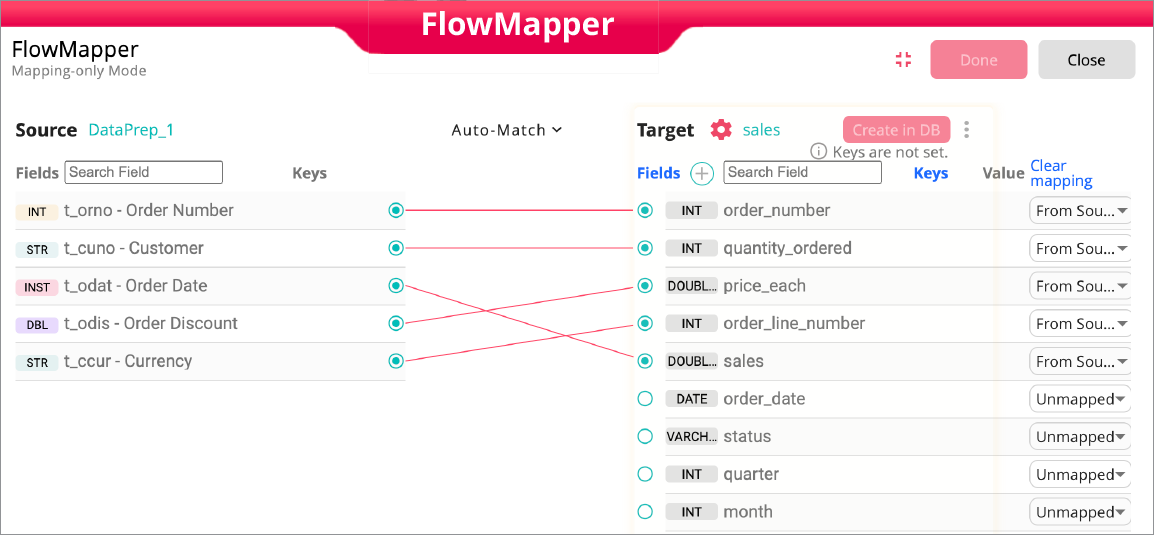
The FlowMapper gives you complete visual control over how your data lands in the target database. With an intuitive side-by-side mapping interface, you can auto-match fields, customize table names, adjust datatypes, create keys, add transformations, and preview your data in real time.
Automatic datatype mapping accelerates setup, while visual connections make even complex table structures easy to understand. Whether you're preparing a staging table or building a production-ready schema, FlowMapper streamlines the entire process.
Intelligent Document Fillers
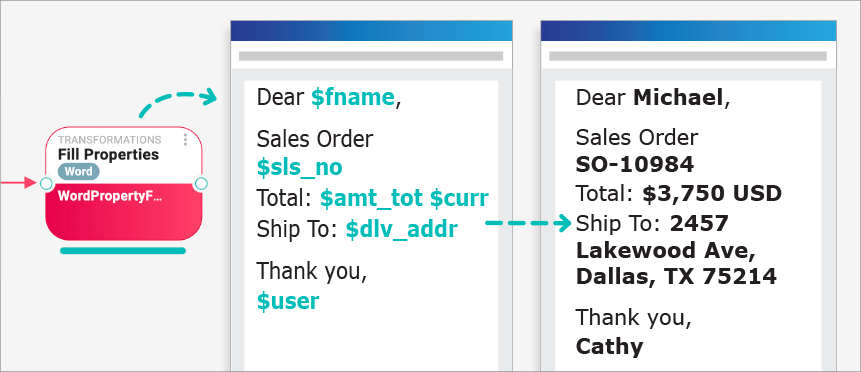
Automatically generate dynamic MS Word documents — such as Payment Receipt Remittance Advice, Statement of Account, Bank Transfer Confirmation — using values from workflow steps. With support for Excel and PowerPoint as well.
Introducing FlowCode Editor
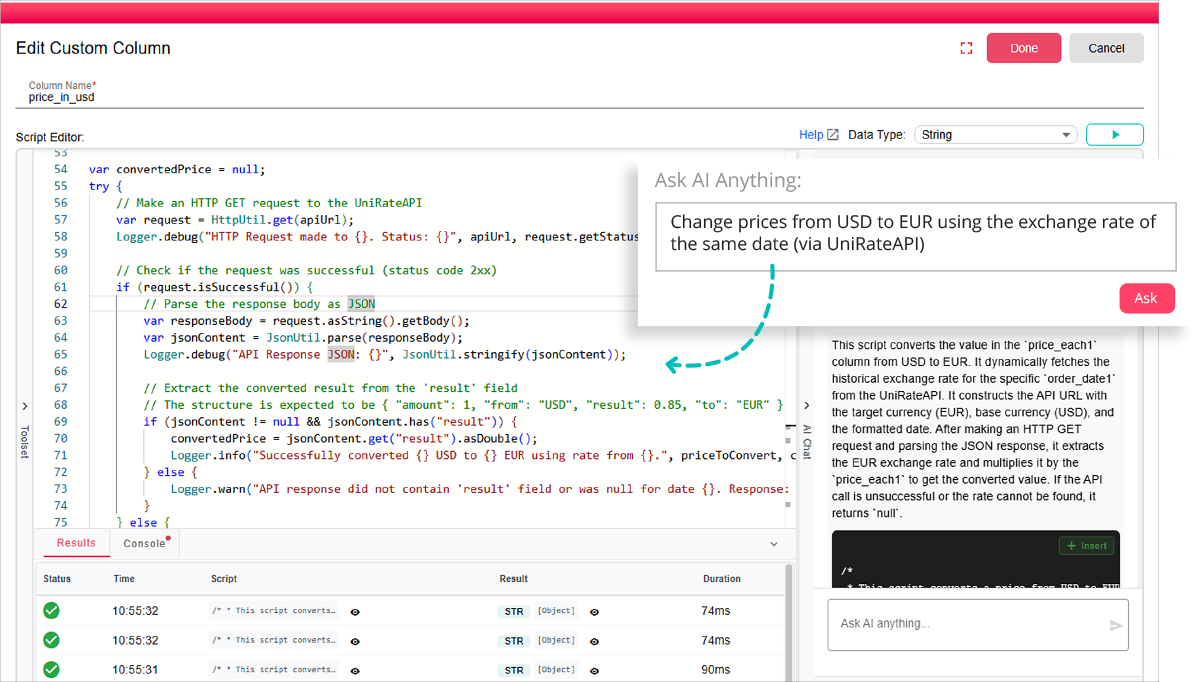
The low-code scripting environment has been completely redesigned and is now officially called FlowCode Editor. It delivers a modern coding experience with AI guidance, context-aware autocomplete, and built-in console logging.
Workflow Orchestration
Gain full control over how your workflow paths interact. Chain paths together so one begins only after another completes, enabling coordinated multi-step processes. Properties and variables pass seamlessly between paths, allowing smooth data flow across your entire workflow.

Workspaces to organize workflows and reports by ERP, role, or function
Email Error Alerts for deployed workflows
System Dashboard – Monitor workflow activity and performance at a glance
Performance & Reliability Improvements – Enhanced memory handling, logging, and node execution stability

The Platform for Data
& Document Automation
Experience B2Win Suite
Explore and discover B2Win Suite — start a free trial, request a live demo, or visit the platform page to see it in action.