Infor LN Report
to Excel
Turn Infor LN reports into analysis-ready Excel spreadsheets, with graphs.
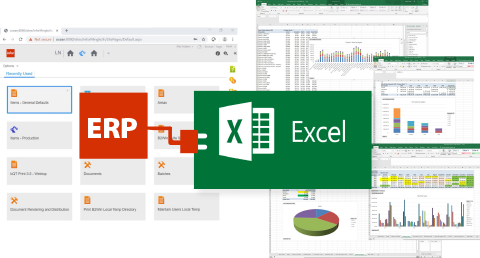
From LN Reports to Actionable Excel
Transform your Infor LN or Baan reports into structured, analysis-ready Excel spreadsheets with charts, pivots, and advanced analytics—directly from LN. Unlike simple data exports, this approach is designed for report-driven automation, converting report outputs into clean, well-organized datasets ready for immediate use. It eliminates manual cleanup, reduces errors, and enables organizations to reuse standard reports as reliable data sources for reporting and downstream processes.
With the B2Win Suite platform, users simply print an LN or Baan report to a designated device, where it is automatically captured, processed through a workflow, converted into a structured Excel file, and distributed.
Why B2Win Suite
Structured Excel with Just 1-Click
Print from LN or Baan and receive analysis-ready Excel files instantly.
No Manual Processing or Complex Exports
Eliminate manual cleanup and reduce reporting errors.
Built for Report-Driven Automation
Consistent, reusable outputs with every run.
Automatic Parsing
As reports are printed from Infor LN or Baan, the output is automatically processed, intelligently extracted, and organized into clean, column-based datasets ready for transformation and Excel generation. The automatic conversion supports multi-line reports, row-based reports, and more complex formats such as trial balance and other complex report formats. In some cases, a simple and user-friendly setup may be required. Unlike basic data exports, the output is fully structured and organized for immediate analysis, ensuring consistent and meaningful datasets.

Powerful Data Transformation
Prepare and refine data using built-in tools for transforming, reshaping, and structuring datasets. Users can reorder fields, split data, convert data types, and enrich datasets by creating additional columns through an advanced, context-aware low-code scripting environment. Data from LN reports can also be extended by combining it with other data sources, supported by an AI-assisted Query-in-Memory engine that enables transformation and unification of multiple data sources into a new data structure.
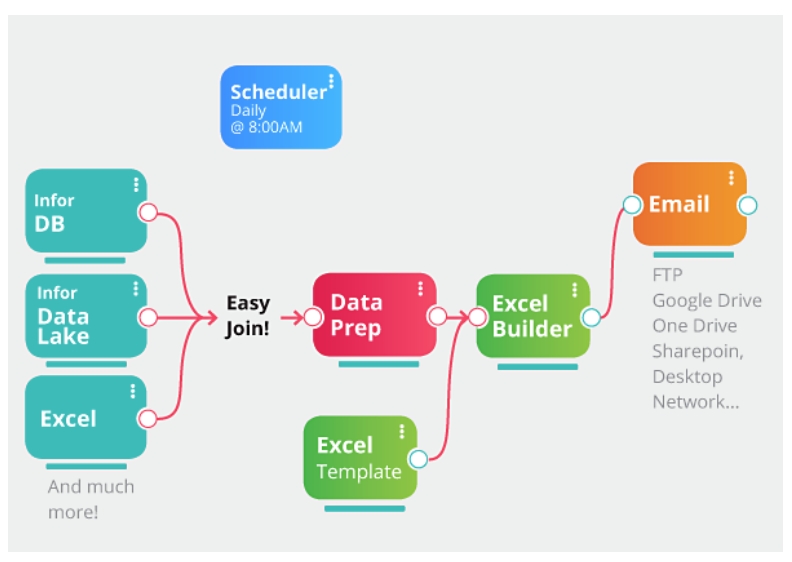
Presentation-Ready Output in Excel
Generate professional, ready-to-use Excel reports with full flexibility. The platform automatically creates Excel files with correct data types, supports merging data into existing Excel sheets, and enables template-based reporting by injecting data into pre-designed dashboards while preserving pivot tables and charts.
Flexible Print Modes
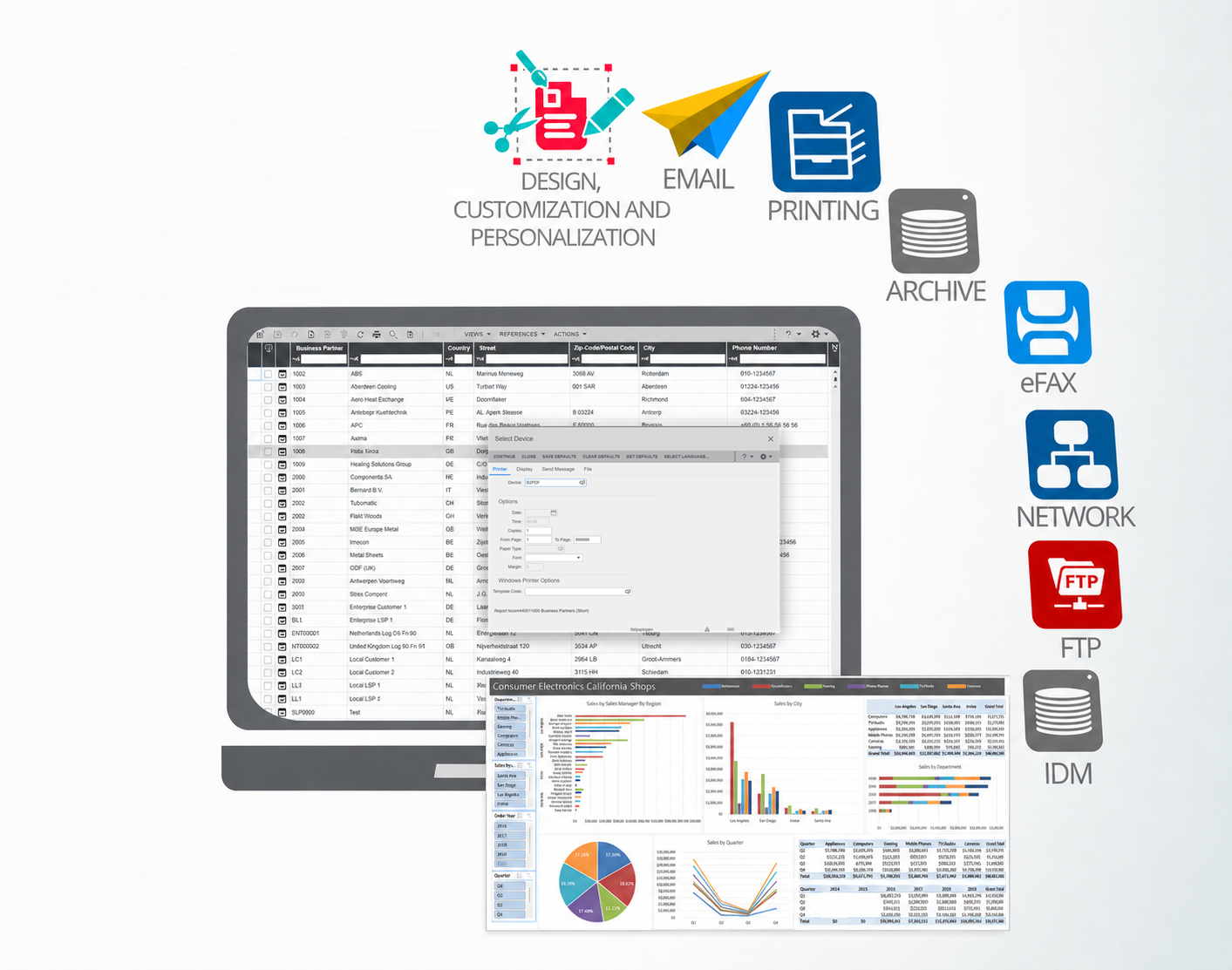
End-users can print directly from LN to Excel and receive results immediately. Alternatively, a user interface is available for additional control over output options and distribution. Reports can also be scheduled via LN cron jobs and automatically processed and distributed.
Report Distribution
Users can choose or apply predefined distribution rules to deliver reports to multiple recipients via email or through various channels, including FTP, shared folders, SharePoint, IDM, and APIs, ensuring timely and consistent access to critical information.
Key Benefits
Go beyond simple data exports with structured, analysis-ready datasets for automation and consistency
Deliver ready-to-use Excel reports in 1-click from Infor LN or Baan
Eliminate manual processing and reduce reporting errors
Transform column-based, row-based, and multi-line reports into structured, analysis-ready formats
Refine, enrich, and transform data using easy-to-use tools
Combine LN or Baan data with other data sources for extended insights
Automatically merge data into Excel templates to generate reports with charts, pivots, and dashboards
Distribute Excel outputs across multiple channels
Integrate reporting into broader data pipelines and automation workflows
Once configured, report workflows can be reused for future runs, saving time and ensuring consistent, reliable outputs
Run reports manually, automatically, or on a schedule
Powered by the B2Win Suite Platform
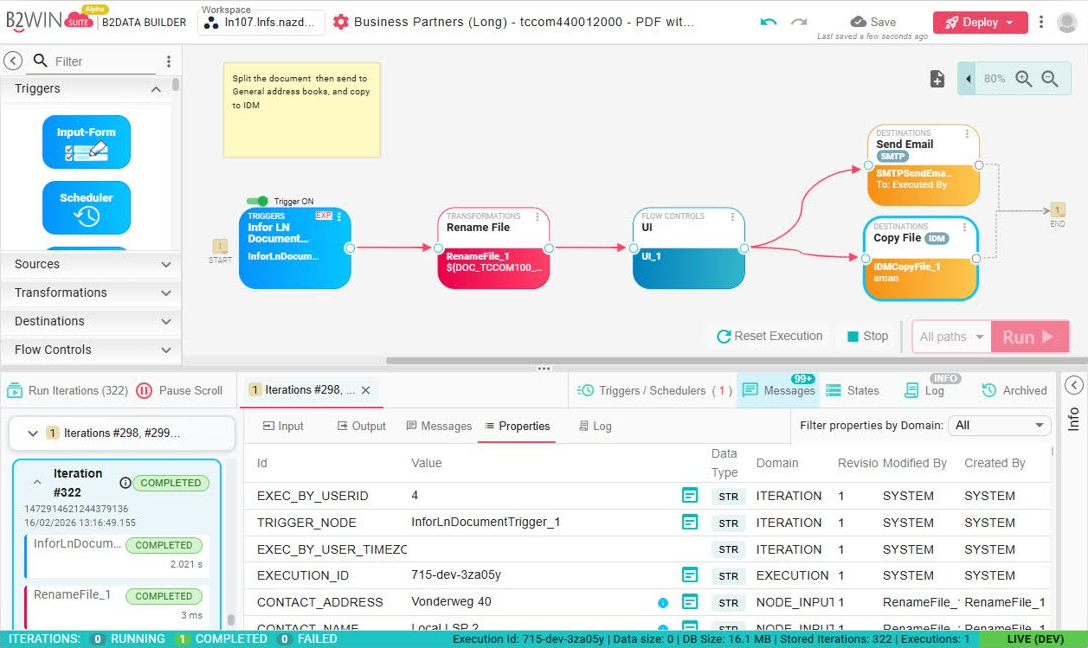
Every solution is built on B2Win Suite – a platform for designing and running data and document workflows.
Because printing Infor or Baan reports to Excel runs within this platform, Excel output can be integrated into broader workflows, enriched with additional data and combined with others sheets – while every step is monitored with full traceability and execution control.

The Platform for Data
& Document Automation
Discover B2Win Suite
Discover how B2Win Suite brings replication, reporting, document output, and ETL together in one unified workflow platform — built for modern IT teams, with Infor CloudSuite environments (LN, M3, SyteLine, and more) in mind.