Infor LN Reporting
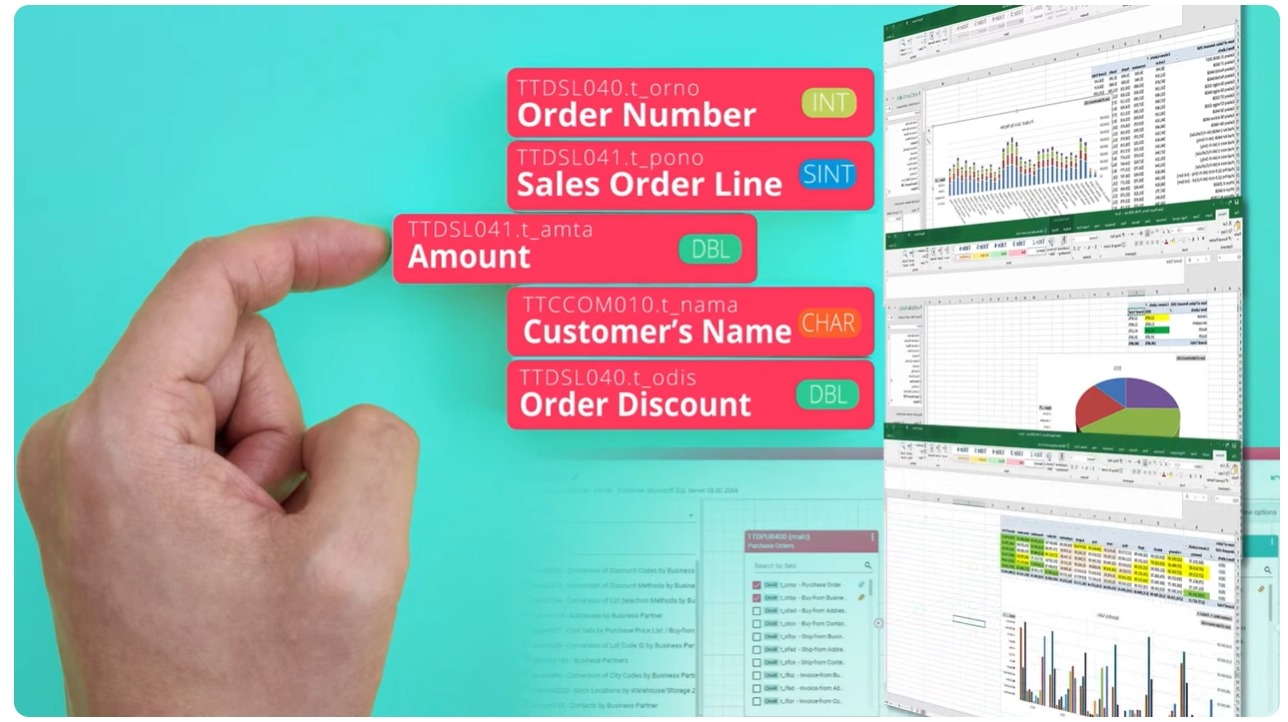
Modernize your Infor LN or Baan reporting with a flexible low-code platform that empowers both IT teams and business users. Build, adapt, and automate reports directly from LN or Baan, combine data from multiple sources, and deliver results in Excel or other formats — automatically and at scale.
Why B2Win Suite
Limited Access to LN Data Slows You Down
Standard LN and Baan reporting restricts how you access and use data. Enable flexible data extraction and querying for real business needs.
Disconnected Data, Incomplete Insights
LN or Baan data alone is not enough. Combine ERP data with other sources to create a complete, reliable view for reporting and decisions.
Manual Reporting Doesn't Scale
Stop relying on manual exports and Excel work. Automate report generation and delivery to ensure consistency, accuracy, and efficiency.
Visual Data Pipelines
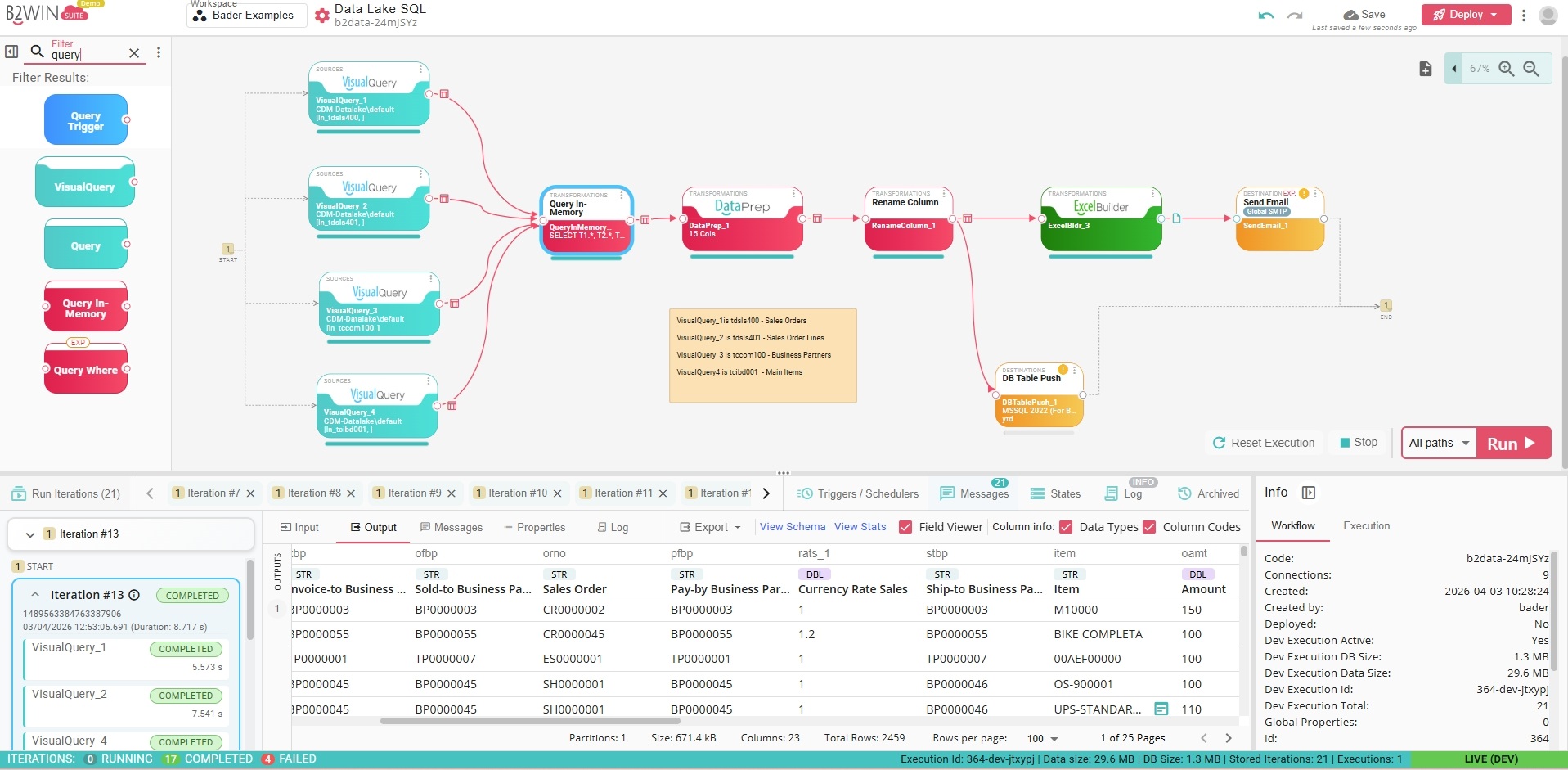
Eliminate scattered scripts and hard-to-follow logic. Design and evolve reporting pipelines through a clear, visual workflow that enables IT teams to build robust data processes, while empowering business users and data scientists to create ad-hoc reports with ease.
For advanced scenarios, no-code tools complemented by powerful scripting capabilities are available.
Flexible Data Extraction with Visual Query Builder
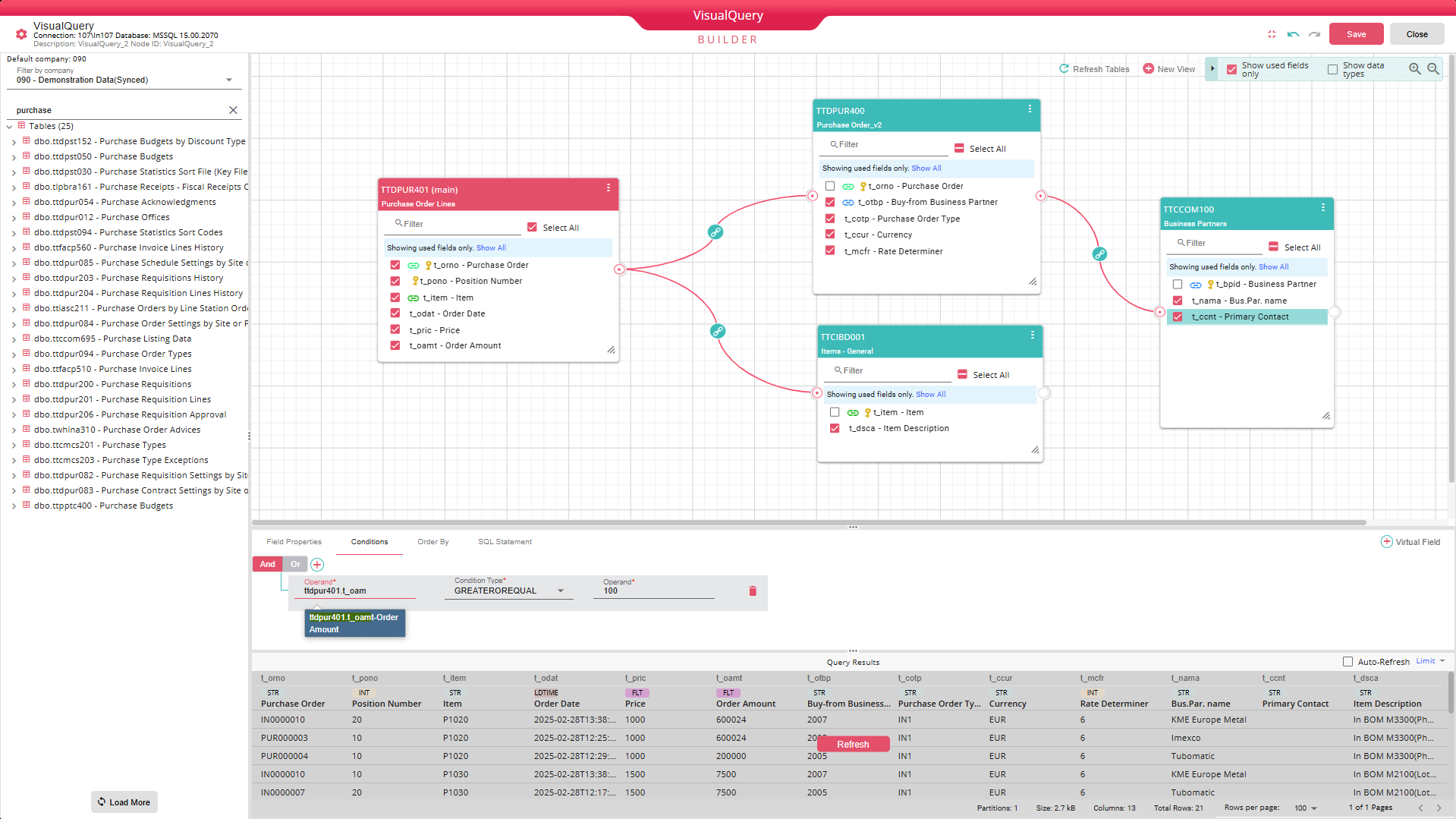
Use the Visual Query Builder to drag and drop tables from the Infor LN database or Infor Data Lake, define relationships, and select fields — without writing SQL.
Easily browse and search tables and fields with localized descriptions, including native support for LN company structures, text fields, and enumerations.
Multi-Source Data Extraction
Extend LN reporting by combining ERP data with multiple sources, including databases, Infor Data Lake, data warehouses, APIs, files, and external systems. LN-ready (canned) reports are also available as powerful data source. The platform includes an intuitive joiner for merging datasets with different structures, as well as an AI-assisted Query-in-Memory engine for transforming and unifying multiple data sources into a new data structure.

SQL & AI-Driven Data Querying
For advanced use cases, write custom SQL queries or let AI generate queries in natural language. B2Win Suite bridges ease of use with full flexibility — unlocking the power of SQL for every user.
- Write SQL directly with a full-featured editor, auto-complete, and console logging
- Describe what you need in natural language — the AI agent generates SQL automatically
- Context-aware AI understands your ERP data model — tables, fields, and their meaning
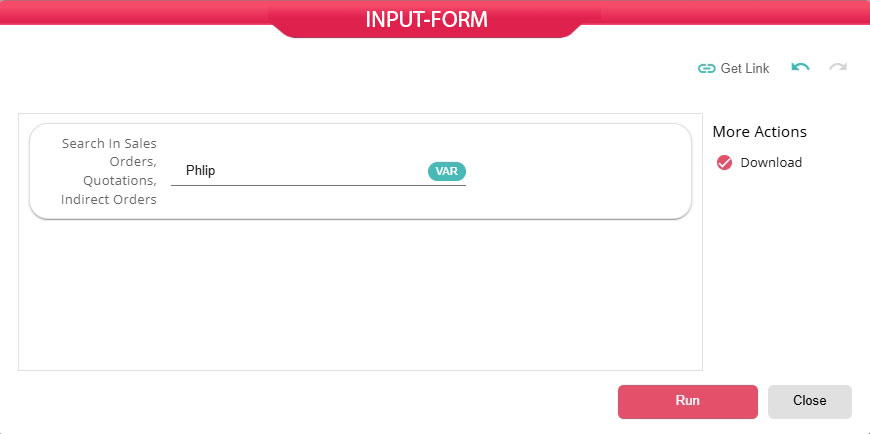
- Turn queries into interactive tools with dynamic inputs — no SQL knowledge needed for end users
Data Preparation
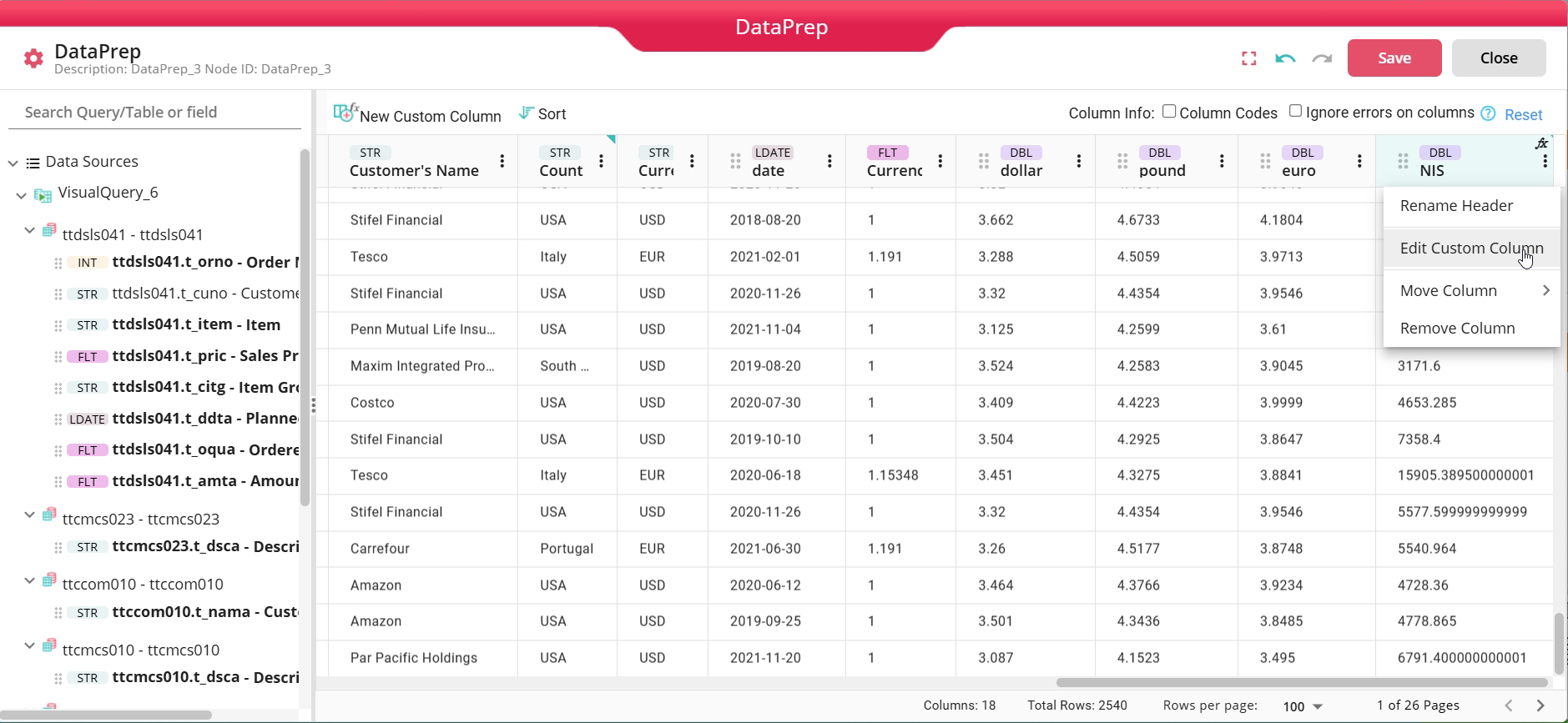
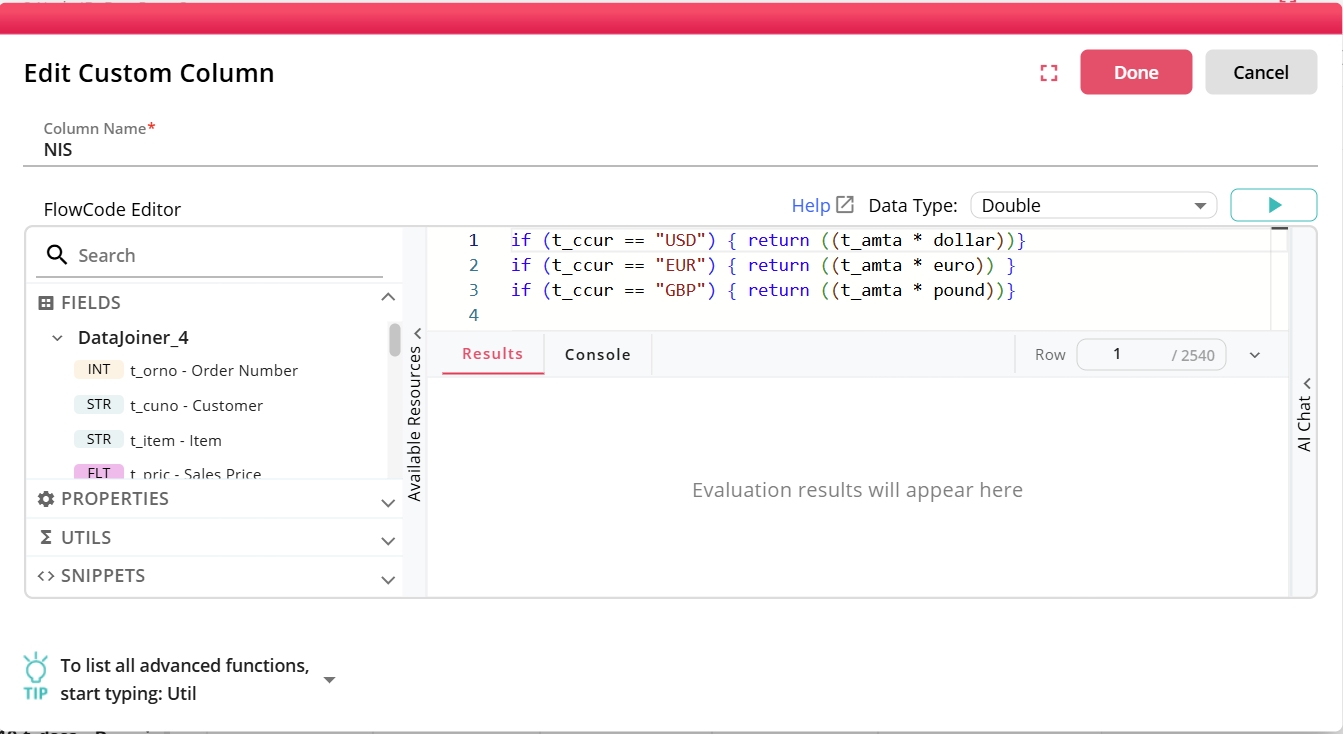
Prepare data efficiently with built-in tools for transforming and structuring datasets. You can reorder fields, split fields, convert data types and enrich data by creating additional columns using an advanced, context-aware low-code scripting environment.
Presentation-Ready Output in Excel
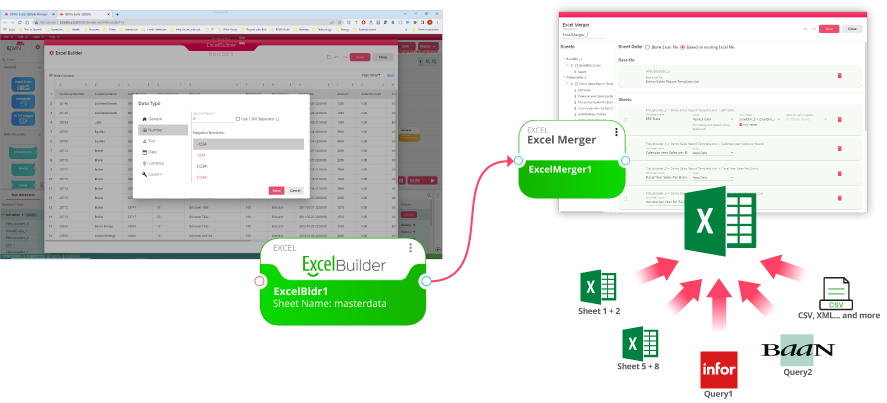
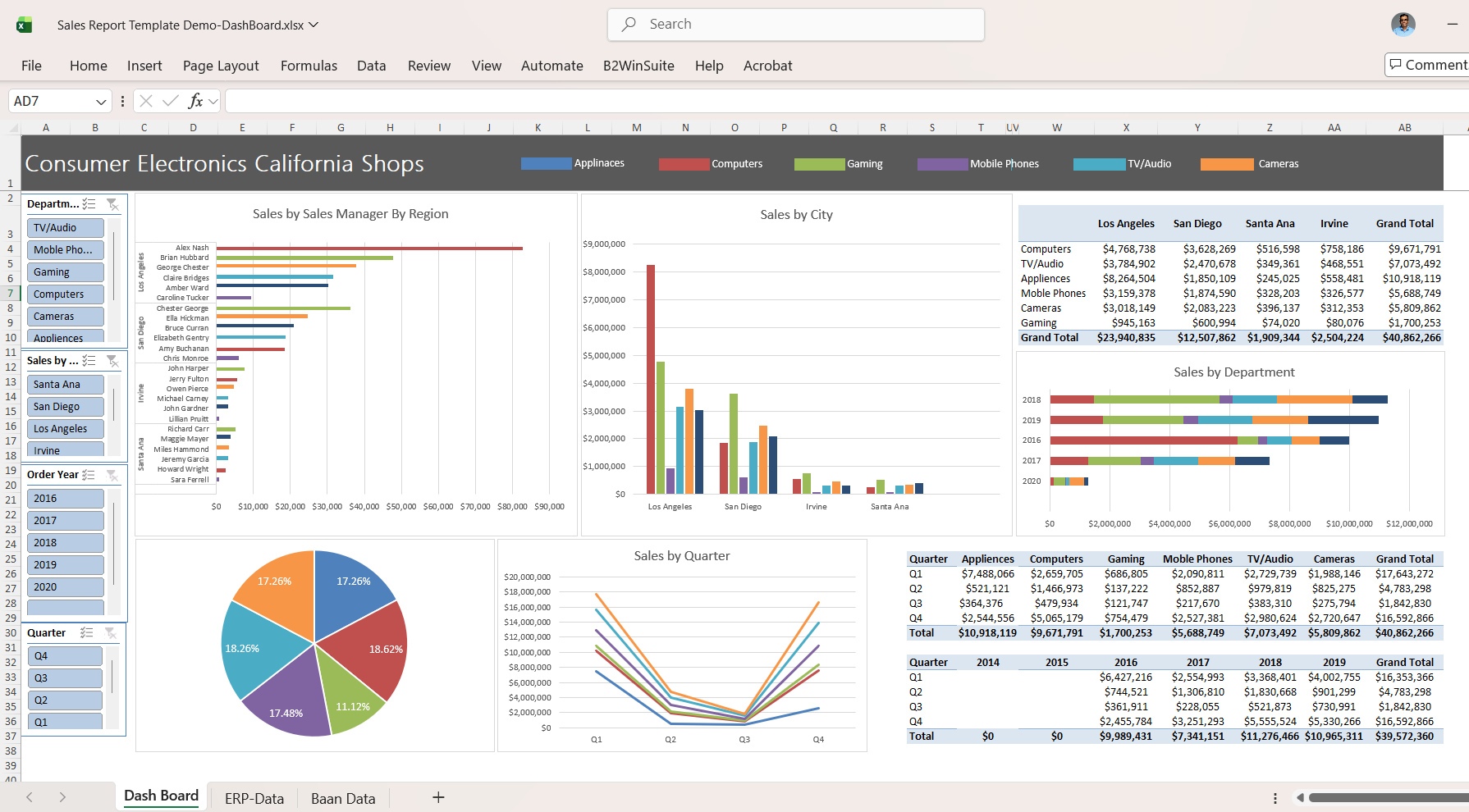
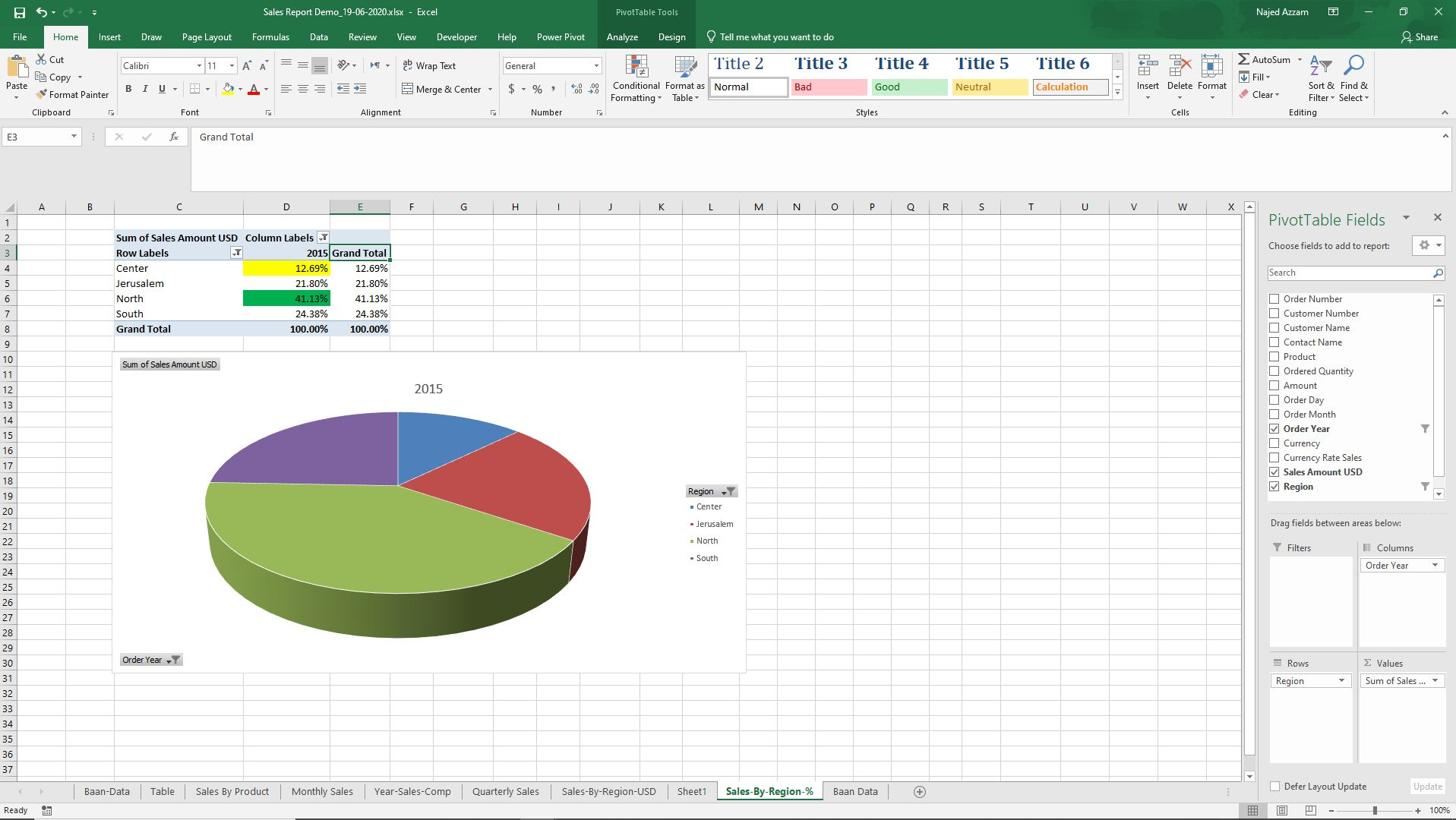
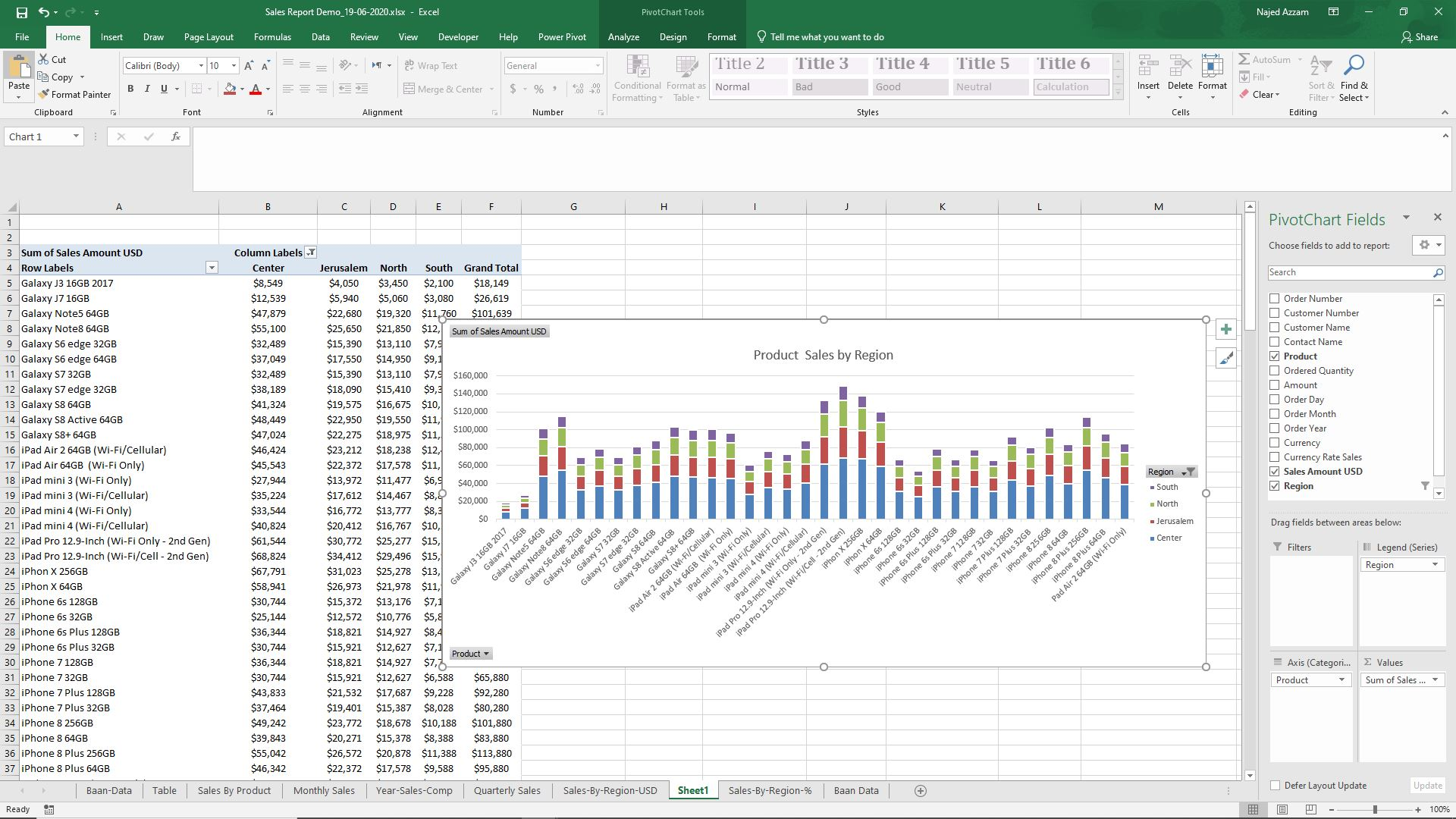
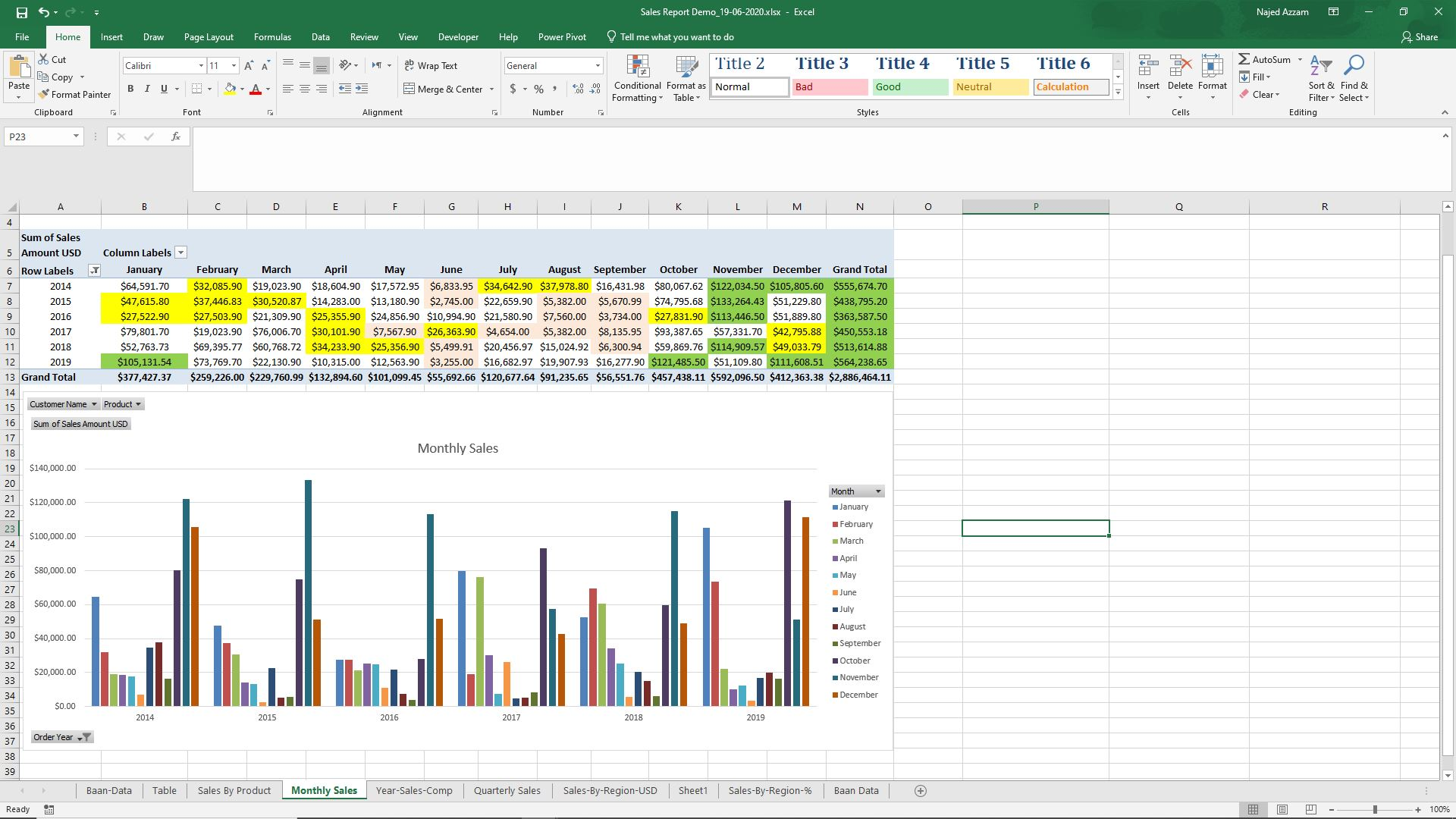
Generate professional, ready-to-use Excel reports with full flexibility. The platform enables automatic creation of Excel files with correct data types, supports merging data from multiple sources into separate Excel sheets, and allows template-based reporting by injecting data into existing Excel dashboards while preserving pivot tables and charts.
Self-Service Reporting for End Users
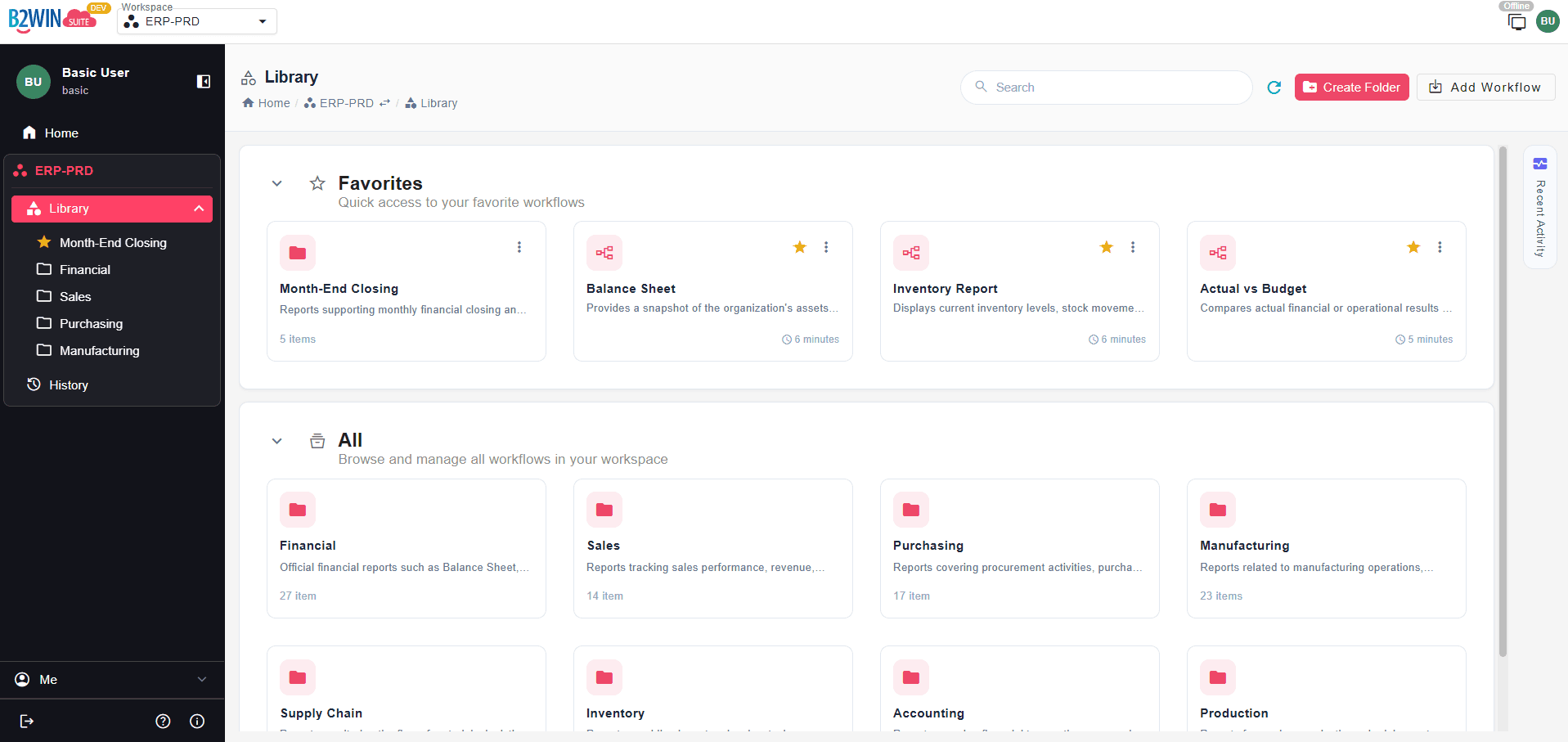
Securely publish reporting workflows across the organization with role-based permissions by user or department. End-users can generate reports on demand using filters and parameters — without IT dependency. Reports can also be embedded within Infor LN or Baan screens or other systems for in-context access.
Example Reports
Automated Reporting and Distribution
Eliminate manual effort through fully automated report generation and distribution. Reports can be scheduled to run at defined intervals or triggered by ERP events such as print jobs or data changes. Once generated, outputs can be automatically distributed to multiple recipients via email or delivered through various channels, including FTP, shared folders, and APIs, ensuring timely and consistent access to critical information.
Key Capabilities
Design and evolve reports using visual, low-code workflows
Query Infor LN or Baan data visually, through SQL, or with AI-assisted query generation
Browse and search tables and fields with localized descriptions, including support for company numbers, LN text fields, and enumerated fields
Combine LN and Baan data with databases, APIs, files, and external systems
Clean, transform, enrich, and standardize data
Convert LN-ready reports and raw data into structured, analysis-ready datasets
Generate Excel reports with templates, pivot tables, charts, and correct data types
Automate report execution on demand, by event trigger, or on a scheduled basis
Distribute reports via email, APIs, archives, or other integrated systems
Publish reports securely across teams with role-based user permissions
Integrate reporting into broader data pipelines and business workflows
Monitor pipelines with full traceability, logging, and execution control
See It In Action
Powered by the B2Win Suite Platform
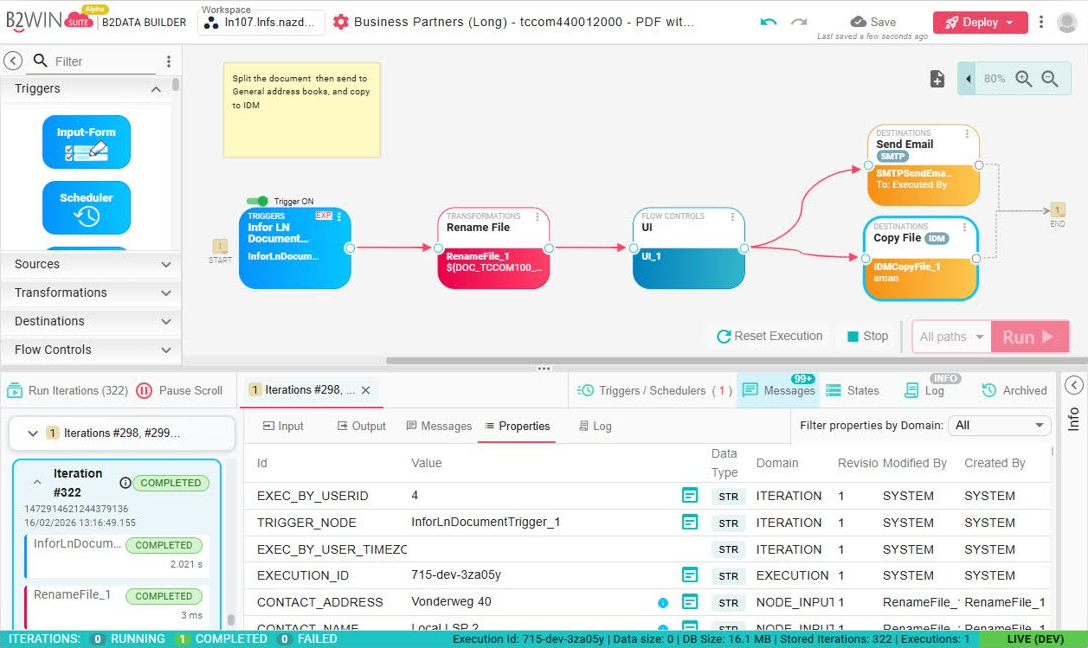
Every solution is built on B2Win Suite – a platform for designing and running data and document workflows.
Because Infor LN and Baan Reporting runs within this platform, reporting processes can be seamlessly integrated into broader data pipelines, enriched with additional data sources and targets, and monitored with full traceability and execution control. Within the same platform, ETL and replication processes can be implemented to create a reporting data warehouse, reducing the need to continuously access the operational database or data lake.

The Platform for Data
& Document Automation
Discover B2Win Suite
Discover how B2Win Suite brings replication, reporting, document output, and ETL together in one unified workflow platform — built for modern IT teams, with Infor CloudSuite environments (LN, M3, SyteLine, and more) in mind.