7 Reasons to Take a Closer Look
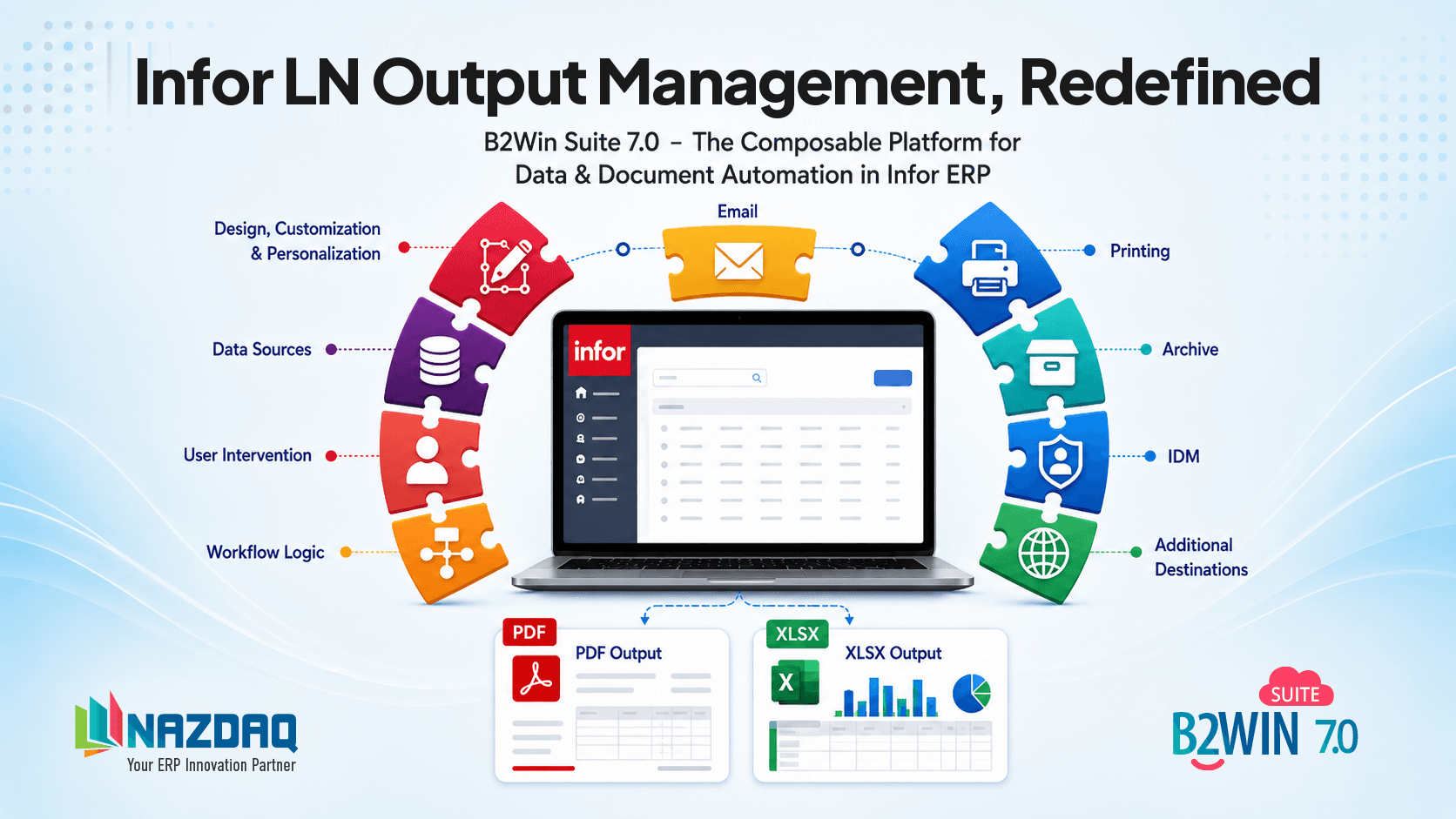
With version 7.0, B2Win Suite takes a major step forward in its evolution, bringing together capabilities previously handled separately in one unified workflow automation platform.
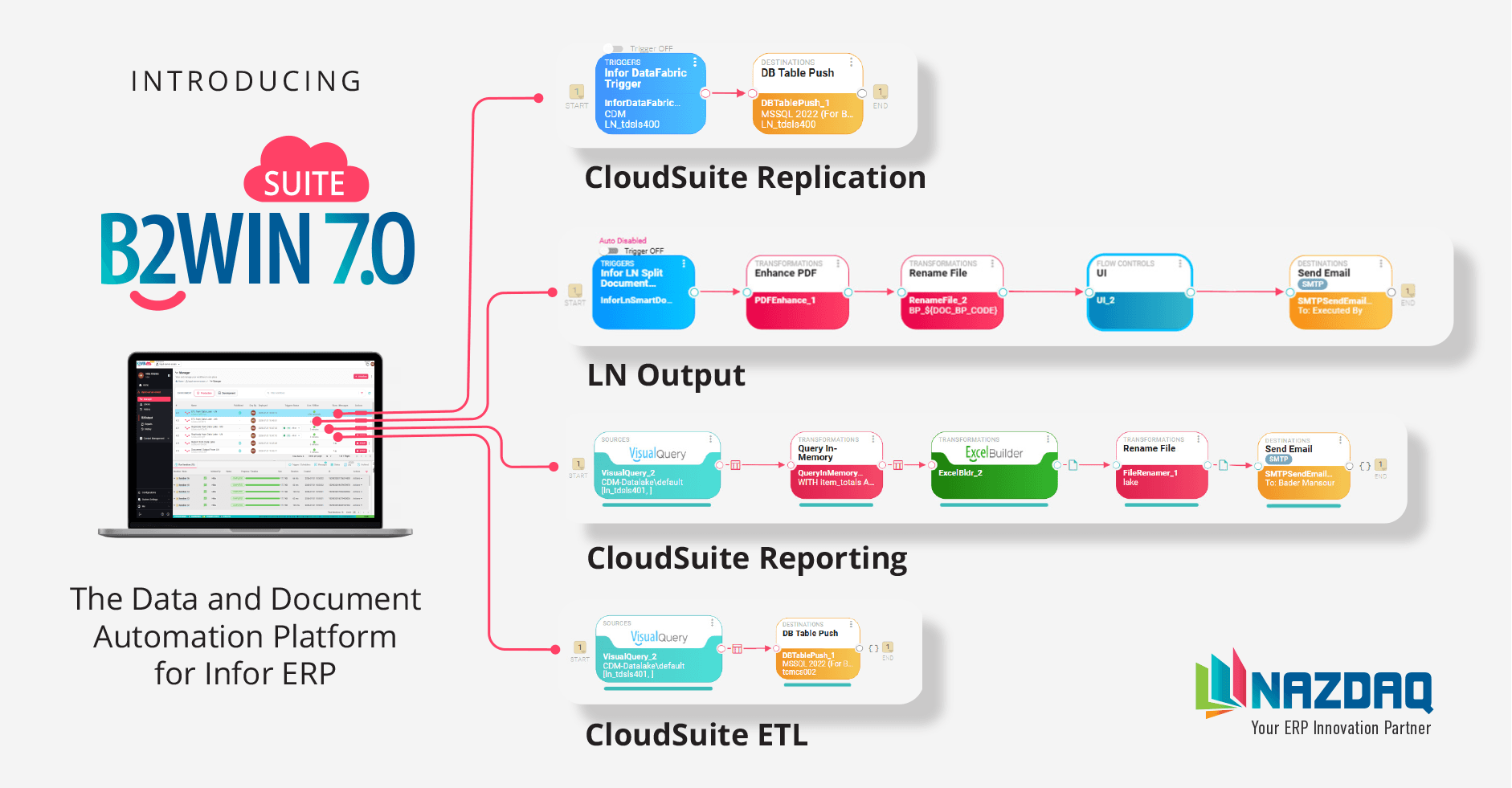
At the center of that shift is the Unified Workflow Manager — bringing output management, reporting, data extraction, replication, and document distribution into one workflow-based model. It helps companies build, run, and track data and document processes with greater flexibility, stronger control, and a clearer experience for both technical teams and business users.
A New Unified Workflow-Based Structure
All major capabilities are now organized around a unified workflow model, making it easier to design, manage, publish, run, and monitor business processes.
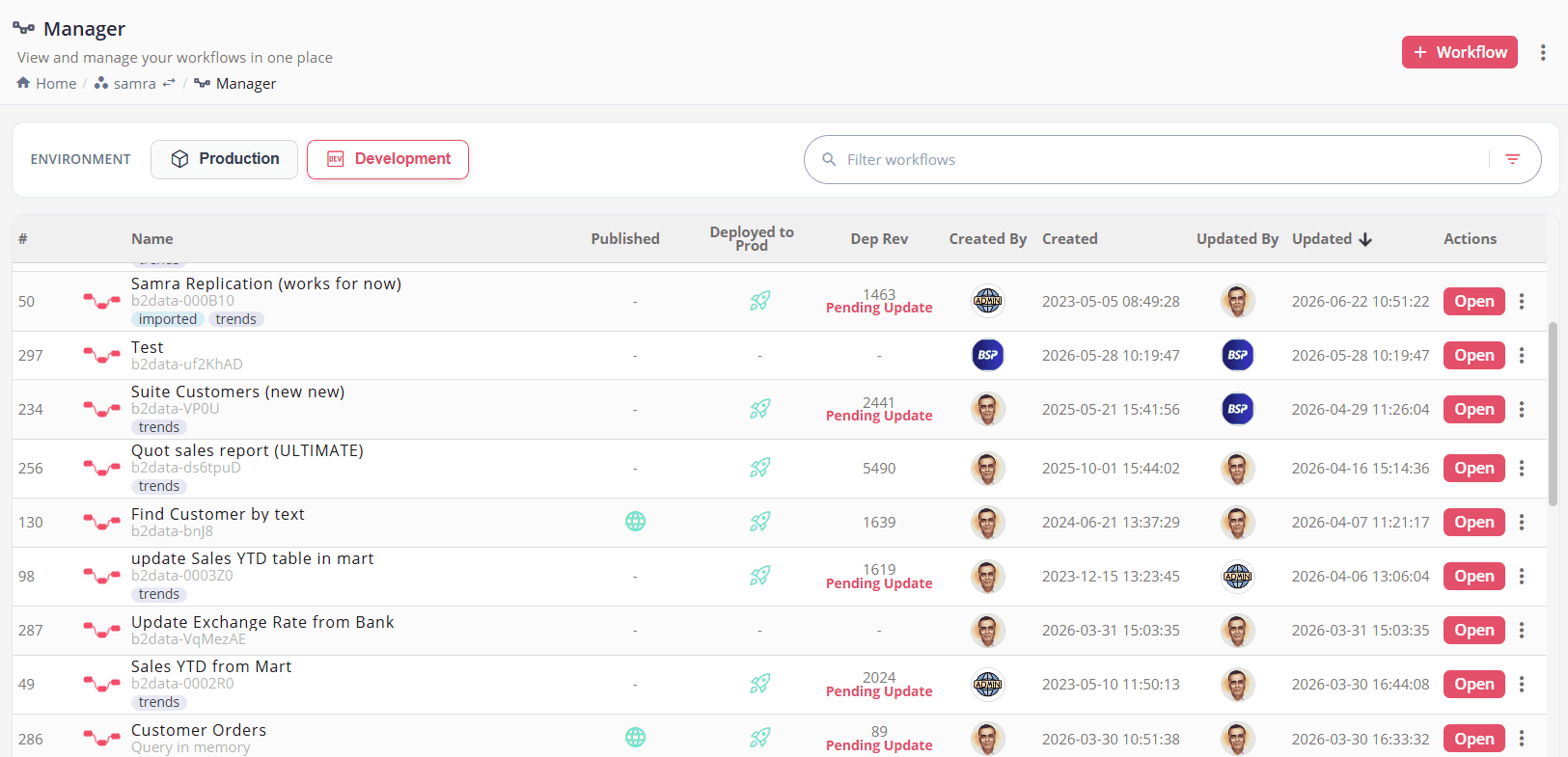
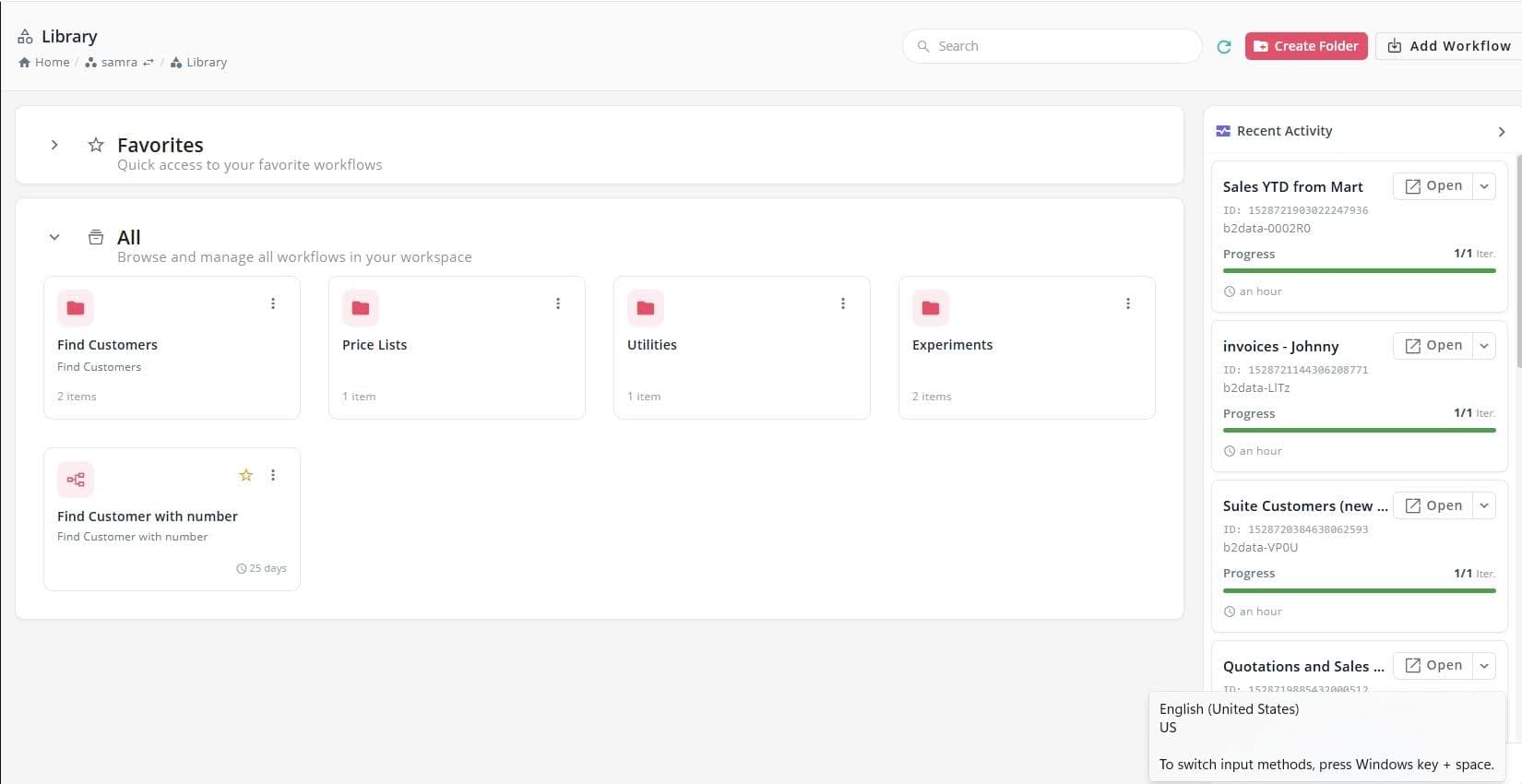
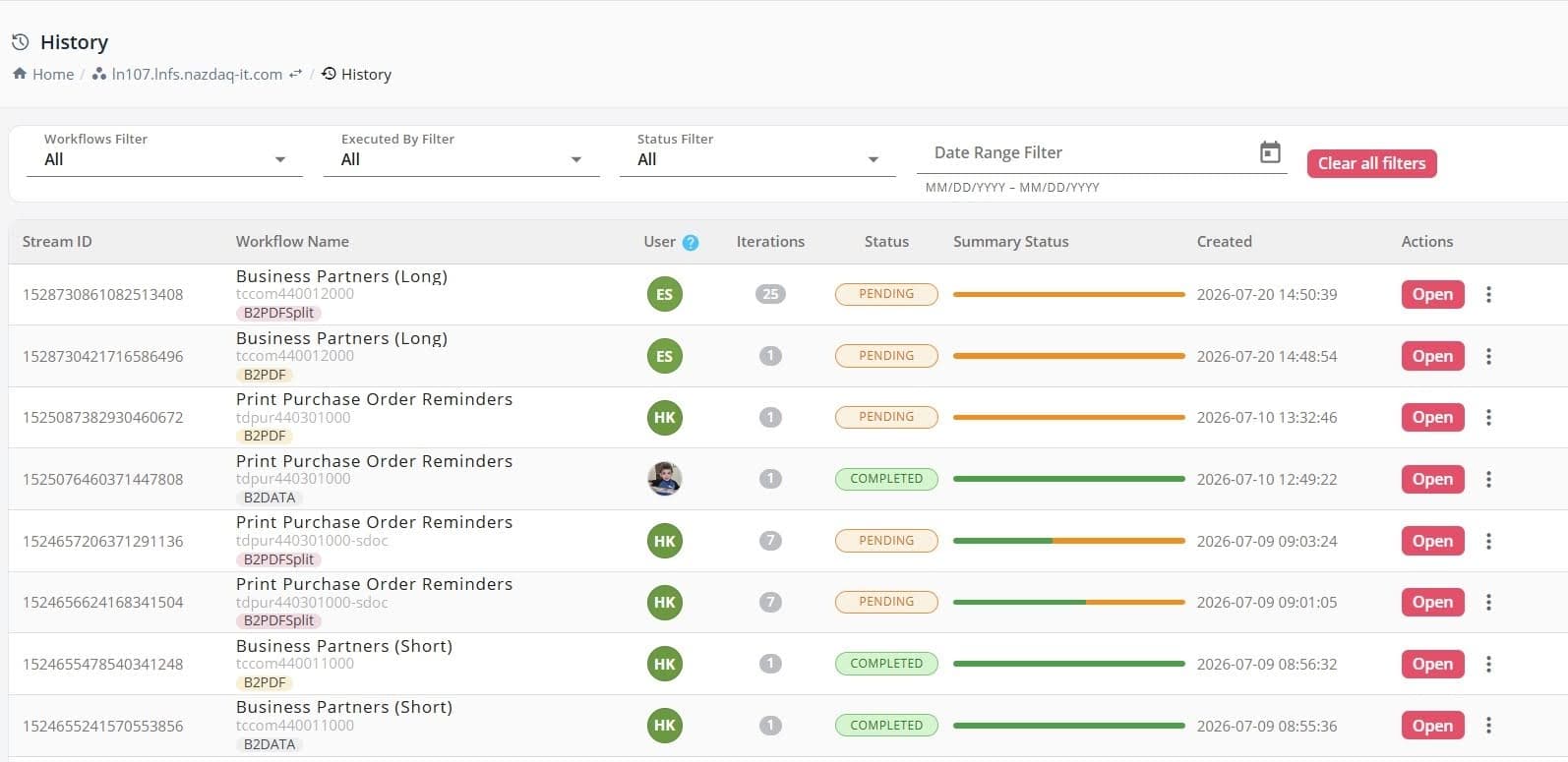
This model gives developers and business users a clearer way to manage automation. Technical teams can build structured workflows using a drag-and-drop low-code platform, while business users can run approved processes without needing to understand the technical details behind them.
B2Output remains supported with its fixed Transform-Design-Distribute workflow. At the same time, its core functionality has been incorporated into the broader workflow platform with improved flexibility and additional capabilities.
Performance Improvements for CloudSuite Data Replication
B2Win Suite 7.0 introduces significant performance improvements for large-scale data replication, increasing speed, stability, and responsiveness as data volumes and workloads grow.
These improvements are especially valuable for Infor CloudSuite environments working with large Data Lake datasets. B2Win Suite can replicate hundreds of tables and more than 200 GB of Data Lake data on a single machine, while supporting heavier workloads and more reliable automation.
The same performance improvements also extend across other data-intensive workflows, including extraction, transformation, reporting, and in-memory querying - helping organizations work with larger datasets and more demanding processes across their Infor environment.
See the Infor CloudSuite Data Lake Sync page for how B2Win Suite replicates Infor Data Lake data into a relational database ready for analytics.
Infor LN Report Data Extraction and Transformation
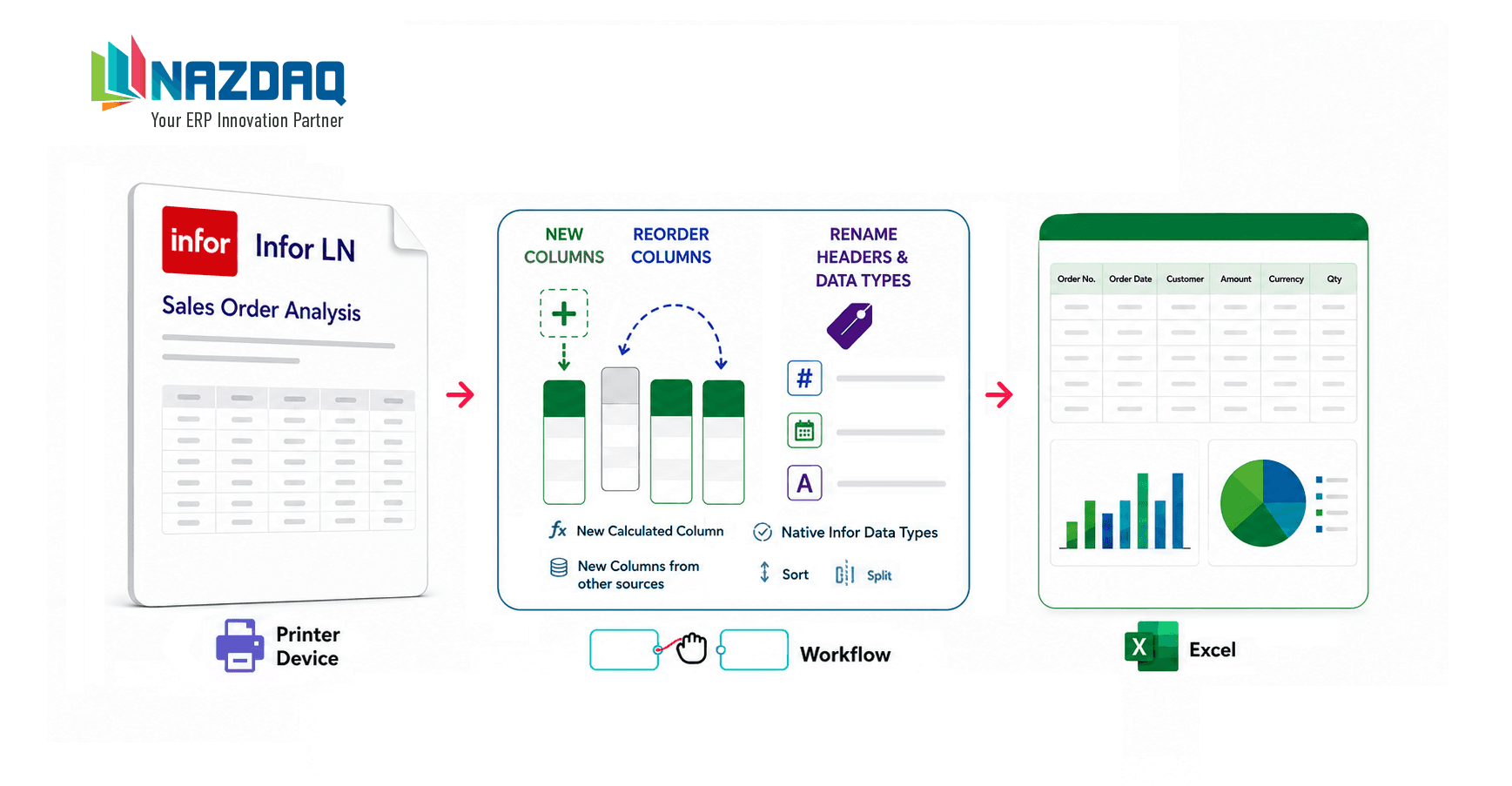
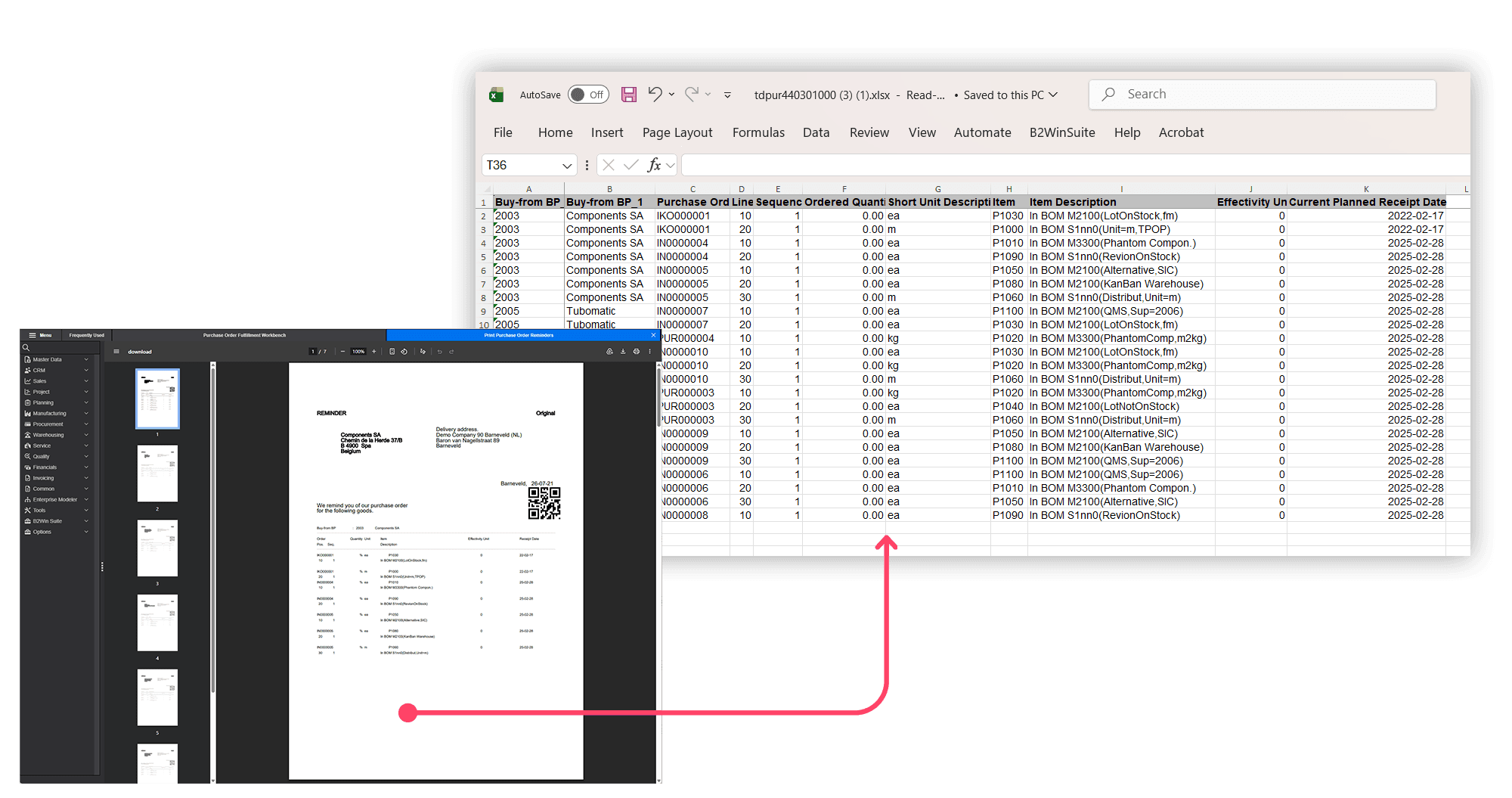
B2Win Suite 7.0 expands the value of Infor LN pre-built reports by turning report output into structured data. The new conversion mechanism can preserve data types and handle most reports without requiring additional report design work.
Report output can be extracted, transformed, and prepared for further processing. The resulting data can be automatically converted into Excel files for analysis, reporting, and distribution, or sent to a data warehouse or another business system.
Users can also combine LN report output with external data sources, add calculated fields, apply transformations, and prepare results for different business needs.
The final Excel files can then be automatically distributed based on workflow rules, helping companies move from manual report handling to repeatable and controlled reporting processes.
Interactive Workflow Input Screens
One of the major new capabilities in B2Win Suite 7.0 is support for custom interactive input screens inside workflows.
When building a workflow, teams can add screens that allow users to interact during execution. These forms are based on workflow context, allowing users to enter information, review data, validate details, make decisions, or approve the next step in a process.
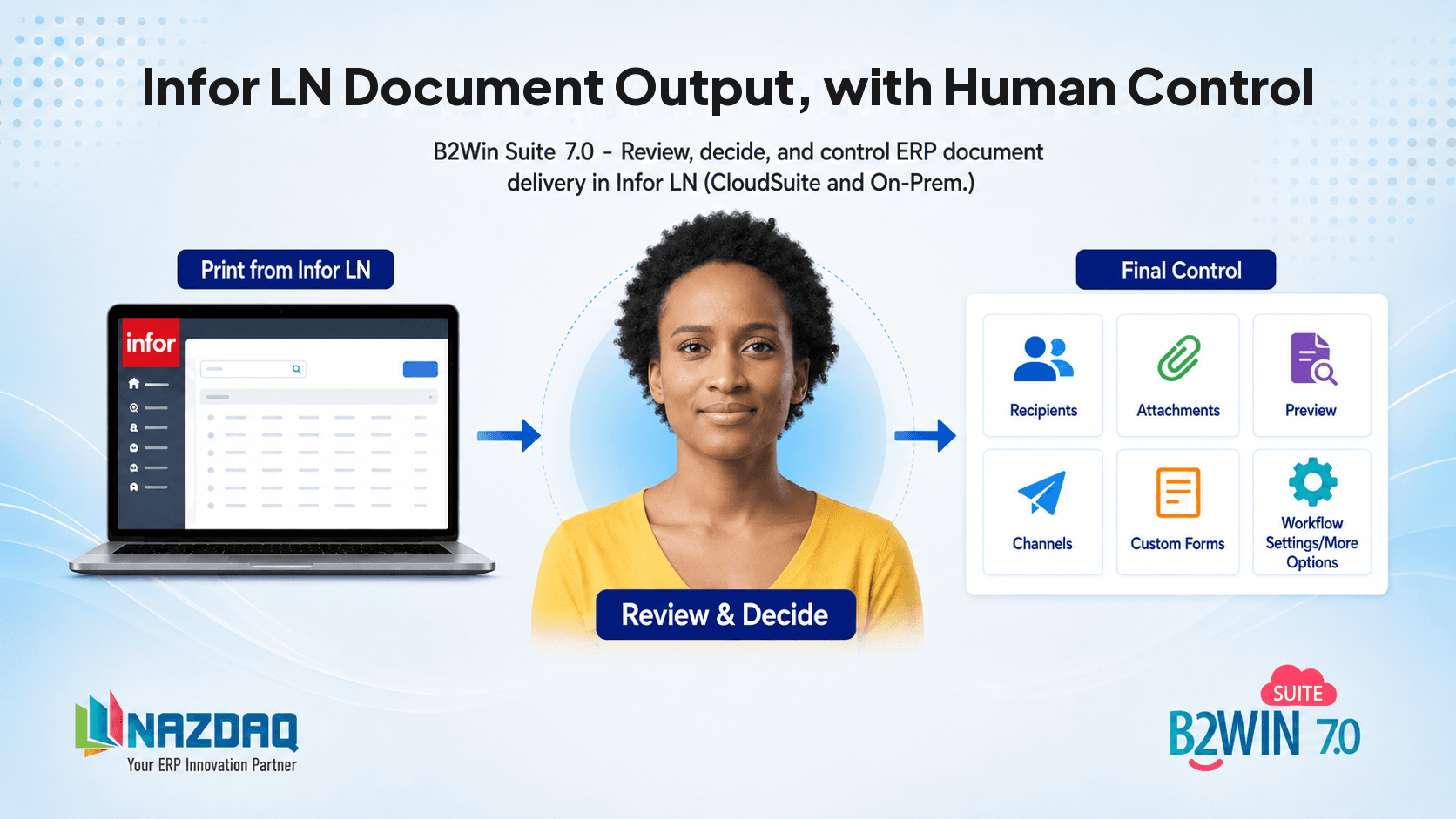
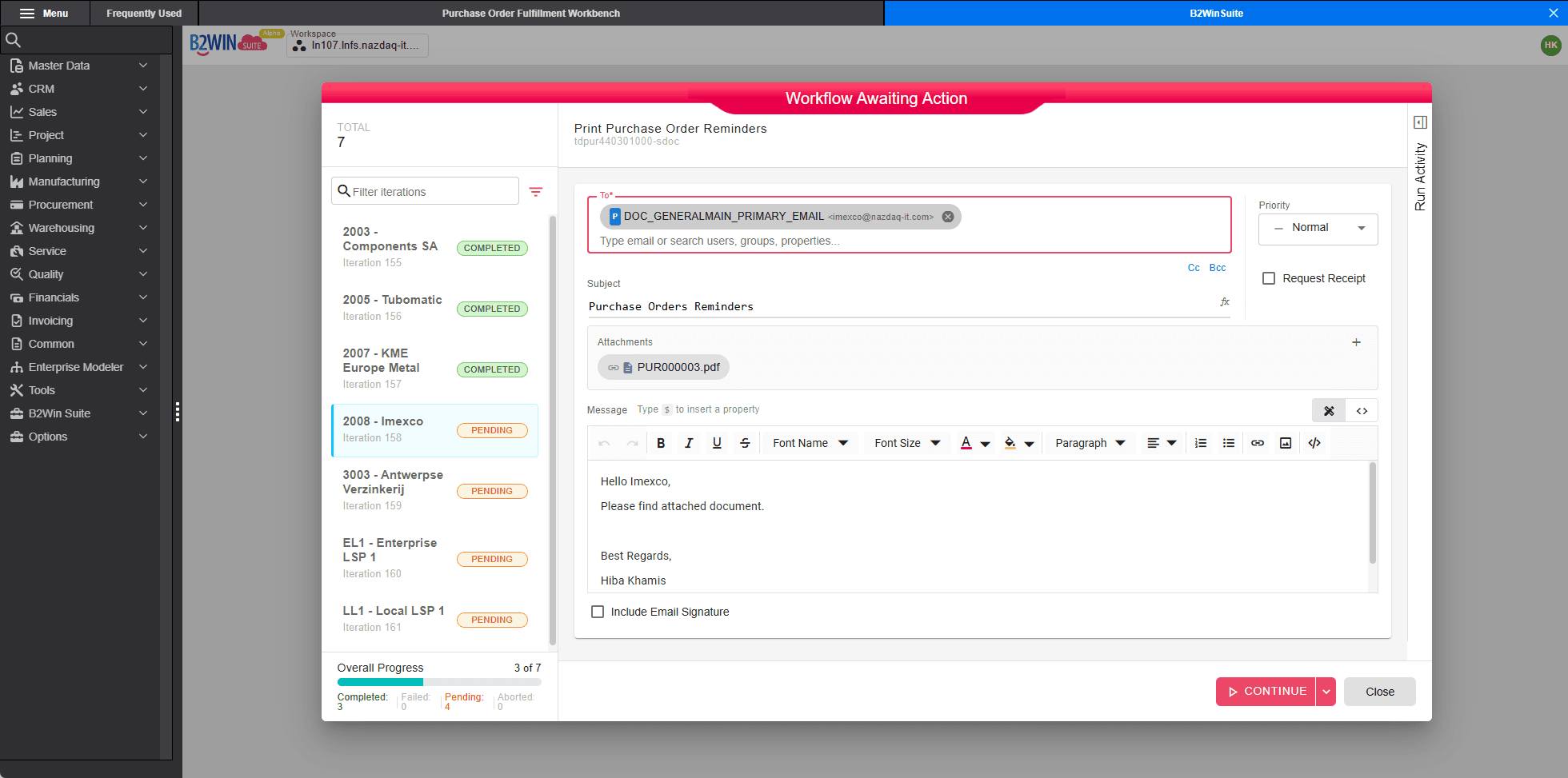
This is especially useful when full automation is not enough and human input is required. For example, a workflow may generate documents automatically, then pause before sending so a user can review recipients, add comments, select attachments, change delivery options, or approve the distribution.
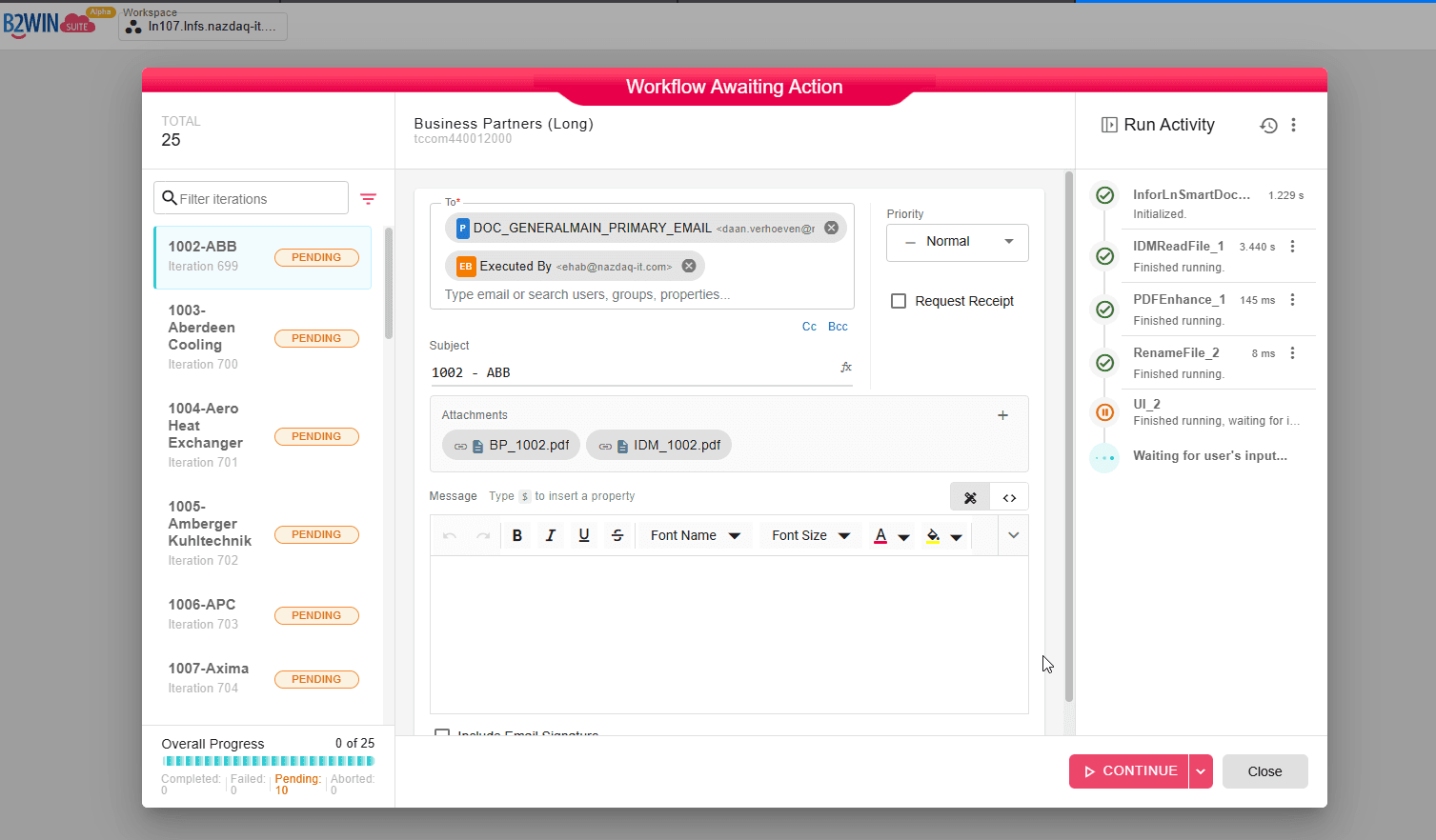
See the UI Flow Controls documentation for how interactive workflow input screens work, and Review Before Sending on the Infor LN Document Output Management page.
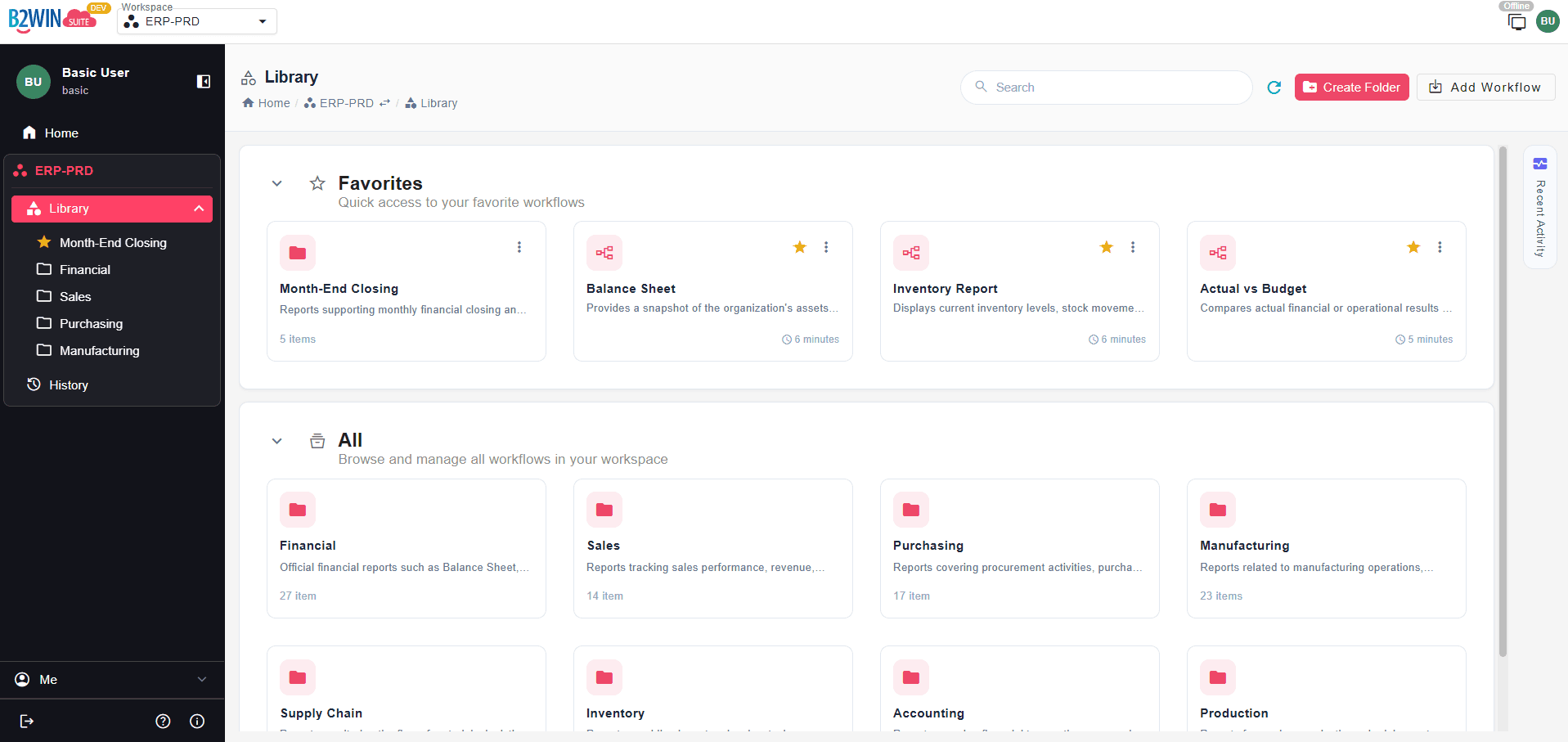
A Redesigned Workflow Library for End Users
End users now have one unified place to run and track published workflows, including reports, document distribution, Excel generation, integrations, and other supported workflow scenarios.
The redesigned Workflow Library replaces the previous Reports area, reflecting the broader direction of B2Win Suite as a platform for data and document automation.
This gives users a simple and familiar place to access the workflows they need, while keeping the underlying automation structured, governed, and controlled.
Native Infor LN Document Generation and Distribution
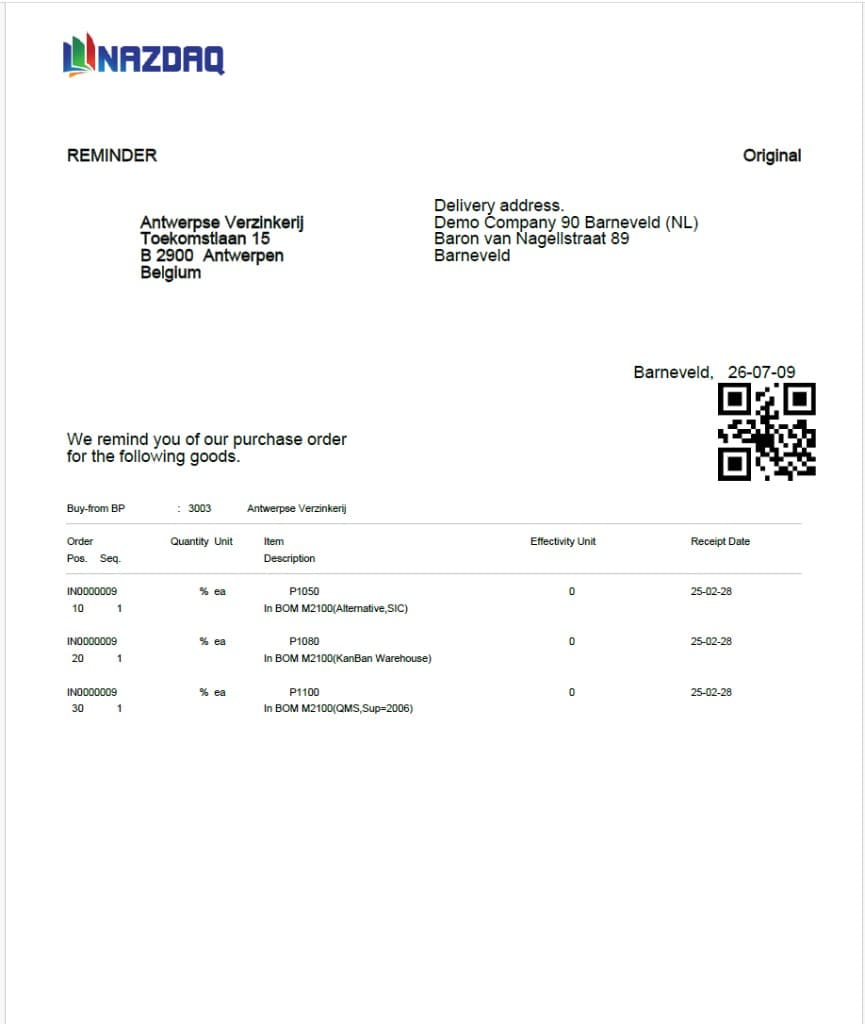
Document generation and distribution directly from Infor LN reports have been significantly enhanced. B2Win Suite 7.0 can generate PDF documents that preserve the original Infor LN output layout, whether or not the reports use Infor Report Designer. These documents can also be enriched with additional graphics and distributed through flexible workflow rules.
As documents are generated, they can be automatically split into individual documents, such as one document per business partner, customer, supplier, order, invoice, or other business entity.
Once created, documents can be distributed through configured delivery channels, including email, printers, archives, Infor Document Management (IDM), SharePoint, and other document management systems. Context-based attachments can also be added from IDM, SharePoint, or network folders.
This enables efficient, large-scale document distribution directly from Infor LN, while reducing manual work, improving consistency, and extending beyond the limitations of standard DOM processes.
Learn more on the Infor LN Document Output Management page.
Integration with IDM, SharePoint, and Document Management Systems
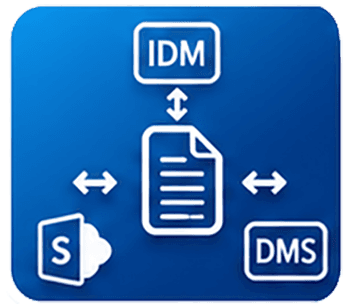
B2Win Suite 7.0 is designed to work within the broader enterprise document ecosystem, from file storage on the server to document management systems.
The platform supports integration with Infor Document Management (IDM), Microsoft SharePoint, and other document management systems. This allows organizations to generate, retrieve, route, archive, and manage documents as part of connected workflows instead of isolated manual steps.
For companies using Infor LN or Infor CloudSuite, B2Win Suite complements existing Infor technologies while adding flexibility, user control, and workflow-based automation where needed.
Expanded Online Documentation and In-Product Guidance
B2Win Suite 7.0 also includes expanded online documentation and in-product guidance. Users and administrators can access clearer guidance on platform capabilities, configuration options, workflow design, and day-to-day usage. This improves discoverability, reduces dependency on informal knowledge, and makes it easier for teams to learn, adopt, and expand their use of B2Win Suite.
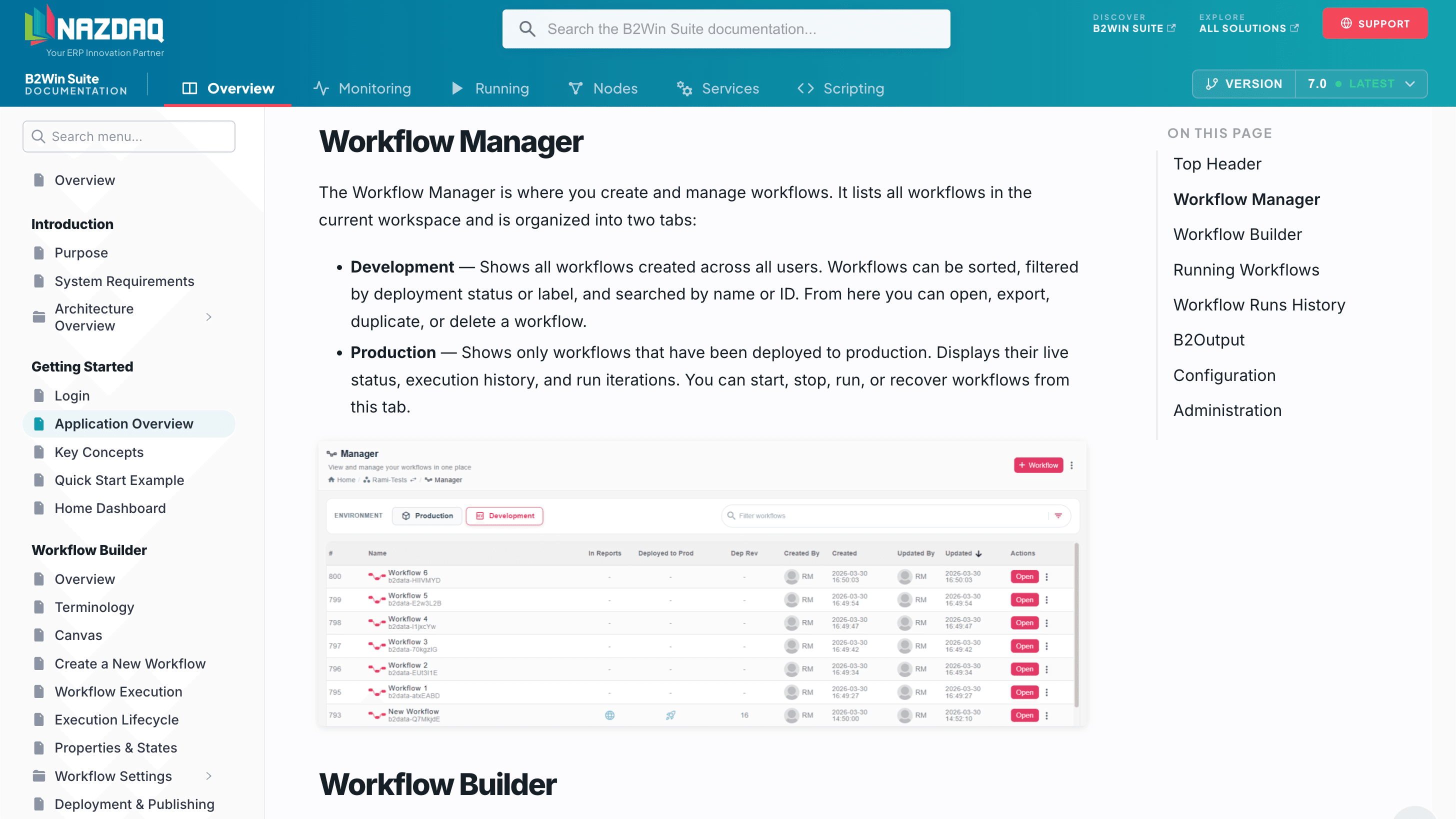
Explore the B2Win Suite documentation.
B2Win Suite 7.0 helps companies automate more, gain greater control, and support users more effectively while continuing to work with the Infor ERP environment they already know.
By bringing data and documents, automation and user interaction together in a unified workflow model, B2Win Suite 7.0 gives organizations a practical way to innovate and modernize ERP-related processes without unnecessary complexity.

NAZDAQ
Insights from the NAZDAQ team on ERP data, reporting, and integration.