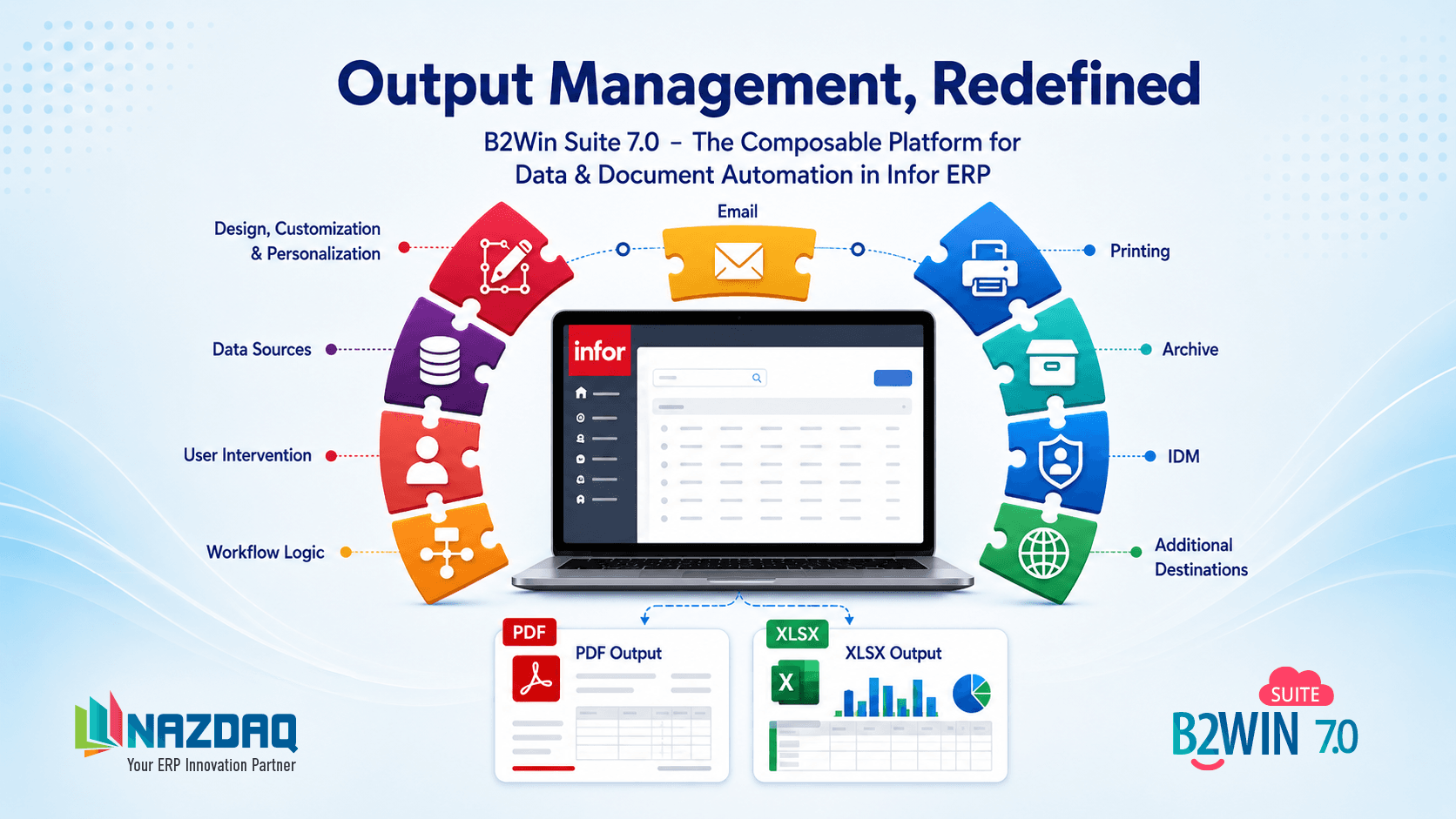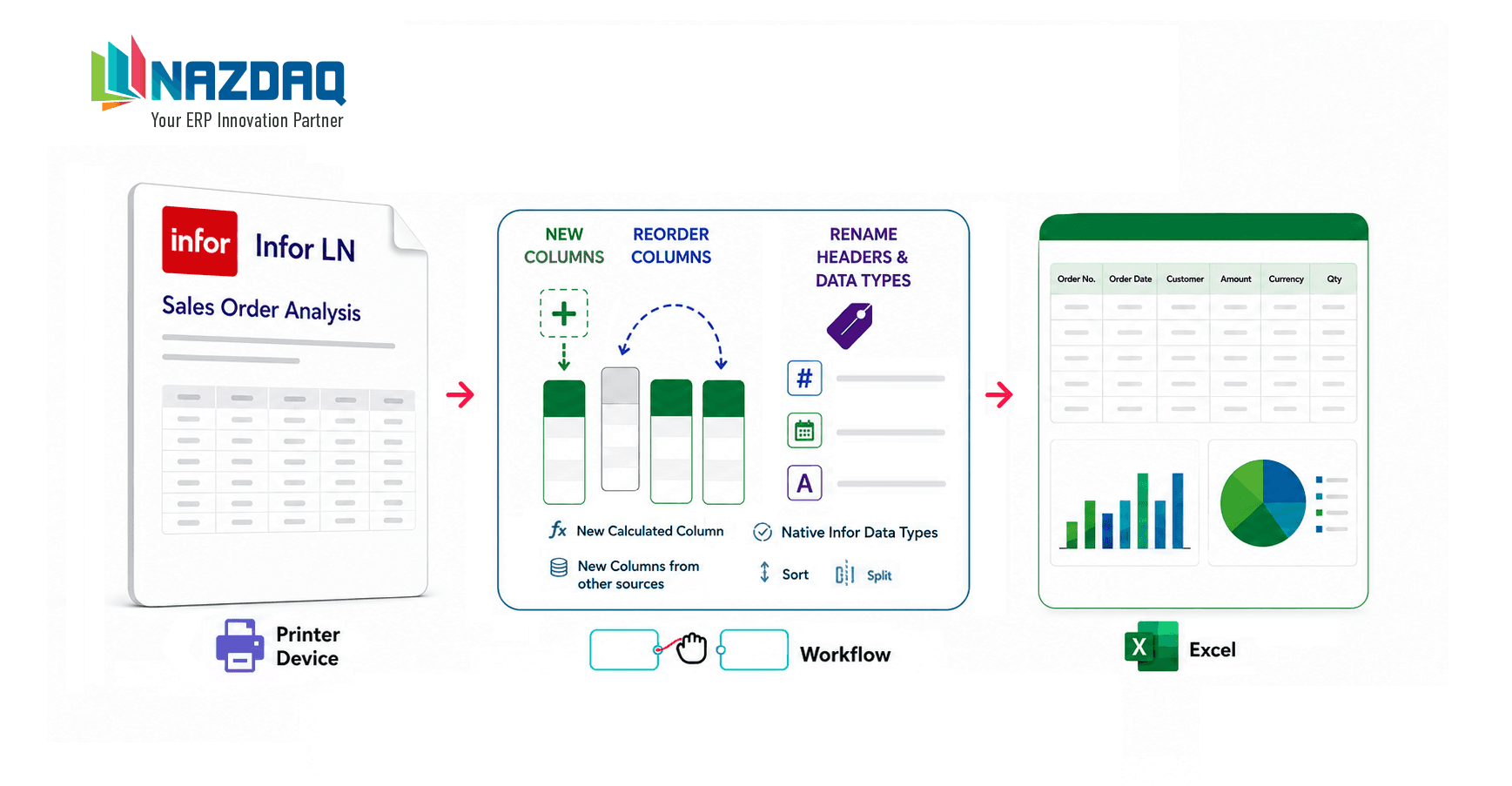
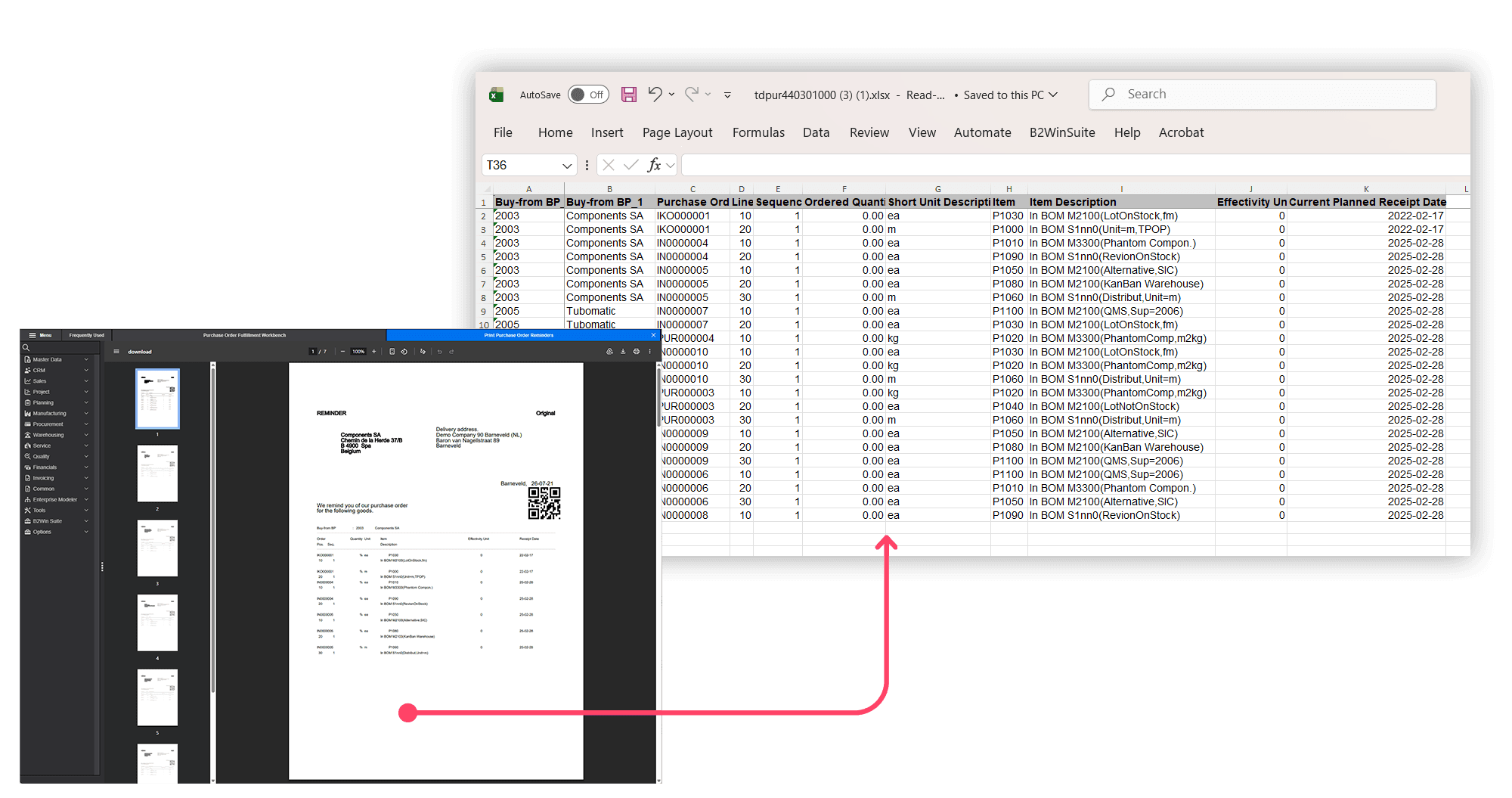
Infor LN report output contains valuable business data, but it is often difficult to reuse beyond the printed report itself. B2Win Suite bridges that gap by transforming report output into structured data like Excel files that are ready for reporting, analysis, and automation.
When B2Win was first introduced at the Baan user conference in Quebec City in 2000, users stood in line to see what seemed like a wonder tool: it could turn ERP reports into Excel files with one click.
The idea behind it was simple. Companies need access to their data, and one of the easiest and most cost-effective data sources is the report output they already have. This output is available, familiar to users, and already structured according to the organization’s business logic.
B2Win solved the challenge of transferring that report output into Excel quickly and easily.
More than 25 years later, converting Infor LN reports to Excel remains one of the most popular capabilities of B2Win Suite. With Version 7.0, the solution has taken a major step forward and now supports both on-premises Infor LN and Infor CloudSuite environments.
From Text Output to Structured Data
The proven engine for processing text-based report output continues to work. Many reports can be converted automatically, while others require a one-time setup using the B2Win Excel Designer.
With B2Win Suite 7.0, we can now also receive and parse structured report output directly. This new capability, currently available in beta, works with Infor LN in both on-premises and Infor CloudSuite environments, making it possible to generate Excel files without requiring direct access to the underlying ERP database.
Structured output enables B2Win Suite to generate Excel files automatically while correctly handling:
- Data types, including numbers, dates, currencies, and timestamps
- Full underlying values, including precision not shown in the printed report
- Report sections and subheaders
- Subtotals and totals
- Repeating groups and detailed report structures
- Report metadata, including when, by whom, and from which system the report was generated
What users see on the report is not always the complete data. Structured output makes hidden values and attributes available for more accurate analytics and automation.
It can also capture the complete underlying values, rather than only what appears in the formatted report. For example, a report may show a number with one decimal place even though the underlying value contains three decimal places. Similarly, a displayed date may omit the time, while the structured output includes the full date and timestamp.
These hidden attributes provide richer and more accurate data for analytics, reporting, reconciliation, and downstream automation.
The result is no longer simply a report copied into a spreadsheet. It is a properly structured Excel file that can be filtered, sorted, analyzed, and reused.
More Than an Excel Conversion
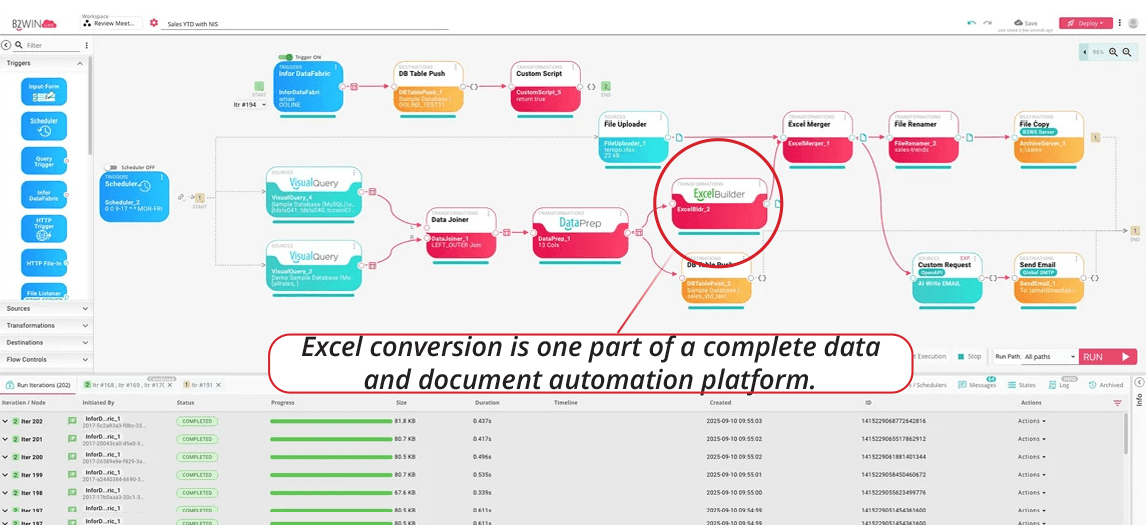
Because the report data passes through a B2Win Suite workflow, it can use the platform’s broader data-processing and automation capabilities.
The workflow can:
- Add, remove, rename, or reorganize columns
- Join report data with information from other tables or systems
- Use Query in Memory to filter, group, and transform the received data
- Add calculated fields and apply business rules
- Apply a predefined Excel template
- Present an interactive user interface for review or routing
- Automatically save, email, archive, or distribute the final file
Each workflow can be adapted to the specific report, business process, or user requirement.
From Simple Export to Enterprise-Grade Excel
Converting Infor LN reports to Excel is now much more powerful.
What started as a simple one-click conversion has evolved into a complete workflow for producing accurate, structured, and enterprise-grade Excel files automatically—whether Infor LN runs on-premises or in the cloud.
The data was already there. B2Win Suite 7.0 makes it easier to access, enhance, and unlock its full value.

What started as a simple one-click conversion has evolved into a complete workflow for producing accurate, structured, and enterprise-grade Excel files automatically.
The data was already there. B2Win Suite 7.0 makes it easier to access, enhance, and unlock its full value.

Bader Mansour
Bader Mansour is the founder and president of NAZDAQ, leading the company since 1997. He has worked with ERP (MRP II) systems since 1991 and specialized in Infor LN (Baan) solutions since 1997, bringing decades of deep industry expertise. By age 25, he had already advanced to an IT Manager role. His career reflects a rare blend of in-depth technical and application expertise, with hands-on and leadership experience across roles including IT Manager, System Analyst, Application Consultant, Technical Consultant, System Administrator, and Product Architect in Israel, Silicon Valley, Boston, and Virginia. He holds a B.Sc. in Computer Science (1991) and an MBA (2001) from the Technion in Haifa.
About the company