Enterprise software is changing. Organizations still need integrated platforms, but they also want the flexibility to choose the capabilities that best fit their requirements—without replacing systems that already work.
B2Win Suite 7.0 responds to this need with a workflow-based, composable approach to data and document automation for Infor CloudSuite. Customers can use a complete solution or select only the reporting, ETL, replication, document output, and workflow automation capabilities they need.
This is the principle behind composable software: modular capabilities that can be adopted independently, connected with existing applications, and combined into broader business processes.
Choose a Solution—or Only Part of It
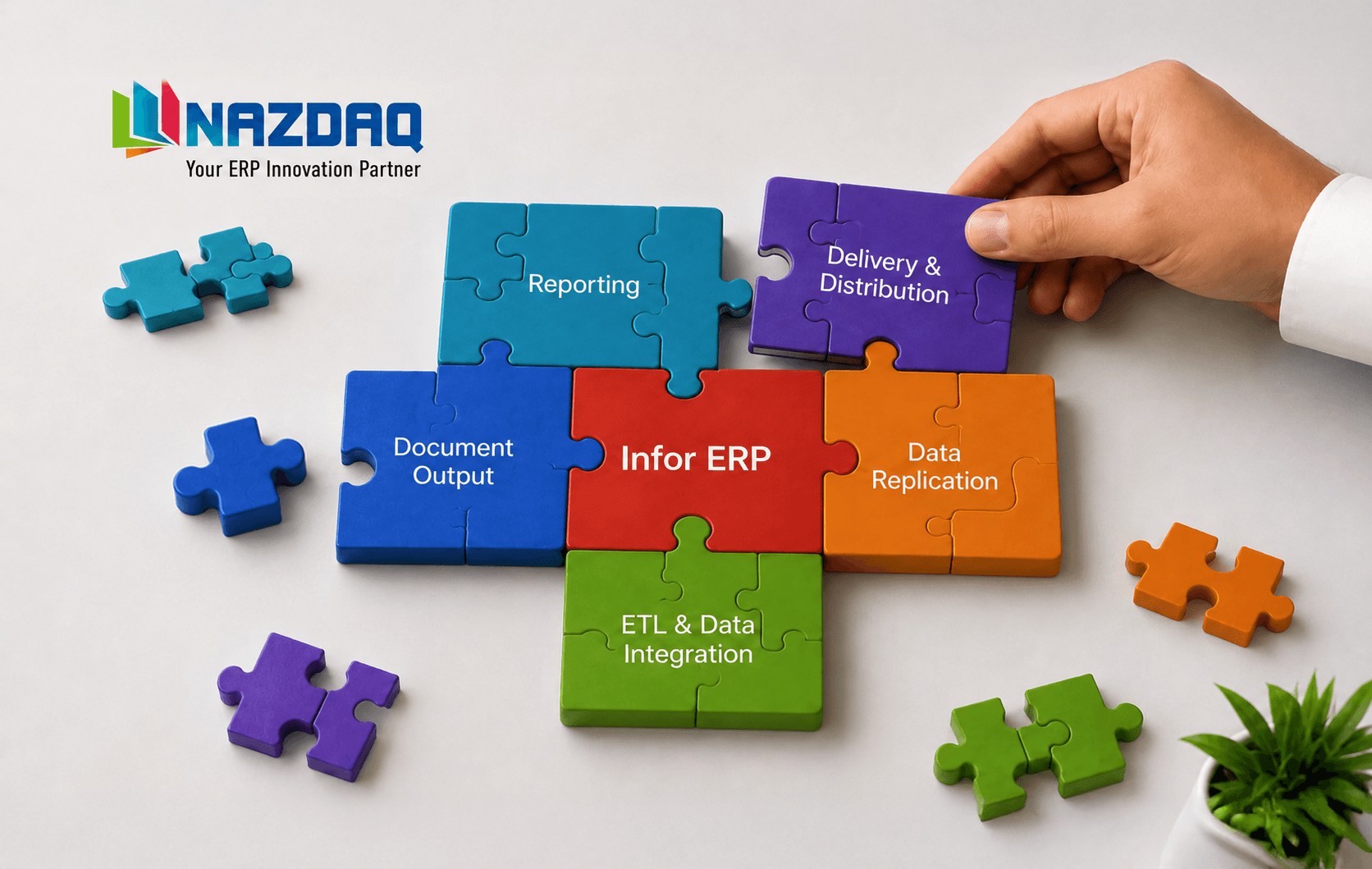
B2Win Suite supports several solution areas:
Each solution is itself composed of modular stages and capabilities.
Customers can adopt a complete solution, such as document output management or data replication, or use only the part of a solution they need. For example, a customer may use the complete document output process or use B2Win Suite only for document delivery.
This means composability exists at two levels:
- Customers can choose between different B2Win Suite solutions.
- Customers can choose individual stages or capabilities within each solution.
These capabilities can also work together as part of a broader process. For example, B2Win Suite can prepare data for a reporting tool, use files as data sources in document-to-data processes, or turn structured data into business documents.
Workflow Makes Composability Practical
Flexible components are valuable, but they must still work together. This is where workflow technology becomes essential.
Composable architecture provides the building blocks. Workflow orchestration connects and coordinates them into complete business processes.

A workflow defines:
- Which components participate
- The order in which they run
- Which steps are required or optional
- How information moves between them
- Which conditions determine the next action
- What happens when a step fails
- How the process is monitored and tracked
In B2Win Suite 7.0, the workflow becomes the visible and adaptable definition of the process. Instead of hiding logic inside scripts or individual applications, customers can see how each step connects to the next.
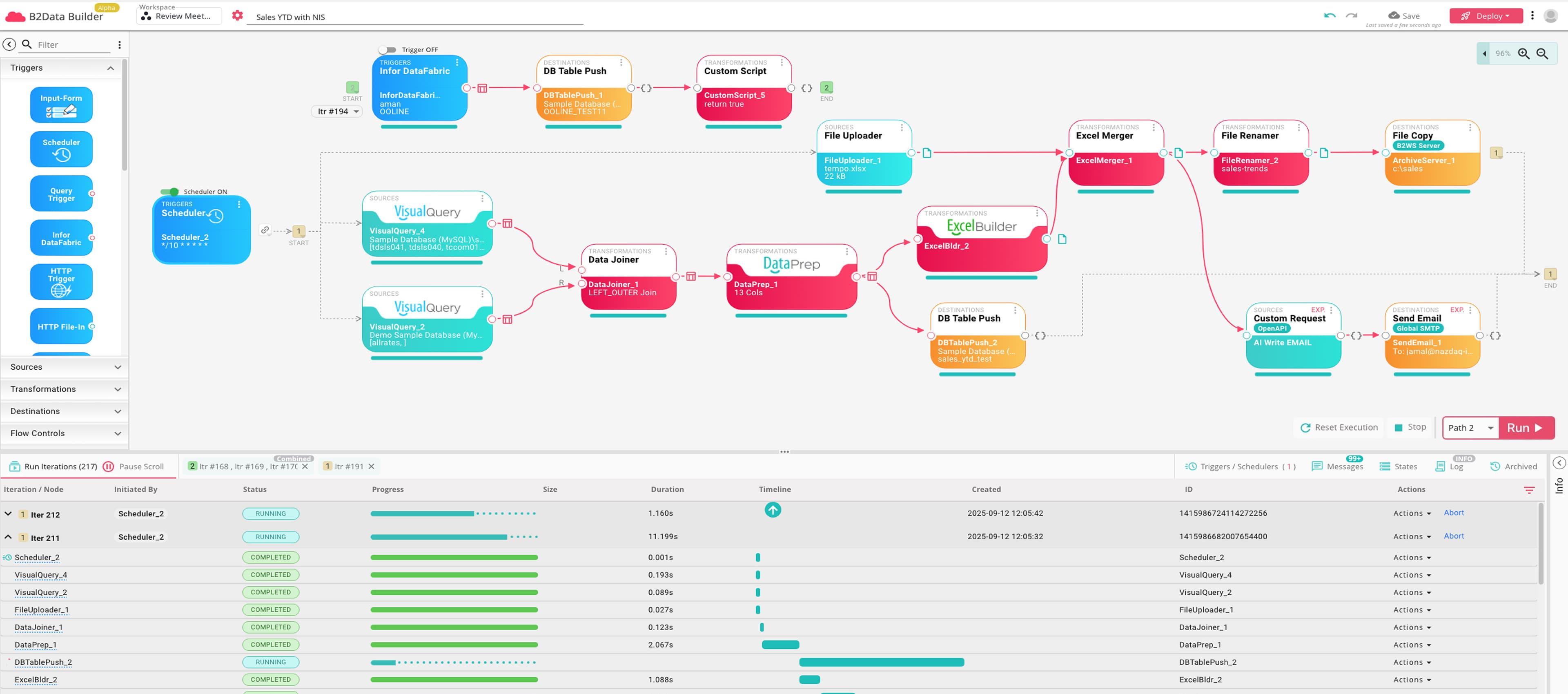
Document Output Automation as a Composable Process
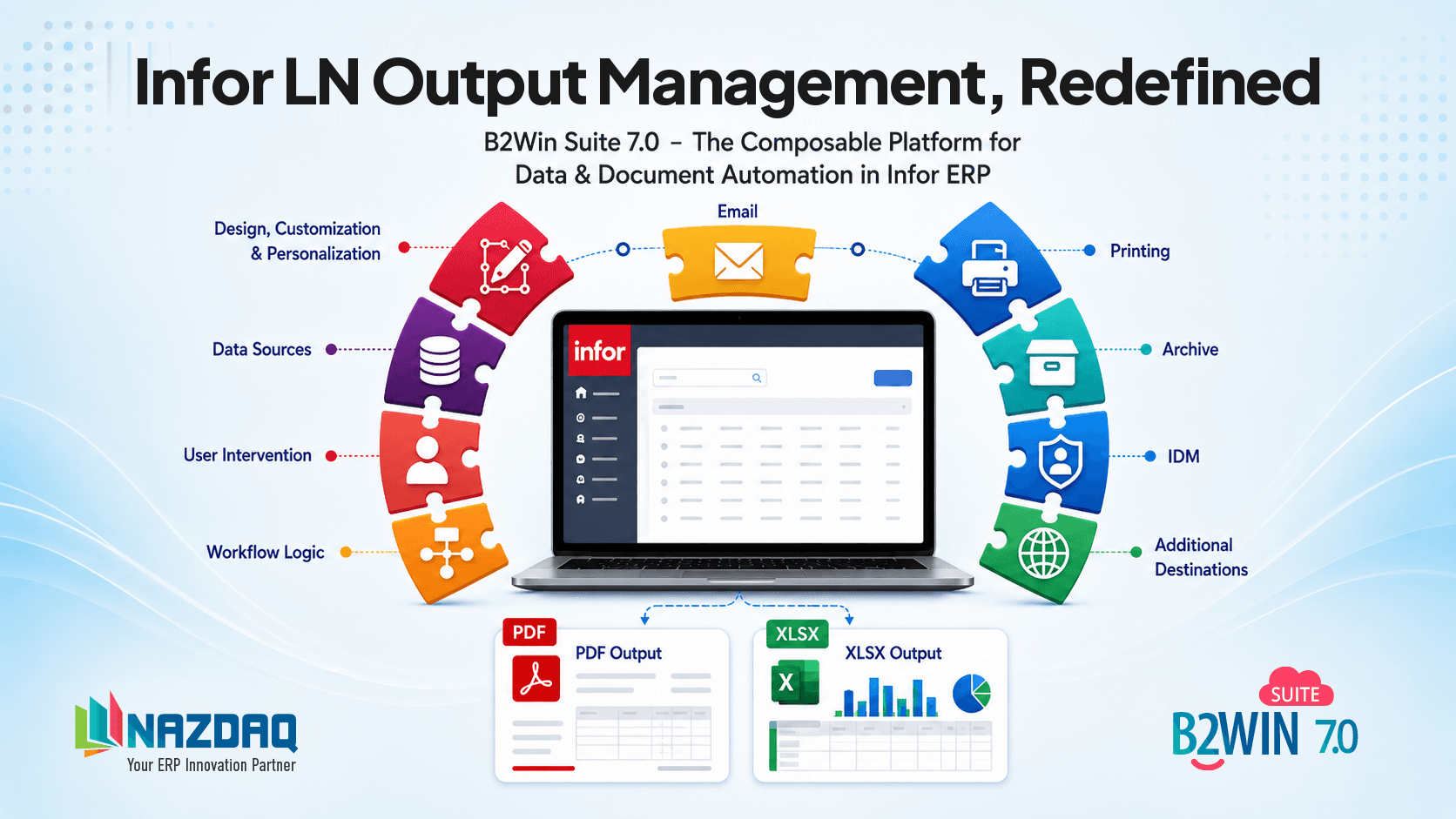
Document output management can be described through five main stages:

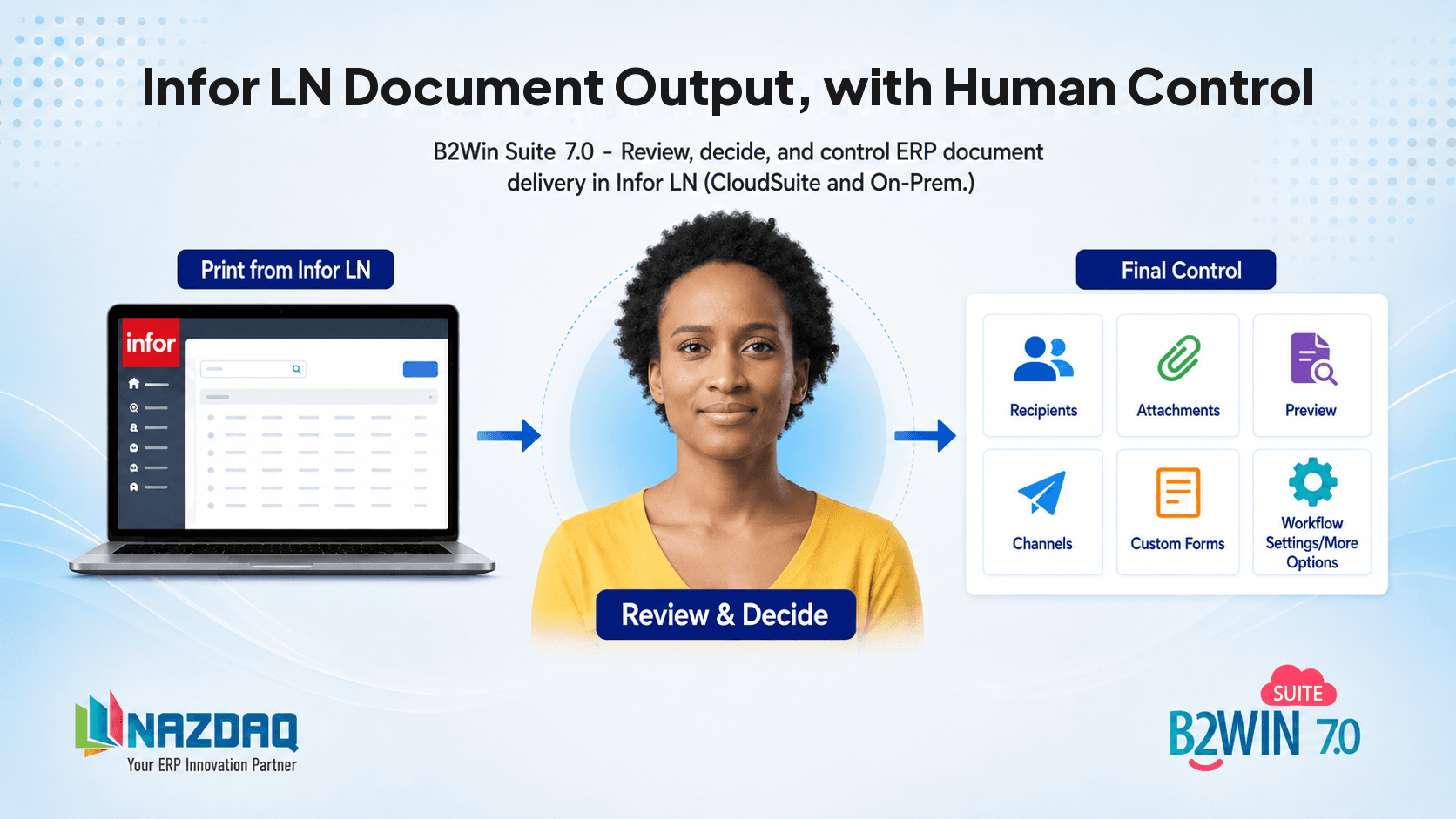
- 1.Generate: A document is generated by Infor LN and passed through an output device to the B2Win Suite workflow.
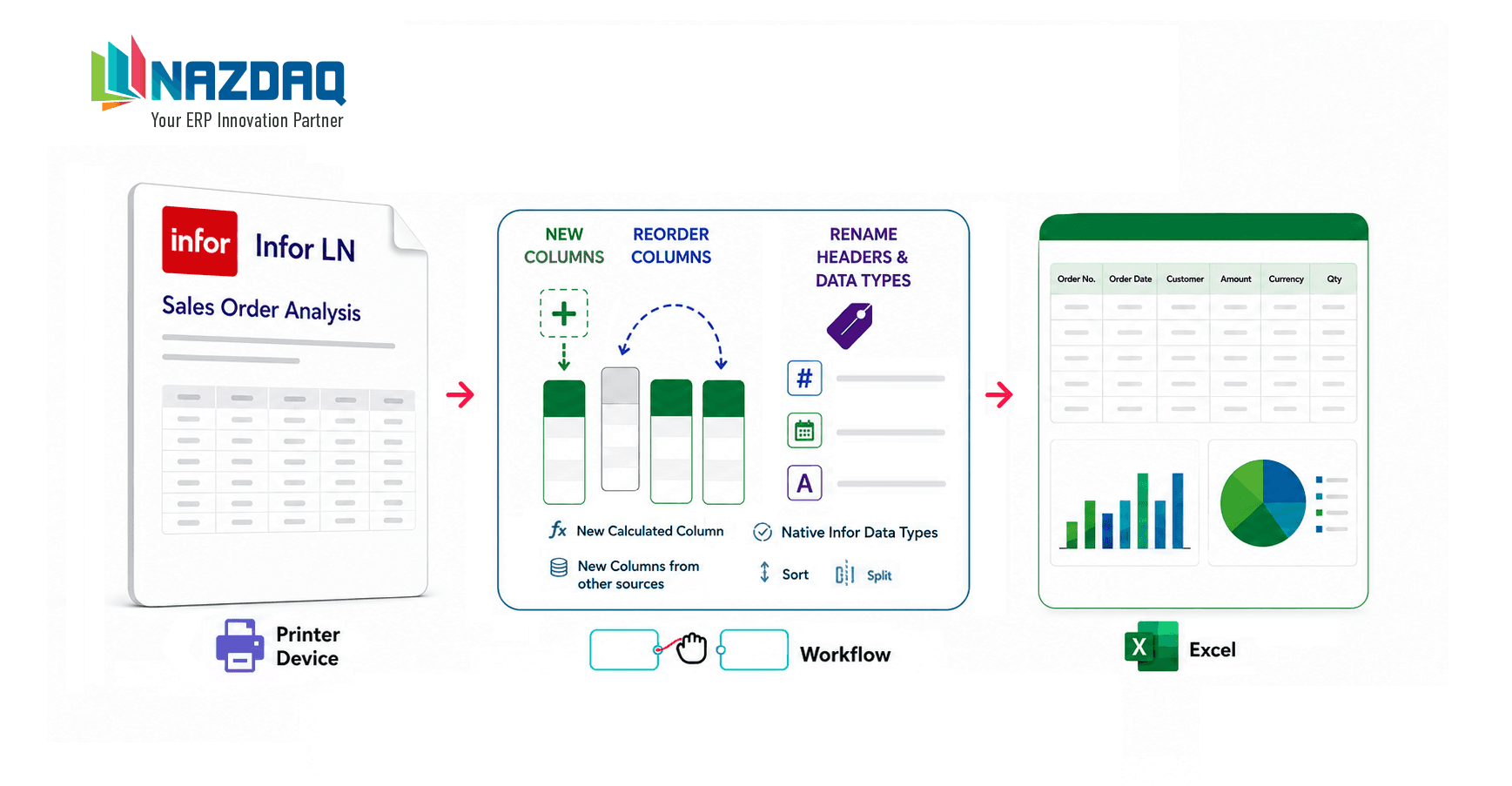
- 2.Format: The output is converted into a PDF or Excel file. Optionally, it can first be designed using Infor LN Report Designer.
- 3.Route: Business rules determine whether it continues through DOM or another distribution process.
- 4.Deliver: The document is sent through email, IDM, or another destination.
- 5.Track: Delivery is monitored for auditing and error handling.
In previous versions, B2Win Suite and B2Mail-Merge typically performed the complete document output process.
With B2Win Suite 7.0, customers can also use selected stages. Document delivery is a good example. Companies may use B2Win Suite to address specific DOM and output management challenges, including dynamic recipients and attachments, additional destinations, interactive user control, immediate processing, and improved monitoring and traceability. These challenges are explored further in our article, 7 Common DOM Challenges in Infor LN and Infor CloudSuite.
Companies using other Infor products, such as Infor M3 or SyteLine, can retrieve documents from IDM or shared folders and use B2Win Suite to route and distribute them through the required channels.
One customer used this modular architecture to modernize a legacy StreamServe-based process. The company retained its existing StreamServe document templates while using B2Win Suite to retrieve the generated files, convert them to PDF, identify the recipients, distribute the documents by email, handle errors and retries, and archive the processed files. The complete customer story is described in How B2Win Suite Was Used to Distribute Documents Produced by StreamServe.
The workflow clearly represents whichever combination of components the customer chooses.
Data Automation as a Set of Composable Processes
Data automation includes several related processes, including ETL, reporting, and replication. Each can be used end to end or combined with existing tools.
Reporting
Reporting can be divided into four modular stages:

- Query data from Infor or other sources.
- Transform it into useful business information.
- Format it as Excel, PDF, or another report type.
- Distribute it to users or business destinations.
ETL & Data Integration
ETL is commonly defined as:

B2Win Suite can:
- Extract data from Infor CloudSuite, LN, M3, databases, APIs, or files.
- Transform and prepare the data.
- Load it into a database, data warehouse, Excel file, or another destination.
Data Replication
Data replication can be represented through three main stages:

- Capture new or changed data from the source environment or Infor Data Lake.
- Transfer the data to the target environment.
- Load it into the target database or application.
When required, transformation or mapping can be added between the transfer and load stages to align source structures and fields with the target system.
Monitoring and verification can be applied throughout the process to identify errors, confirm synchronization, and ensure that the target remains up to date.
An organization may already have a preferred business intelligence system but need a better way to extract data stored in the Infor Data Lake. Another may use B2Win Suite to retrieve and transform data from several sources, then generate and distribute Excel reports. A third may use it only to replicate data in near real time into a target database.
These combinations allow customers to retain tools that already work well while adding the capabilities they are missing.
Choose the Capabilities You Need
B2Win Suite 7.0 does not require an all-or-nothing approach.
Customers can choose:
- A complete end-to-end process
- One specific solution area
- One or more stages within a solution
- A combination of B2Win Suite, the Infor technology stack, and third-party capabilities
This supports a best-of-breed strategy while preserving a unified workflow and management layer.
B2Win Suite can provide the missing automation, transformation, distribution, or monitoring capability required by a specific business process.
The objective is not to replace every application. It is to help the customer’s selected applications and capabilities work more effectively with the core ERP system.
Adapt Without Rebuilding
Business requirements change.
A document may need a new destination. A report may require another data source. A replication workflow may need to accommodate new columns in a source table. A customer may replace one reporting, storage, or delivery application with another.
In a traditional hard-coded solution, such changes can require significant redevelopment.
With a workflow-based, composable architecture, individual steps can be added, removed, replaced, or rearranged while preserving the rest of the process.
Customers can begin with one capability and expand later, creating a practical path for incremental adoption.
Modular Capabilities. Unified Workflows.
B2Win Suite 7.0 brings together document output management, reporting, ETL, replication, and automation through one workflow-based architecture.
Customers can adopt a complete solution, select an individual capability, or combine B2Win Suite with Infor and other best-of-breed applications.
You choose the capabilities. The workflow makes them work together.
B2Win Suite 7.0 brings together document output management, reporting, ETL, replication, and automation through one workflow-based architecture.
You choose the capabilities. The workflow makes them work together.

Bader Mansour
Bader Mansour is the founder and president of NAZDAQ, leading the company since 1997. He has worked with ERP (MRP II) systems since 1991 and specialized in Infor LN (Baan) solutions since 1997, bringing decades of deep industry expertise. By age 25, he had already advanced to an IT Manager role. His career reflects a rare blend of in-depth technical and application expertise, with hands-on and leadership experience across roles including IT Manager, System Analyst, Application Consultant, Technical Consultant, System Administrator, and Product Architect in Israel, Silicon Valley, Boston, and Virginia. He holds a B.Sc. in Computer Science (1991) and an MBA (2001) from the Technion in Haifa.
About the company