Document Output Management (DOM) is part of Infor LN and helps companies automate the distribution of business documents such as invoices, purchase orders, order confirmations, shipment documents, and other business forms.
At NAZDAQ, we work with companies that want to get more from their Infor LN systems. To better understand the practical limitations of DOM, we spoke with three experienced consultants. This article summarizes the seven limitations organizations should consider when designing or improving their output management process.
DOM is rule-driven and offers limited interactive control
DOM works mainly through predefined rules.
These rules determine how documents are processed – for example, which document type is being processed, who the recipient is, which destination should be used, and whether the document should be printed, emailed, archived, or sent elsewhere.
This is useful for standardized processes. For example, if every customer invoice should be emailed to the customer and archived automatically, DOM can handle that well.
The challenge starts when users need flexibility at runtime.
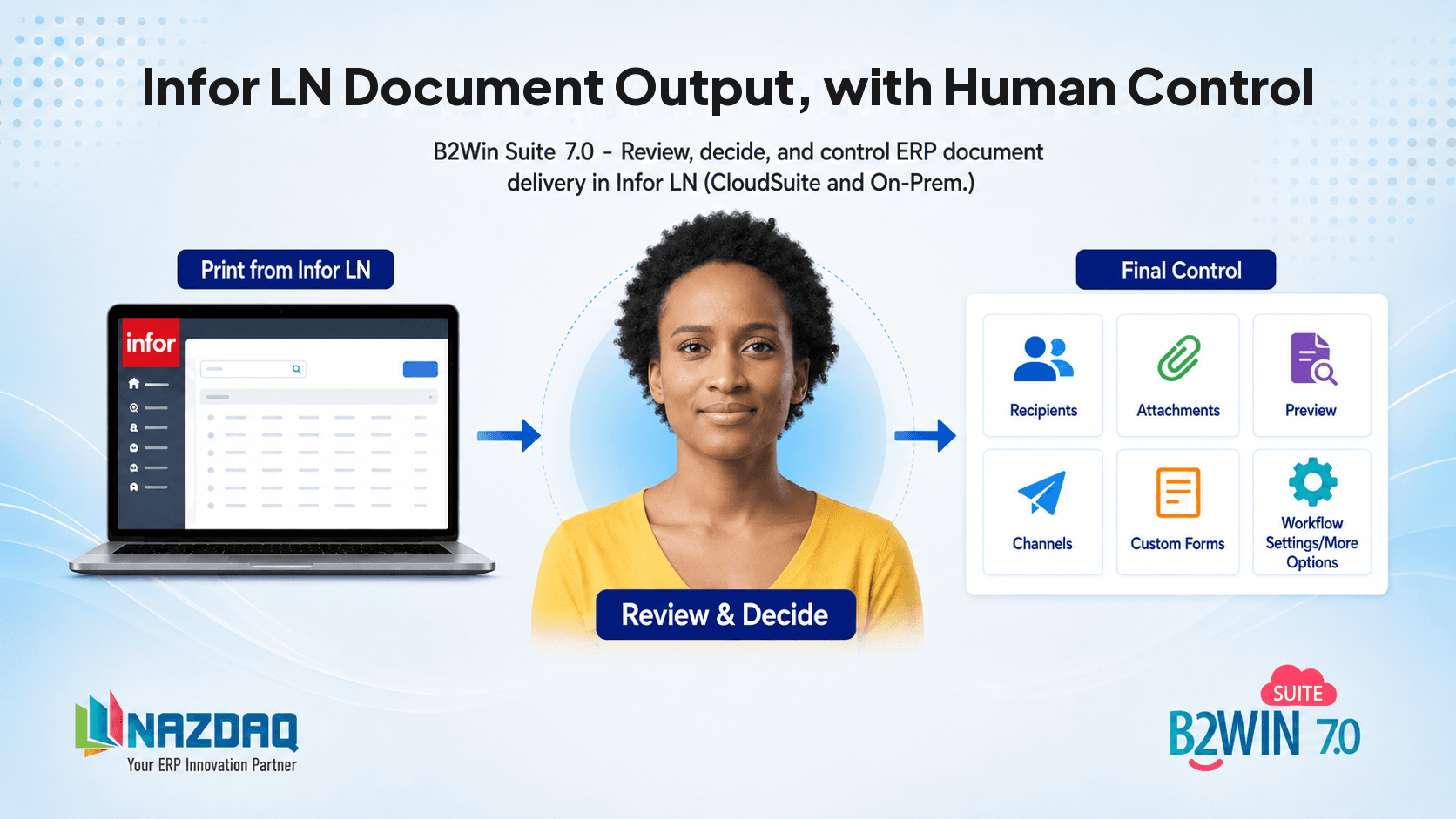
For example, users may want to preview the document before sending, add or remove email recipients, change the subject line, add a personal message, include an extra attachment, choose a different destination, or send the document differently only this time.
DOM may allow users to preview output, but it does not always provide the same experience as an interactive send screen. In many cases, the process needs to be configured in advance by a consultant, developer, or administrator.
In simple terms: DOM is strong when the business rule is known upfront. It is weaker when the user needs dynamic control at the moment of sending.
Limited flexibility for custom recipients
DOM handles standard recipients well. For example, it can work with predefined customer, supplier, or business partner contact information.
However, custom or dynamic recipient logic can be difficult to implement.
Advanced recipient scenarios may require 3GL development, custom logic, a deeper understanding of distribution rules, knowledge of recipient resolution, an understanding of the DOCMAN engine behavior, and maintenance across multiple setup layers.
This becomes challenging when the business wants more advanced logic, such as sending to different recipients based on document value, adding internal recipients based on department or warehouse, including project-specific contacts, adjusting recipients based on language, country, or customer group, or using recipient data from an external system.
For example, in purchase order scenarios, companies may want the document to go not only to the supplier, but also to the buyer and the buyer’s manager, depending on the employee and supervisor data in LN.
The configuration is often fragmented across multiple setup areas, which makes extension and maintenance more complex.
In simple terms: standard recipients are manageable, but advanced recipient logic is not purely configuration-based and often needs technical customization.
Adding dynamic attachments is not simple
Many companies want to send more than just the main document generated in Infor LN.
For example, when sending a sales invoice, they may also want to attach documents such as proof of delivery, terms and conditions, quality certificates, customs documents, product specifications, or documents stored in IDM, SharePoint, DMS, or another repository.
DOCMAN can support attachments, but dynamic attachment handling is often not simple.
The difficulty usually comes from questions such as: Where is the attachment stored? How does LN know which attachment belongs to this document? Should the attachment always be included, or only under certain conditions? Does the attachment come from IDM, DMS, a file system, or an external system? Or does custom logic need to be written?
In many implementations, this requires expressions, mappings, custom destination logic, or additional development.
The limitation is not that attachments are impossible. The limitation is that dynamic attachment scenarios can become technically complex and difficult for business users to maintain.
DOM processing can be delayed by background queues
Another practical limitation is timing.
DOM often works through background processing. This means that after a document is created, it may be placed in a queue and processed later by a background job before being rendered and distributed.
For many companies, this is acceptable. A delay of a few minutes may not matter when sending batch invoices or nightly statements.
But for user-driven processes, delays can create frustration.
For example, if a user prints a document and expects it immediately, a warehouse needs a label right away, a finance user wants to confirm that an invoice was emailed now, or a customer service employee is waiting to resend a document during a phone call.
If the background process runs every few minutes, the document may not be processed immediately, and the user may have to wait before the output is actually produced or sent.
This makes DOM better suited for controlled batch processing than for highly interactive, real-time output scenarios.
Excel output can be difficult
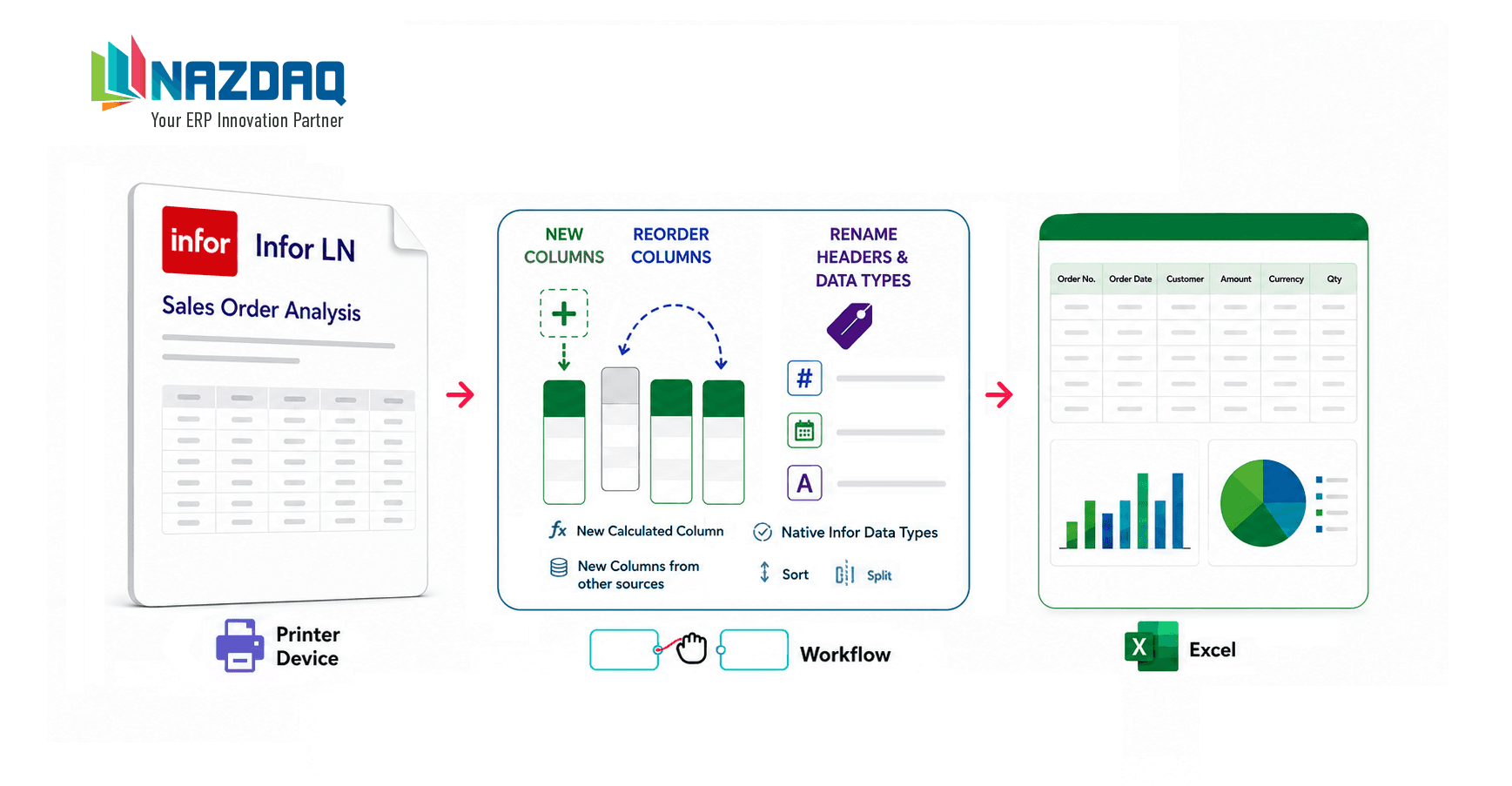
DOM is commonly used for documents like PDFs, printed forms, and emails. But when companies want clean, structured Excel output, the process can become more complicated.
Excel is often expected for reports such as financial reports, order lists, shipment summaries, inventory reports, customer statements, and operational exports.
The problem is that a report designed for printing or PDF does not always translate neatly into Excel.
Printed reports often have headers, footers, page breaks, positioning, labels, and formatting that look good on paper but create messy Excel files. Users may expect an Excel file with clean columns and rows, but the output may require extra work in the report design.
In some cases, the report must be adjusted specifically for Excel output. This can increase effort and maintenance.
In simple terms: DOM can support Excel output in some scenarios but creating a clean and usable Excel file is not always straightforward.
Advanced destinations may require custom work
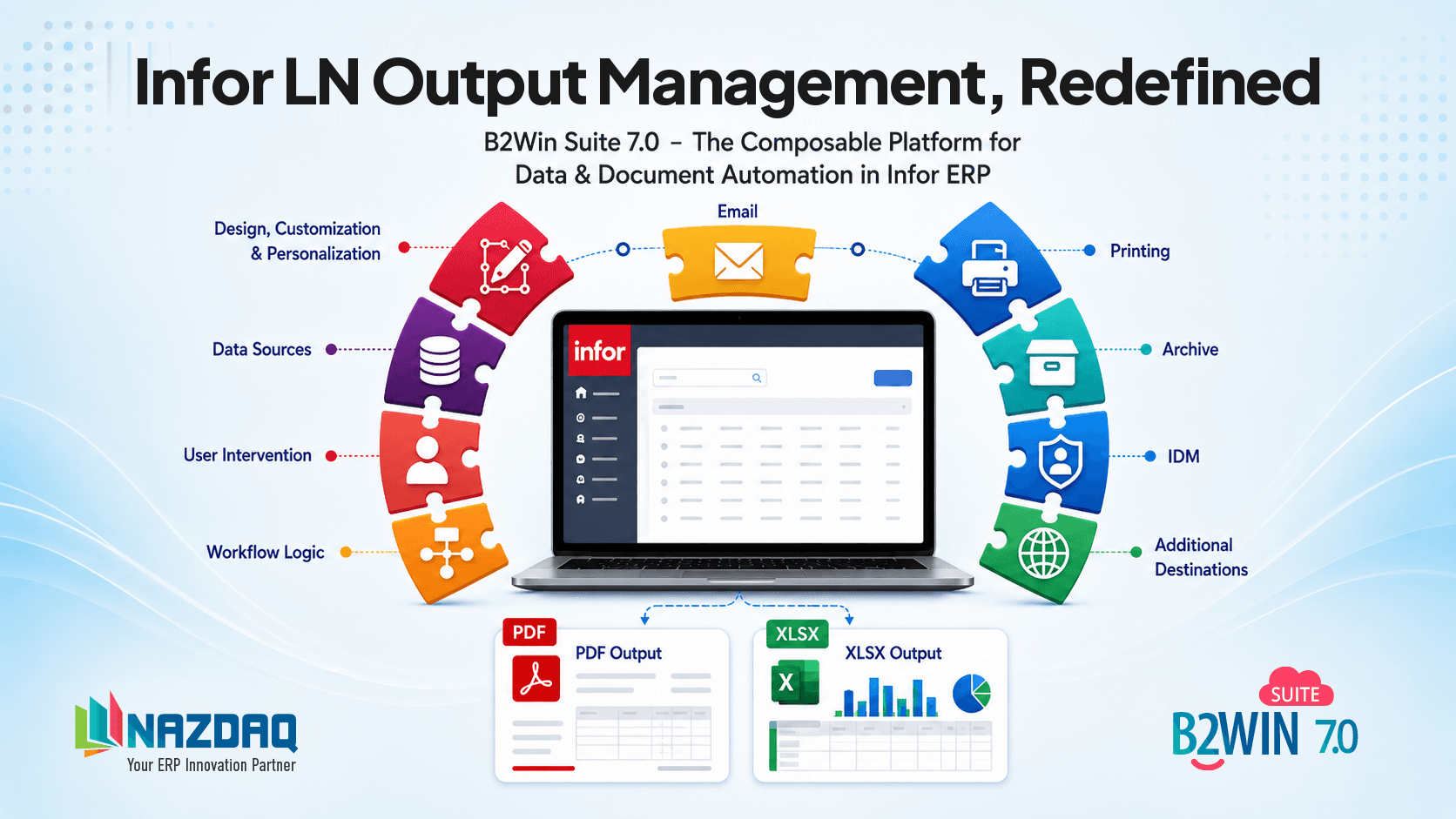
Standard DOM destinations usually cover common output channels such as email, print, archive, and document management.
But modern businesses often need more.
Examples include uploading documents to SharePoint, sending files to an API, posting documents to a customer portal, sending a secure download link instead of an attachment, storing output in a cloud repository, sending documents through workflow tools, or triggering external automation platforms.
These scenarios may not be available out of the box. They often require custom destination logic, custom libraries, integration middleware, or external automation.
This adds complexity because every custom destination needs to be designed, tested, monitored, and maintained.
The more modern or nonstandard the destination, the more likely DOM will need customization.
Troubleshooting, monitoring, and traceability can be difficult
When DOM fails, the reason is not always obvious.
A document may fail because of missing recipient setup, incorrect destination rules, rendering errors, email server issues, missing IDM or DMS metadata, background queue problems, custom destination errors, attachment issues, or failed 3GL logic.
For business users, the process may feel unclear. They may only know that the document was not sent, printed, or archived, without any indication of where the process failed.
For technical teams, the challenge can go deeper. Document processing is often spread across multiple configuration layers and runtime components. This can make it hard to follow a single end-to-end execution flow.
A consultant or developer may need to investigate how the document was generated, which document type was used, which rules were evaluated, how the recipient was resolved, which destination was selected, whether rendering succeeded, whether the background process picked up the job, whether attachments were added correctly, whether custom 3GL logic was executed, and where the final output was sent.
Debugging the process of printing to DOCMAN typically requires checking logs, rule evaluations, batch status, and sometimes adding custom tracing in 3GL code.
In simple terms: business users may struggle to understand what failed, while technical teams may struggle to trace the full end-to-end process.
Summary: When DOM Works Well
DOM is a good fit when the process is predictable and rule-based.
For example:
Generate document → apply predefined rule → email, print, or archive
In these cases, DOM can reduce manual effort and improve consistency.
Where DOM Becomes Challenging
DOM becomes harder when the process requires flexibility.
For example:
Generate document → preview → edit recipients → add attachments → choose destination → send immediately → track status
This is where many companies experience limitations.
The most common challenges are:
- Manual user control
- Dynamic recipients
- Dynamic attachments
- Instant processing
- Clean Excel output
- Modern custom destinations
- Easy troubleshooting and traceability
These requirements are common in modern business environments, especially when companies want document output to be more user-friendly and more connected to external platforms.
Final Thoughts
DOM in Infor LN is a useful tool for automating document distribution. It can handle many standard output scenarios and is especially valuable when document flows are predictable and rule-based.
However, DOM is not always the best fit for dynamic, user-driven, or highly integrated output processes.
The real question is: how much flexibility, speed, visibility, and user control does your business need after the document is generated?
For simple and standardized flows, DOM may be enough. For more dynamic output management, companies may need additional tools, custom development, or a more flexible document delivery solution.
This is one of the reasons we developed a solution within B2Win Suite to support document output scenarios that require greater flexibility, better user control, dynamic distribution logic and easier integration with external platforms.
For more information about our solution.

Bader Mansour
Bader Mansour is the founder and president of NAZDAQ, leading the company since 1997. He has worked with ERP (MRP II) systems since 1991 and specialized in Infor LN (Baan) solutions since 1997, bringing decades of deep industry expertise. By age 25, he had already advanced to an IT Manager role. His career reflects a rare blend of in-depth technical and application expertise, with hands-on and leadership experience across roles including IT Manager, System Analyst, Application Consultant, Technical Consultant, System Administrator, and Product Architect in Israel, Silicon Valley, Boston, and Virginia. He holds a B.Sc. in Computer Science (1991) and an MBA (2001) from the Technion in Haifa.
About the company