Most document automation conversations start in the same place: remove the human.
Generate the invoice. Resolve the recipient. Attach the files. Send. Archive. Repeat. That model is the right default — until the next document is not like the last one.
A purchase order that is usually emailed to the supplier may, this time, also need the buyer’s manager. A reminder run may look correct in the workflow, but someone still needs to check the list before hundreds of messages go out. A warehouse document may need a comment, a different attachment, or a destination that was not known when the rule was written.
That is why a person in the middle still matters. A wrong send is not a small exception. The wrong recipient, a missing drawing, or a document that leaves before anyone has seen it can create rework, delay, and risk.
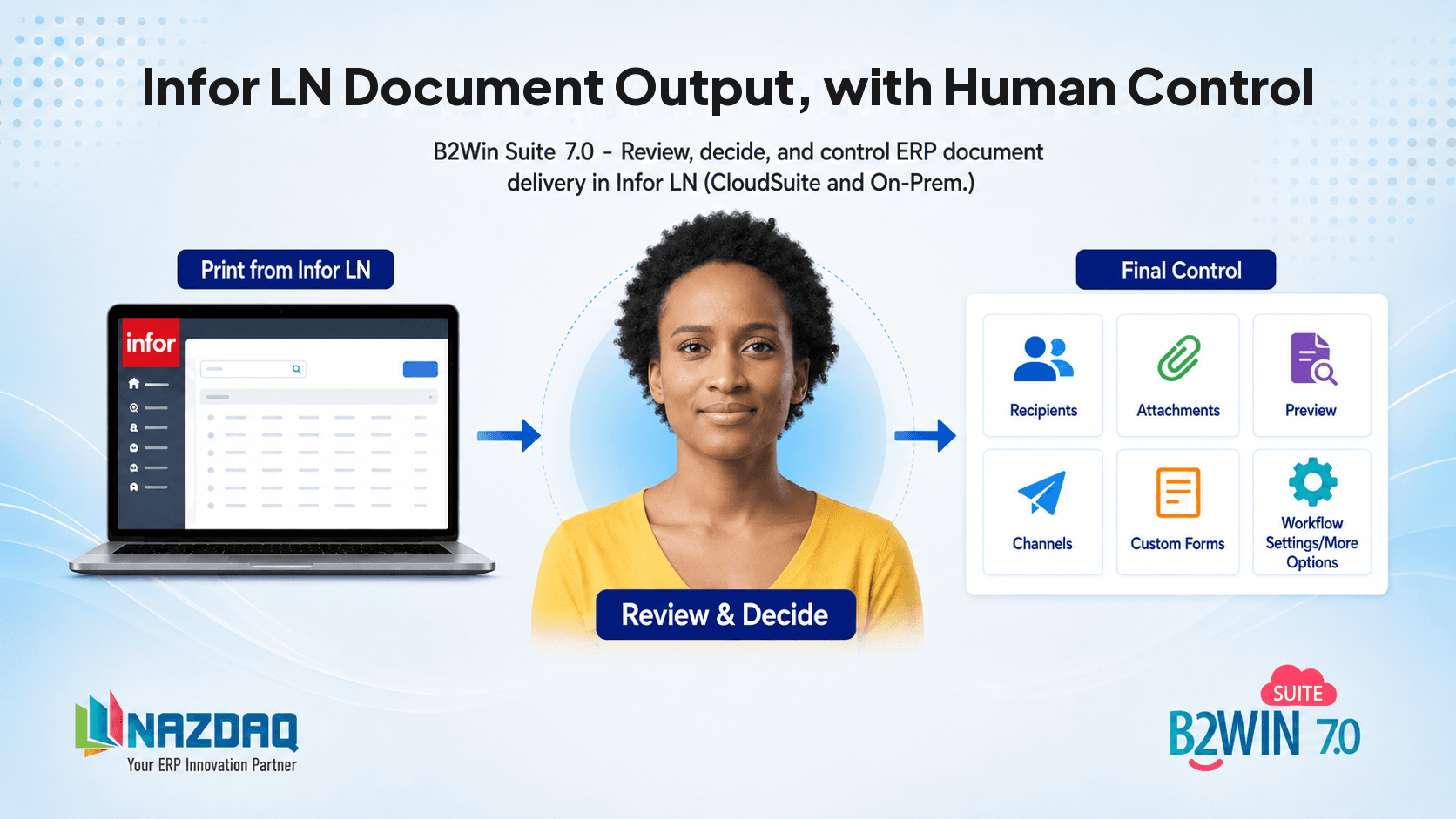
B2Win Suite 7.0 does not ask you to choose between automation and control. Interactive Workflow Input Screens put a person in the middle of the automated process: the workflow generates and prepares, a user reviews, then delivery continues.
Why a person in the middle still matters
Rule-driven automation is strong when the path is known in advance. Recipients are stable. Attachments are the same. Destinations do not change. The volume is high, and exceptions are rare.
Real document work is often not like that.
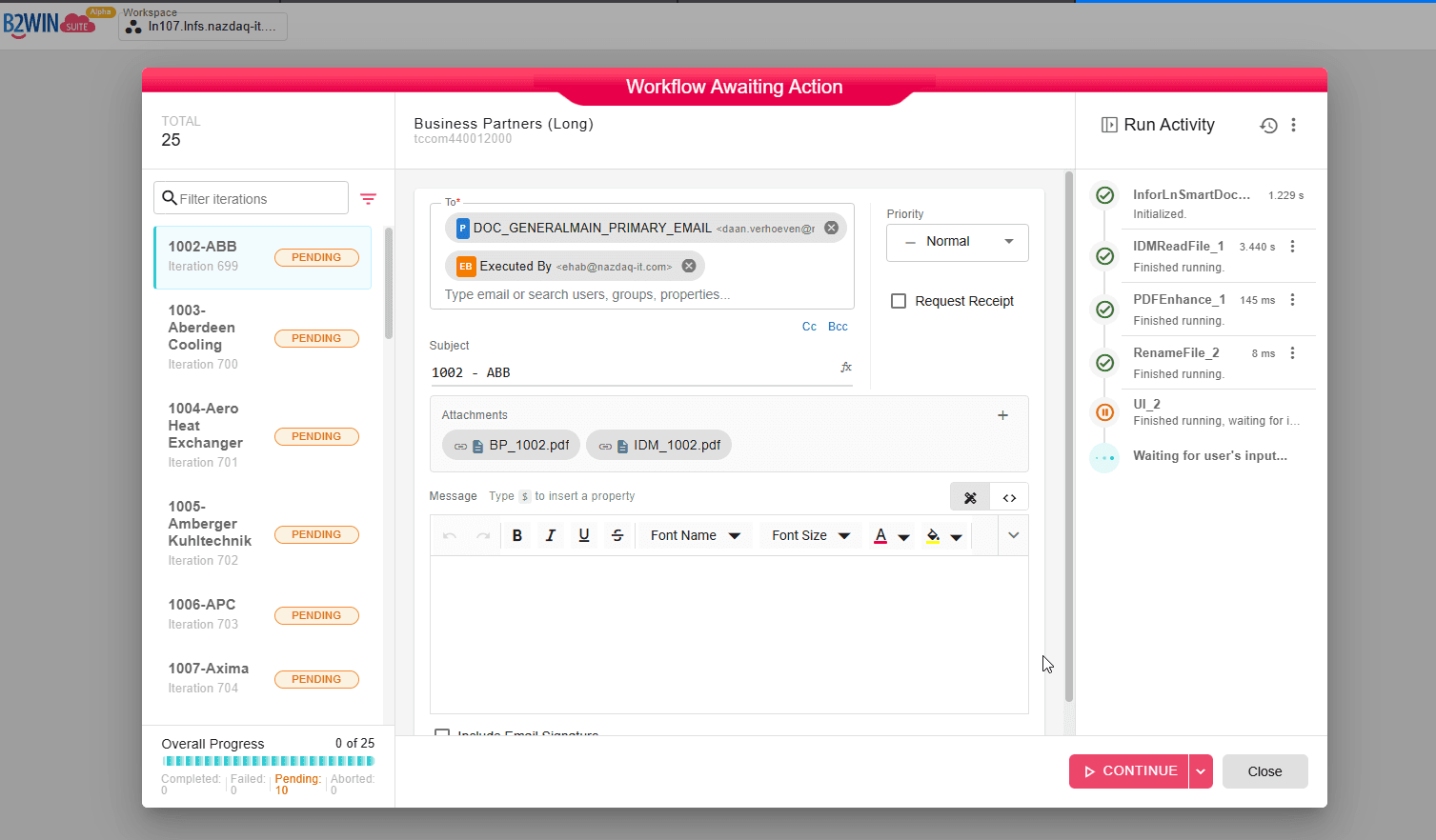
The user who printed the document may know something the rule does not: this customer needs a copy to a second contact, this order needs a CAD file from IDM, this batch should not go out until someone has seen the list. Infor LN DOM can apply predefined distribution rules. It is weaker when the next document — or the next run — needs a change this time only. That gap is described in 7 Common DOM Challenges in Infor LN and Infor CloudSuite.
A person in the middle is not a workaround and not a second system. It is a designed pause: automation does the heavy work, a human confirms what leaves the company, then automation finishes.
You still automate. You decide when a human should be in the loop.
Interactive Workflow Input Screens in 7.0
One of the major new capabilities in B2Win Suite 7.0 is support for custom interactive input screens inside workflows.
When you build a workflow, you can add a screen that pauses execution. The form is based on workflow context — the document, recipients, attachments, and delivery options already prepared by the previous steps — so users can enter information, review data, validate details, and approve the next step.
No technical skills required on the review screen. Teams can build a different form per report type so the pause matches the process.
See Interactive Workflow Input Screens in What's New, and the UI Flow Controls documentation for how the UI node is configured.
The last mile is customizable
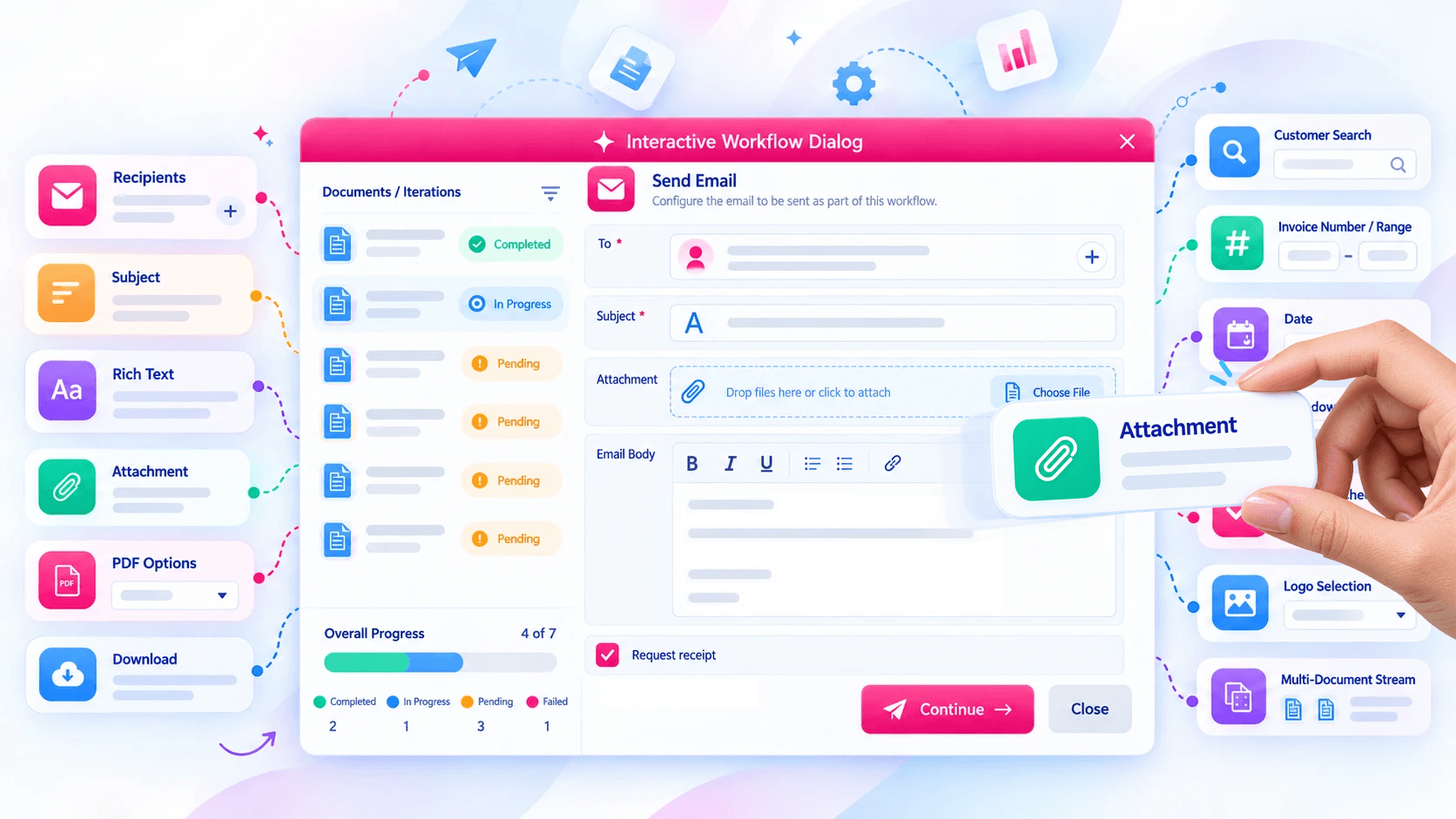
Not every company reviews a document the same way. One process needs recipients and attachments. Another needs a comment, a date range, or a second contact. A third walks a list of documents one by one before anything is sent.
That last mile is where generic automation usually stops — a fixed screen that does not match the process. In B2Win Suite the person-in-the-middle interface is assembled from easy-to-use building blocks, so the pause matches this company, this report, this review.
Recipients, subject, rich text, attachments, dates, dropdowns, search, checkboxes, logos, multi-document progress — the same workflow engine, a different dialog when the process is different.
That is a NAZDAQ differentiator: control at the last mile, without asking IT to rebuild the form for every exception.
From the ERP, through a person, to every destination
The Review screen is simply a pause in LN printing before the document is sent.
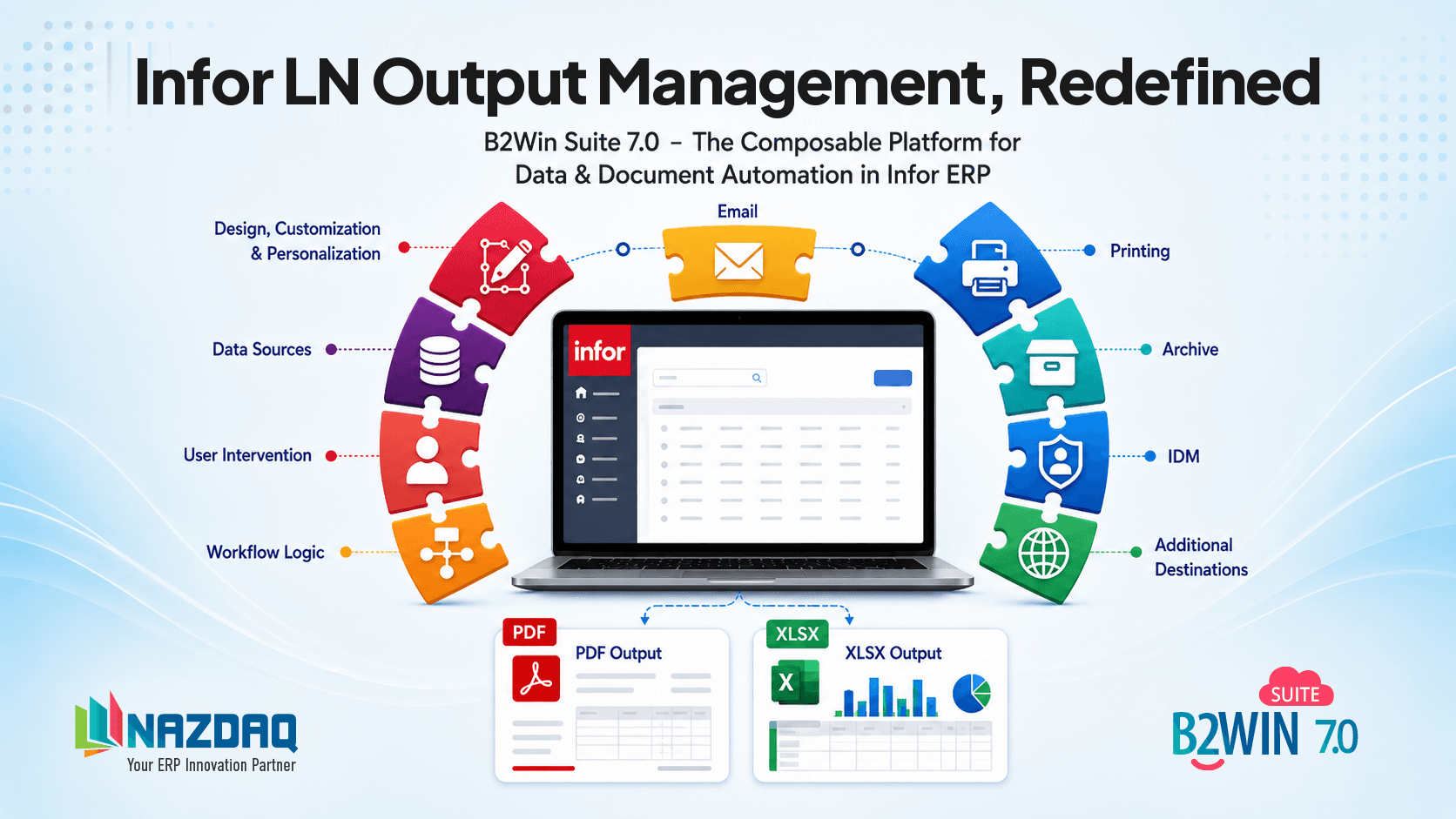
Infor LN prints → the workflow prepares the document → human in the middle stays on → delivery continues to email, print, archive, API, IDM, SharePoint, or several of those at once.
Remove the person in the middle and the same process can send automatically. Leave it on and a user can preview the document, change recipients, check attachments, and confirm channels before anything leaves.
The full document process — generation, dynamic recipients, attachments, and multi-channel delivery — is on Infor LN Document Output Management.
Human-in-the-Middle Interactive Explainer
A new capability through B2Win Suite, integrated within Infor.

Infor LN
Print Dialog
The document is generated from the ERP report.
Review & Decide
Rich Delivery Possibilities
Click a channel to include or exclude it.
11 destinations after review.
Example: purchase order reminders
Native Infor LN document generation in 7.0 shows why the pause exists.
The workflow can generate purchase order reminders as PDFs, add the business partner email by the selected role, add context-based attachments, and prepare delivery — then stop so a user reviews recipients and the message before hundreds of reminders go out.
That is the point of a person in the middle: automation does the work. A person signs off at the moment it matters.
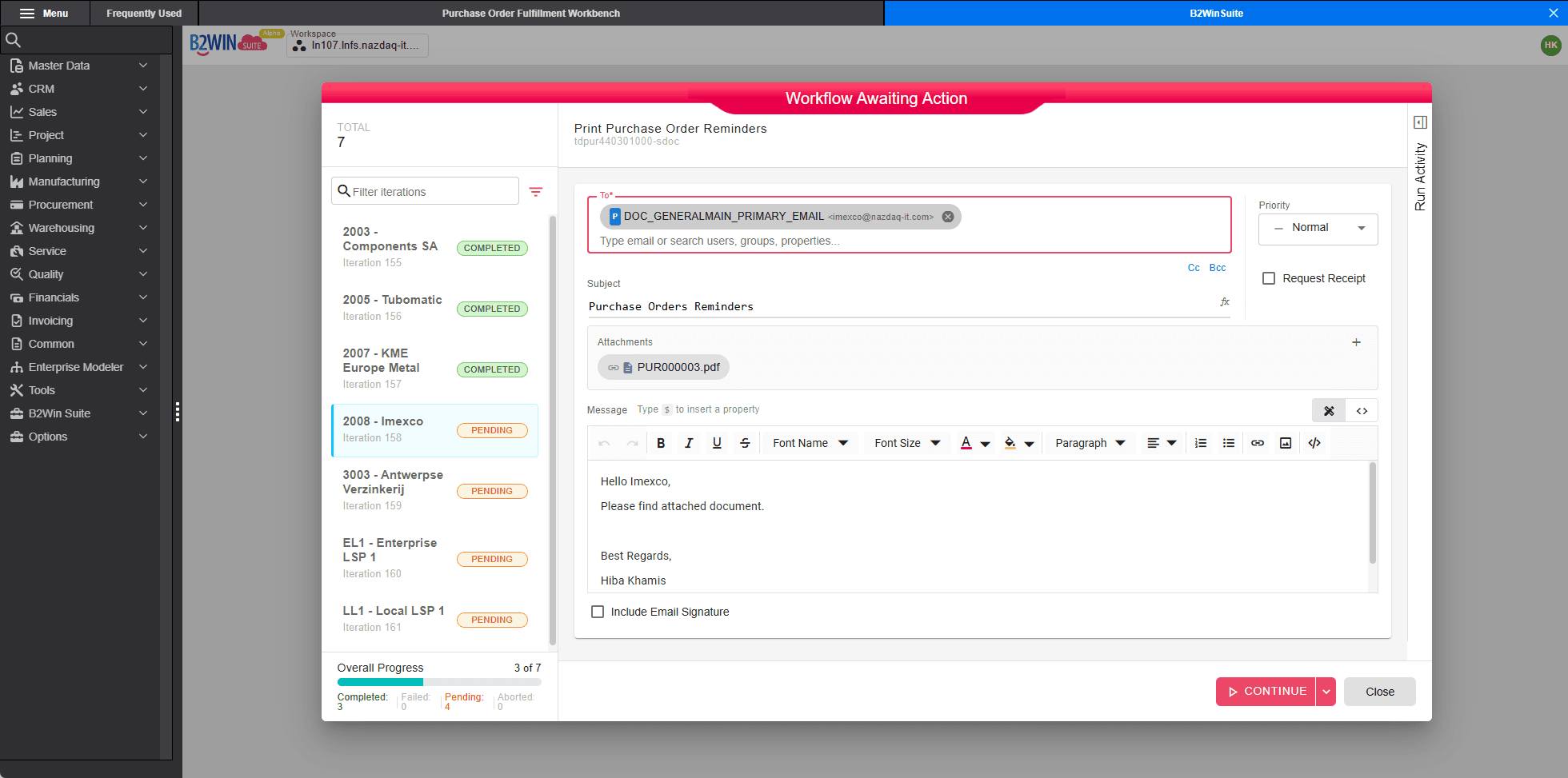
Interactive Workflow Input Screens in B2Win Suite 7.0 put a person in the middle of automation when you need it — then delivery continues.
You decide when to automate — and when to control.